You send an offer to your whole list. A few people reply, most ignore it, and some block you. The next week a reminder goes out late, one customer gets the same message twice, and nobody can tell what worked.
Most of this comes down to the broadcast tool you use. The right WhatsApp broadcast software helps with each problem. Segments send the right offer to the right people. Scheduling puts reminders on time. Duplicate handling stops repeat messages. Reports show what to change next.
What is WhatsApp broadcast software?
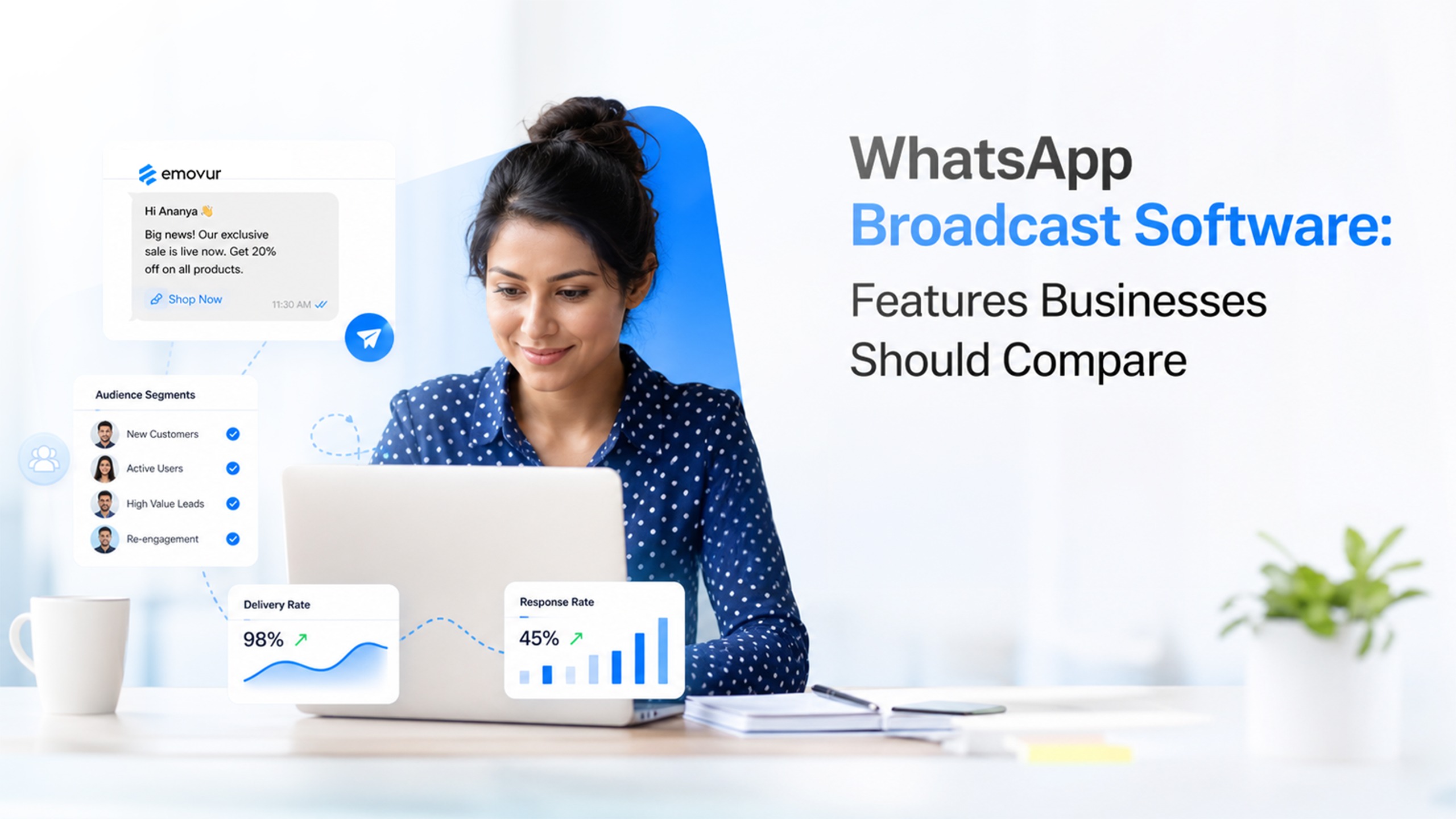
WhatsApp broadcast software is a tool that lets your business send one message to many customers in one go. You write the message once, choose who should get it, and the tool does the sending. You don’t type it out chat by chat.
Each message goes out as an approved WhatsApp message template. It lands in the customer’s chat as a normal one-to-one message, so it feels personal, not like a mass email.
The WhatsApp phone app can send a basic broadcast too. Software adds the controls a business needs to run a proper campaign:
Who gets it: pick people by typing numbers, uploading a file, or choosing a group you already saved.
What it says: add the customer’s name, an image, or a link that is different for each person.
When it goes out: send it now, or schedule it for the right moment.
What happened next: see which messages were delivered, read and replied to.
Good broadcast software runs on the official WhatsApp Business API. That is the route WhatsApp supports for businesses. Tools that send from a personal number through a browser extension are not an official route, and they can put your number at risk.
Not sure how a broadcast differs from a group or a channel? Our guide to broadcast vs group vs channel explains it.
Which broadcast features help you sell more?
Goal: get more sales from an offer.
You have a good offer. You send it to everyone on your list. A few people buy, most ignore it, and some stop reading your messages.
The offer was fine. The problem is that it reached the wrong people, with nothing to make it feel meant for them. Three features fix this.
Segmentation: A customer who bought shoes last month may not care about a bag sale. Segments let you split your list into groups and send each group its own offer.
Personalisation. A message with the customer’s name and a clear link gets more attention than a generic blast.
Media and links. An image or a link to the product page lets the customer act in one tap.
What to check in any tool: can you pick a saved segment, add variables, attach media and use a link that changes per customer?
In Emovur: you can choose recipients by Enter numbers, CSV or Select segment. In the template you can use plain text, media, dynamic variables and a dynamic URL.
Which features help you cut missed appointments and no-shows?
Goal: get people to show up.
Reminders only work if they arrive at the right time with the right details.
Scheduling: A reminder sent at the wrong hour gets buried under other notifications, or read too late to matter. With scheduling, you pick the date and time in advance, so a class reminder goes out the evening before and not whenever someone remembers to press send.
Variables: Include the name, date and time so the customer does not have to look anything up.
Not sure which time suits your customers? Our guide to the best time to share a WhatsApp broadcast.
What to check in any tool: can you schedule ahead, and can each message carry its own details from your list?
In Emovur: you can send a broadcast right away or schedule it for a later date and time.
Which features protect your customer relationship?
Goal: keep customers engaged.
Customers stop reading when messages are irrelevant or repeated.
Segments and labels: Send each group only what applies to them.
Duplicate handling: If one number appears twice in your list, the tool should let you decide whether it gets two messages or one.
What to check in any tool: ask the vendor what happens when the same number appears twice. Many tools do not say.
In Emovur: when a number is repeated in your CSV, you choose to send to both entries, for example when each row is a different order, or to send only once.
Features help you reach everyone and learn what worked?
Goal: reach your full list, then improve.
Bulk upload: Loading a list from a file saves hours compared with adding numbers one by one.
Retargeting: Some messages fail the first time. A retry setting gives them another chance.
Reports: Delivery, read and reply tracking show which campaigns work, so the next one is better. Our marketing campaign checklist explains which numbers to watch.
In Emovur: you can upload a CSV, set retry options, and view delivery reports plus read and reply tracking from the dashboard.
Which broadcast tool is right for you?
Choose by goal. If you want better sales, check segments and personalisation. If you want fewer no-shows, check scheduling. If you want to protect your list, check duplicates and reports.
Ready to compare costs? See Emovur’s WhatsApp Business API pricing. Want to see a broadcast built live?
Frequently Asked Questions?
1. What features should I look for in WhatsApp broadcast software?
Look for the official API, three ways to add recipients, templates with media and variables, scheduling, duplicate handling, retry and reports.
2. Do I need broadcast software if I already use the WhatsApp Business app?
The app’s broadcast list is basic. It has no templates, scheduling or reports. Software gives you those controls.
3. Can broadcast software put each customer’s name in the message?
Yes. With dynamic variables, each message can carry the customer’s own details. In Emovur you map each variable to your list.
4. What happens to duplicate numbers in an Emovur broadcast?
You choose to send to both entries or send only once.
5. How do I know my broadcast worked?
Check delivery, read and reply tracking in the dashboard, then compare campaigns to see what to change.