


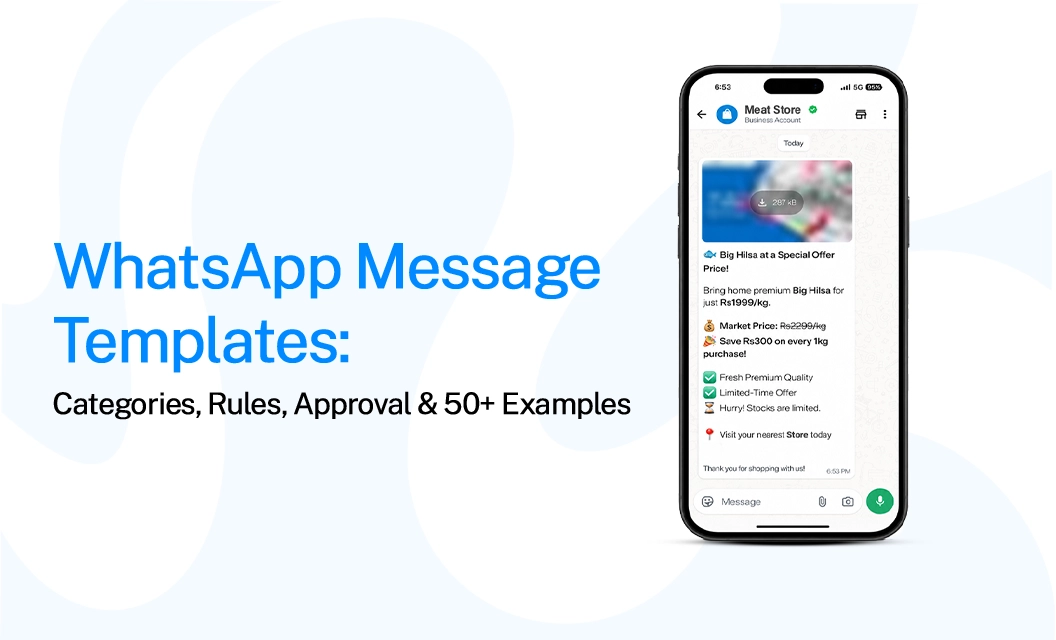
WhatsApp Message Templates: Categories, Rules, Approval & 50+ Examples
Direct answer:
A WhatsApp message template is a pre-approved message format businesses use to start conversations with customers or send messages outside WhatsApp's 24-hour customer service window. Templates are categorized based on their purpose, such as marketing, utility, or authentication. Choosing the right category, following Meta's formatting rules, and keeping the content aligned with its intended use can improve approval chances and make your campaigns more effective.
This guide explains WhatsApp template categories, components, approval rules, common mistakes, and 50+ practical WhatsApp message template examples for different business use cases.
What are WhatsApp message templates, and when do you use them?
A WhatsApp message template is a structured, reusable message that a business submits for approval before using it for certain outbound communications. Templates are particularly important when a business needs to contact a customer after the 24-hour customer service window has closed.
Unlike free-form replies within an active customer conversation, template messages follow predefined structures and can include elements such as variables, headers, buttons, images, and documents.
When should you use a WhatsApp template?
You don’t need a template for every scenario; you typically need a template when:
You are initiating a business-initiated conversation.
You are messaging a customer outside the 24-hour service window.
You are sending a promotional campaign or WhatsApp marketing message.
You are sending transactional updates such as order or delivery notifications.
You need to send authentication or verification messages.
The important distinction is that a template should reflect the actual purpose of the message. A promotional message should not be disguised as a utility notification simply to fit another category.
WhatsApp Message Template Categories Explained
WhatsApp templates are grouped based on their purpose, such as marketing, utility, or authentication. Choosing the correct category helps ensure that the template is reviewed and used appropriately.
Two simple rules are important to remember. If a message contains both utility and marketing content, it is treated as marketing. So, you should not add a discount or promotion to an order-confirmation template just to use the Utility category.
Authentication templates also have stricter content rules. They are mainly used for verification and login codes, so businesses have limited freedom to add promotional or brand-focused content.
If you are planning a campaign instead of sending individual transaction updates, check how WhatsApp broadcast works with different template categories. Marketing broadcasts also have specific requirements, including giving customers a clear way to opt out.
WhatsApp Template Structure
A WhatsApp template is made up of several components, each serving a specific purpose in the customer communication. The components available to you depend on the template category and the message format supported by WhatsApp.
- Header
The header is displayed at the top of the template and provides context for the message. It can contain:
Text
Image
Video
Document
Example: Your Order Has Shipped
Tip: Use a header to introduce the subject of the message without repeating information that already appears in the body.
2. Body
The body is the primary content section of the template. It communicates the main information and may include dynamic variables for personalization.
Example: Hi {{1}}, your order #{{2}} has been shipped. Track your package using the button below.
Tip: The body should be clear, concise, and relevant to the purpose of the message. Each variable should have a defined purpose, and the surrounding text should make its meaning clear to the recipient.
3. Footer
The footer is an optional line of supporting text displayed below the body.
Example: Thank you for shopping with us.
Tip: Use the footer for brief, non-essential information. Important details should remain in the body so customers can easily understand the message even if they do not read the footer.
4. Buttons
Buttons provide a direct way for customers to take action from the message. Depending on the template and use case, common button labels include:
Track Order
View Product
Complete Payment
Contact Support
Visit Website
Tip: Button text should clearly describe the action that will take place when the customer selects it.
5.Variables
Variables allow businesses to personalize templates without creating a separate version for every recipient.
Example: Hello {{1}}, your order {{2}} is ready for delivery.
Tip: In this example, {{1}} could represent the customer's name, while {{2}} could represent the order number. Variables should be used consistently and replaced with accurate information before the message is sent.
Note: This structure gives the message a clear hierarchy: the header establishes the context, the body provides the essential information, the footer adds supporting text, and the button guides the customer toward the next action.
WhatsApp Template Approval Rules: You Need to Follow
Template approval is not only about grammar. Meta evaluates whether the content follows the applicable template requirements and whether the category matches the message's purpose.
The most common rejection triggers are predictable once you know them:
Category mismatch—promotional language inside a Utility or Authentication template
Misleading or vague content — body text that doesn't match the stated purpose
Requests for sensitive information — asking users to reply with passwords, card numbers, or IDs
Formatting that mimics system messages — copying WhatsApp's own UI language or system alerts
Missing opt-out language on Marketing templates
Broken variable formatting — {{1}}, {{2}} placeholders that don't match the sample values submitted.
Pre-submission approval checklist
The template name is lowercase, uses underscores, and includes a version number (e.g., order_confirmation_v2)
Correct category selected — no promotional content mixed into Utility or Authentication
Body text stays under ~300 characters so it doesn't truncate on mobile notification bars
Sample values provided for every variable so reviewers can see real context
Footer used for disclaimers only — no emojis, no variables
Marketing templates include a "Stop promotions" or equivalent opt-out quick reply.
Only one language per template submission
Buttons match one type consistently (don't mix Quick Reply and Call-to-Action rules incorrectly)
For the actual creation and management workflow inside Emovur, use the WhatsApp template management documentation.
50+ WhatsApp Message Template Examples by Category
Below are ready-to-adapt WhatsApp message template examples grouped by category and use case. Swap in your own variables and brand voice, but keep the structural rules above intact.
A. WhatsApp Order Template Examples
These examples focus on transactional communication throughout the purchasing journey.
Order Confirmation
"Hi {{1}}, your order #{{2}} has been confirmed. We'll notify you when it ships."Order Processing
"Your order #{{1}} is now being prepared. We'll share the shipping details shortly."Order Shipped
"Good news! Your order #{{2}} has been shipped and is on its way."Out for Delivery
"Your order #{{1}} is out for delivery today. Please keep your phone available."Delivered
"Your order #{{1}} was delivered successfully. Thank you for shopping with us."Delivery Delay
"We're sorry, but your order #{{1}} has been delayed. The updated delivery date is {{2}}."Payment Confirmation
"We've received your payment of {{1}} for order #{{2}}. Thank you."Payment Pending
"Your payment for order #{{1}} is still pending. Please complete the payment to continue."Order Cancellation
"Your order #{{1}} has been cancelled as requested. If you need help, contact our support team."Refund Initiated
"Your refund of {{1}} for order #{{2}} has been initiated. We'll update you once it is processed."
B. Marketing WhatsApp Message Template Examples
Use these as inspiration for promotional campaigns rather than transactional notifications.
11. Limited-Time Discount
12. New Product Launch
13. Weekend Offer
14. Seasonal Campaign
15. Flash Sale
16. Product Recommendation
17. New Collection
18. Customer Re-engagement
19. Special Customer Offer
20. Event Promotion
21. Early Access
C. Abandoned Cart WhatsApp Template Examples
22. "You left something behind! Your cart is waiting with the items you selected."
23. "Hi {{1}}, your cart is still saved. Ready to complete your purchase?"
24. "Still thinking about {{1}}? Your selected items are waiting in your cart."
25. "Your cart hasn't gone anywhere. Complete your order whenever you're ready."
26. "The items in your cart may not stay available forever. Take another look today."
27. "Ready to finish shopping? Return to your cart and complete your order."
D. Appointment and Booking Templates
28. Appointment Reminder
"Reminder: your appointment with {{1}} is scheduled for {{2}} at {{3}}.
29.Booking Confirmation
"Your booking with {{1}} is confirmed for {{2}}. Reference: {{3}}."
30. Appointment Rescheduled
"Your appointment has been rescheduled to {{1}} at {{2}}.
31. Cancellation Confirmation
"Your appointment for {{1}} on {{2}} has been cancelled successfully."
32. Event Reminder
"Your event registration is confirmed. {{1}} starts at {{2}} on {{3}}."
33. Travel Booking Confirmation
"Your booking with {{1}} is confirmed. Your reference number is {{2}}."
34. Check-In Reminder
"Your check-in for {{1}} is scheduled for {{2}}. We look forward to welcoming you."
E. Authentication WhatsApp Message Template Examples
35. OTP Verification
"Your verification code is {{1}}. Please use it to complete your verification."
36. Login Code
"Your login code is {{1}}. This code expires in {{2}} minutes."
37. Account Verification
"Use {{1}} to verify your account. Please do not share this code."
38. Phone Number Verification
"Your verification code for {{1}} is {{2}}."
39. Password Reset Verification
"Use {{1}} to confirm your password reset request."
F. Real Estate WhatsApp Template Examples
40. "Hi {{1}}, the property you inquired about is still available. Would you like to schedule a visit?"
41. "Your site visit for {{1}} is confirmed for {{2}} at {{3}}."
42. "A new property matching your requirements is now available. View the details here."
43. "Your enquiry for {{1}} has been received. Our property consultant will contact you shortly."
44. "Your property consultation is scheduled for {{1}} at {{2}}."
G. Restaurant and Food Business Templates
45. "Your reservation at {{1}} is confirmed for {{2}} at {{3}}."
46. "Your order #{{1}} has been received and is being prepared."
47. "Your order is ready for pickup. Please collect it from {{1}}."
48. "Your delivery order #{{1}} is on its way."
49. "Your table reservation for {{1}} guests is confirmed for {{2}}."
H. SaaS and Technology Templates
50. "Your {{1}} subscription has been successfully activated."
51. "Your trial period ends on {{1}}. Review your account before the trial expires."
52. "Your account usage has reached {{1}}% of the current limit."
53. "Your subscription renewal is scheduled for {{1}}."
54. "We've received your request and created ticket #{{1}}."
WhatsApp Template Pricing by Category
Each WhatsApp template category has a different cost. Authentication is usually the least expensive, utility is in the middle, and marketing generally costs more. Pricing can vary by country and may change over time, so check the latest WhatsApp API pricing before planning your campaign.
Choosing the right category is important not only for cost but also for compliance. Do not mark a marketing message as utility just to pay less. Meta can review the message and change its category if it does not match the actual purpose.
Conclusion:
WhatsApp message templates are the foundation of scalable WhatsApp Business API communication. They help businesses send approved marketing messages, transactional updates, authentication codes, e-commerce reminders, lead follow-ups, and customer engagement campaigns.
The key is to choose the right category, write clear copy, use variables correctly, avoid spammy language, and connect templates with proper segmentation, chatbot flows, e-commerce triggers, and live chat.
Frequently Asked Questions
Can I edit a WhatsApp message template after it's approved?
No. Once Meta approves a template, its body content is locked. Any wording change requires submitting a new template, which is why version numbers in template names (v1, v2) are standard practice.
How long does WhatsApp template approval take?
Most templates are reviewed within minutes, though Meta's guidelines allow up to 24 hours. Complex Marketing templates or those flagged for manual review can take longer.
What happens if I mix marketing and utility content in one template?
Meta automatically reclassifies it as a marketing template, since any promotional element overrides a transactional purpose—and you'll be charged the marketing rate regardless of your intended category.
Do authentication templates support customization?
Very little. Meta controls most of the body wording for OTP and verification templates to keep the format consistent and trustworthy across all businesses, so you can typically only insert the code and expiry time.
Is a template required for every WhatsApp message?
No. Once a customer messages you first, you have a 24-hour window to reply with free-form messages. Templates are only required for business-initiated messages sent outside that window.
Ready to put this into practice? Manage, submit, and track all your templates in one place with the WhatsApp Business API—set up your first compliant template today


