

SaaS & IT Services
WhatsApp Business API for
SaaS & IT Services
Convert demo requests, guide trial users, accelerate product adoption, manage renewals and deliver responsive technical support through one connected WhatsApp customer journey.
Trusted by SaaS companies, IT firms, software providers & technology startups.





70%
Faster
Response
60%
More
Follow-ups
24/7
Technical Support
Availability
80%
Product User
Adoption
Industry Challenges
4 Communication Gaps Costing
SaaS Growth and Retention
Emovur brings SaaS lead automation, user onboarding, product communication,
subscription reminders and support routing into one WhatsApp customer lifecycle platform.
Demo and Pricing Enquiries Receive Slow Responses
High-intent buyers often compare several software providers. When pricing, feature, integration or security questions remain unanswered, promising demo requests can go cold before the sales team responds.
Trial Users Do Not Reach Product Value
Many users sign up but fail to complete setup, connect required systems, invite their team or use the features that demonstrate value. Generic emails are easy to miss and rarely create a two-way onboarding conversation.
Customer Context Is Split Across Teams
Sales, implementation, customer success and technical support may work from separate tools. Customers repeat the same information, handoffs lose context and account ownership becomes unclear.
Renewal and Support Communication Is Reactive
Subscription reminders, usage nudges, maintenance notices, incident updates and renewal conversations may happen too late, increasing avoidable support pressure and churn risk.
Use Cases
8 Ways SaaS and IT Companies
Use WhatsApp Automation
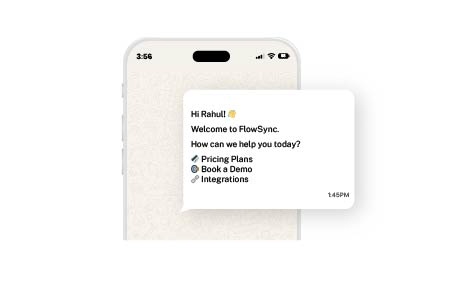
Demo and Pricing Enquiry Automation
Answer approved questions about plans, features, deployment, integrations, implementation, security, support and pricing. Capture company size, use case, current tools, required integrations, buying timeline and decision stage before assigning the opportunity.
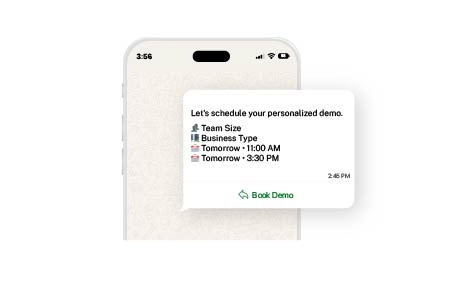
Lead Qualification and Demo Booking
Use WhatsApp Flows or conversational questions to qualify prospects and let suitable buyers choose a demo date, time, product area and preferred specialist. Send confirmations, calendar details and reminders automatically.
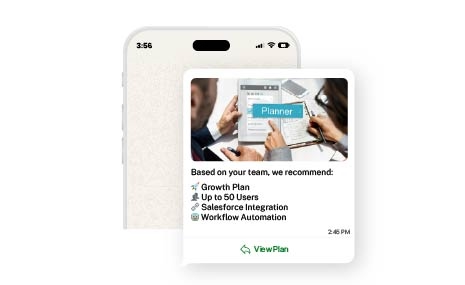
Plan, Feature and Integration Recommendations
Guide prospects towards the most relevant plan, feature set, deployment option or integration based on team size, workflow requirements, user volume and operational priorities.
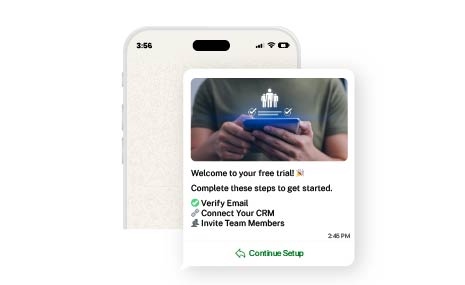
Trial Onboarding and User Activation
Send setup guidance, checklists, feature tutorials, account-verification prompts, integration reminders and activation nudges based on approved onboarding milestones.
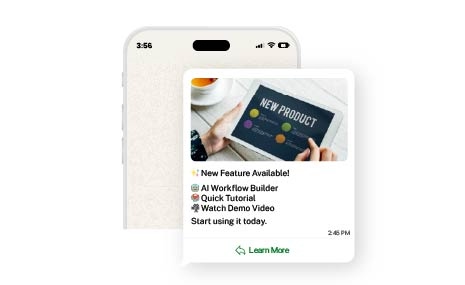
Product Education and Release Communication
Share product updates, release notes, training sessions, knowledge-base articles, webinars, migration guidance and feature-adoption campaigns with eligible users.
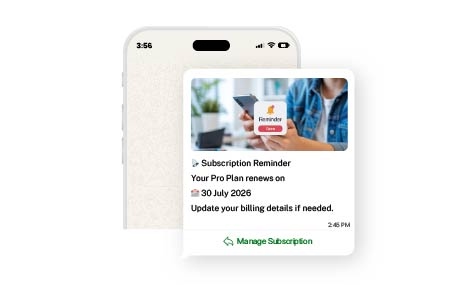
Subscription, Billing and Renewal Reminders
Send invoice notifications, payment reminders, subscription-expiry alerts, renewal prompts and account-review invitations while routing billing exceptions to authorised teams.
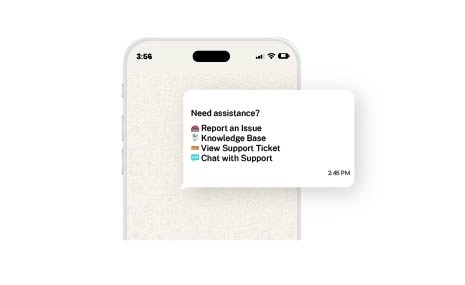
Technical Support and Ticket Routing
Answer approved FAQs, collect screenshots or error details, identify issue categories, create or update support tickets where integrated and transfer complex cases to the right support queue.
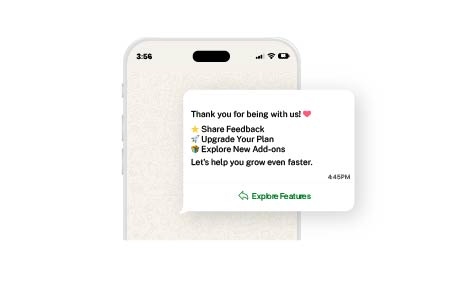
Retention, Expansion and Customer Feedback
Identify inactive accounts, collect product feedback, schedule success reviews, recommend relevant add-ons and support renewal, upgrade, referral and advocacy journeys.

Emovur has streamlined our customer communication. Automated WhatsApp updates reduce routine work while improving response efficiency.
Hariharan
Global IT Search
45%
Fewer
Tasks
50%
Faster
Communication
35%
Better
Efficiency




Customer Journey
One WhatsApp Journey
from Demo Request to Renewal
Product Enquiry
A prospect reaches WhatsApp through the website, a Click-to-WhatsApp advertisement, a pricing page, product webinar, referral, partner campaign or outbound invitation. The workflow captures company, role, team size, primary use case, required features and buying timeline.
Qualification and Demo Scheduling
The prospect receives relevant product information and is qualified based on fit. Suitable opportunities can select a demo slot, product area, preferred language and technical or business consultation requirement.
Demo, Trial and Evaluation
After the demo, WhatsApp can share the trial link, evaluation checklist, setup instructions, security documents, integration guides, product videos and next-step reminders. Sales or solution consultants can continue the conversation with full context.
Onboarding and Activation
New customers receive implementation milestones, account setup guidance, user invitations, integration prompts, training schedules and feature-adoption messages. Exceptions can be routed to onboarding or technical teams.
Support, Success and Renewal
Customers can ask product questions, report issues, receive ticket updates, schedule success reviews and receive approved billing or renewal reminders. Critical or account-specific conversations move to authorised human teams.
Expansion, Advocacy and Retention
After value is established, WhatsApp can support add-on recommendations, plan upgrades, new-feature adoption, customer feedback, review requests, referrals, community invitations and account-expansion conversations.
Built for Every Tech Business
Built for Every SaaS and IT Business
Flexible for Product Companies, Service Providers and Technology Teams
B2B SaaS Platforms
Manage demo requests, account qualification, trial onboarding, product adoption, customer success, billing communication and renewals.
Consumer SaaS and Digital Applications
Support signup assistance, verification, onboarding, subscription communication, product updates and customer support at scale.
IT Services and Consulting Companies
Qualify project enquiries, schedule discovery calls, collect requirements, share proposal updates, coordinate delivery communication and manage client support.
Software Development Companies
Handle application-development enquiries, technical discovery, project milestones, approvals, support requests and maintenance communication.
Managed Service Providers
Coordinate onboarding, service requests, ticket updates, maintenance alerts, account reviews, contract renewals and escalation workflows.
Cloud, Cybersecurity and Infrastructure Providers
Support solution enquiries, assessments, implementation updates, system notifications, maintenance communication and routed technical assistance.
Business Outcomes
Business Outcomes, Benefits and ROI
Business Outcomes You Can Measure
Faster Lead Response
Acknowledge demo and pricing enquiries immediately, collect buying context and assign qualified opportunities to the right representative.
More Completed Demos
Use structured scheduling, confirmations and reminders to reduce missed meetings and incomplete sales follow-ups.
Stronger User Activation
Guide new users through setup, integrations, training and first-value milestones with timely two-way communication.
Lower Support Workload
Automate approved FAQs, collect issue details and route technical cases before a support agent joins the conversation.
Better Renewal Coverage
Coordinate usage nudges, account reviews, billing reminders and renewal communication before subscription deadlines.
AI-Powered SaaS Assistance
AI-Powered SaaS Assistance
The AI assistant should use approved product information, knowledge-base content and connected business data. Final commercial commitments, security decisions, contractual questions, billing exceptions and complex technical issues should be handled by authorised human representatives.
AI for Routine Questions, Humans for Product and Account Decisions
Prospects and users frequently ask about features, plans, integrations, setup, billing, security, product usage and technical issues.
An AI-powered WhatsApp chatbot for SaaS can answer approved questions, collect context and route high-value or technically complex conversations to the appropriate team.
AI Assistant Capabilities
- Answer approved product and pricing FAQs
- Qualify demo requests
- Recommend relevant plans or features
- Schedule product demonstrations
- Guide trial setup and activation
- Share approved onboarding resources
- Identify sales, onboarding, billing or support intent
- Collect error details and screenshots
- Create or route support requests where integrated
- Support multilingual conversations
- Transfer users to human specialists
- Provide conversation summaries during handoff
- Assist prospects and customers outside business hours
Why WhatsApp for SaaS and IT Services
Why WhatsApp Works Across the Software Customer Lifecycle
Familiarity
Information
Actionable
Two-Way Onboarding
Timely Updates
Shared Context
Prospects and Users Already Use the Channel
Buyers and customers can ask questions, book demos, receive guidance and continue conversations without learning another communication interface.
Integrations
Connect WhatsApp with Your
SaaS and IT Technology Stack
Integration availability, data access and implementation scope are confirmed during technical discovery.
CRM Platforms
Synchronise prospect details, enquiry source, use case, assigned representative, sales stage, follow-up status and account ownership.
Helpdesk and Ticketing Systems
Create, route or update support cases, share ticket status and preserve technical context where supported.
Calendar and Demo Scheduling Platforms
Manage demos, onboarding sessions, implementation calls, account reviews and support consultations.
Identity and Authentication Systems
Support approved verification or authentication messaging where technically and operationally appropriate.
Monitoring and Incident Management Systems
Deliver approved maintenance, service-status and incident notifications while routing customer questions to support teams.
Custom APIs and Internal Applications
Build specialised SaaS onboarding, support, account-management and IT-service workflows around existing systems.
WhatsApp Business App vs WhatsApp Business API
When Does a SaaS or IT Company Need the WhatsApp API?
Capability
WhatsApp Business App
WhatsApp Business Platform with Emovur
Best suited for
Team access
Demo qualification
Demo booking
Trial onboarding
Product notifications
Support routing
Renewal reminders
AI assistance
System integrations
Reporting
Scalability
The WhatsApp Business App is suitable for basic one-to-one business communication managed by a small team.
The WhatsApp Business Platform is designed for SaaS and IT companies that need multiple agents, automation, approved outbound messaging, integrations, reporting and structured customer journeys.
Implementation
From Workflow Planning to Launch
1
Map the User Journey
Identify key friction points in your SaaS trial onboarding, support processes, and billing renewal lifecycles.
2
Design Automation Workflows
Script your chatbot responses, design onboarding message templates, and define escalation rules for technical support.
3
Configure the Workspace
Set up your official business number, configure the shared team inbox, and invite your sales and support engineers.
4
Integrate Your Stack
Connect Emovur to your existing CRM, Helpdesk software, billing platform, and product backend via APIs.
5
Test Workflows
Simulate trial signups, failed payments, and support ticket creation to ensure routing and templates work perfectly.
6
Launch & Iterate
Deploy WhatsApp to your users, monitor automation success rates, and continuously train your AI bot on new queries.
Why Emovur
Why SaaS and IT Companies Choose Emovur
Emovur offers more than a messaging tool, it provides flexible APIs to trigger timely,
tailored, and high-impact product communication.
SaaS Lifecycle Workflow Understanding
Configure WhatsApp journeys around actual demo, onboarding, activation, support and renewal operations instead of using a generic chatbot flow.
Official WhatsApp Business Platform
Build structured customer communication through the official WhatsApp business infrastructure.
CRM, Product, Billing and Helpdesk Integration Support
Connect customer conversations with the systems used to manage leads, accounts, subscriptions, product adoption and support cases.
Shared Revenue and Support Inbox
Allow authorised teams to manage conversations, assignments, handoffs and follow-ups from one environment.
Operational Reporting
Monitor customer journeys, agent activity, response performance, support routing and automation effectiveness.
Turn More Software Conversations into Activated and Retained Customers
Automate demo enquiries, qualify prospects, guide trial users, support customers and manage renewals through one connected WhatsApp platform. Get a workflow review based on your product, sales cycle, onboarding process, customer-success model, support structure and existing technology stack.
FAQs
Frequently Asked Questions
From setup to support, here are the answers you need to launch faster with confidence.
What is WhatsApp Business API for SaaS and IT Services?
Is WhatsApp Business API free for SaaS companies?
How can SaaS companies use WhatsApp Business API?
Can prospects book software demos through WhatsApp?
Can the platform qualify SaaS leads?
Can WhatsApp automate SaaS onboarding and trial activation?
Can SaaS companies notify users about maintenance or incidents?
Can WhatsApp integrate with our CRM, billing platform and helpdesk?
Can multiple sales, success and support agents use one WhatsApp number?
Can customers move from the chatbot to a human agent?
Can WhatsApp help with subscription renewals and upgrades?
Does WhatsApp permanently store all customer data?
How long does SaaS WhatsApp implementation take?
Why choose Emovur for SaaS WhatsApp automation?