


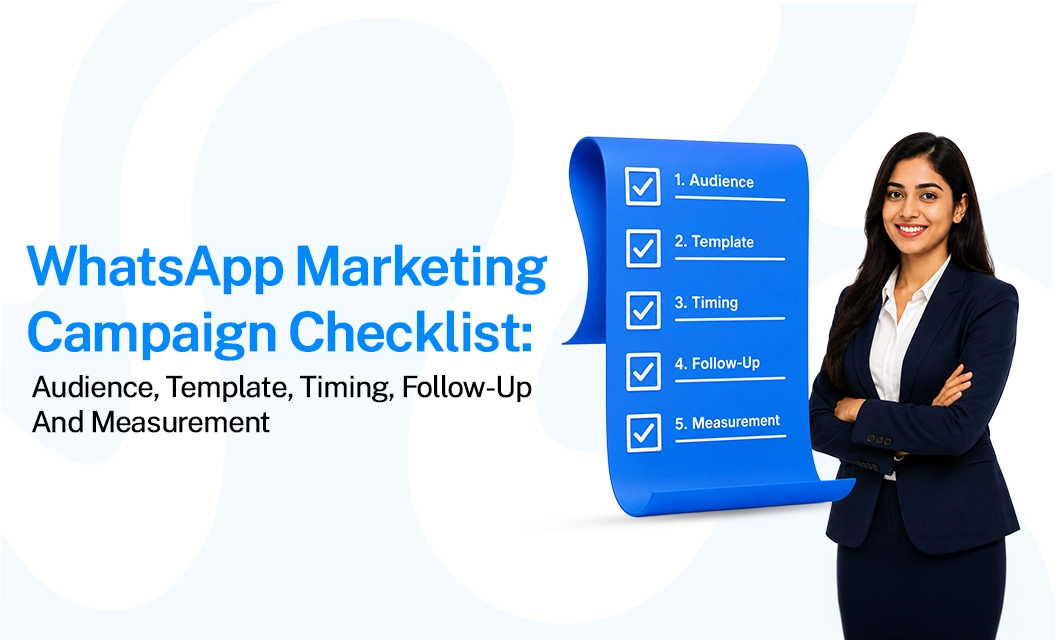
WhatsApp Marketing Campaign Checklist: Audience, Template, Timing, Follow-Up & Measurement
Direct answer:
A successful WhatsApp marketing campaign starts before the first message is sent. Your team should verify five things: the audience has given the right permission, the message template matches the campaign goal, the timing suits the customer, the follow-up is planned, and the results can be measured. A clear WhatsApp campaign checklist helps prevent common mistakes such as messaging the wrong segment, sending irrelevant promotions, over-messaging customers, or launching without a measurable conversion goal.
What Should a Marketing Team Check Before Launching a WhatsApp Marketing Campaign?
Before launching a WhatsApp marketing campaign, check your audience, consent, campaign objective, approved template, offer, timing, follow-up workflow, budget, and tracking setup. You should also confirm that the campaign follows WhatsApp Business policies and that customers have opted in to receive relevant communications. Meta states that businesses must have the user's phone number and opt-in permission before contacting them on WhatsApp.
Use this quick pre-flight checklist:
Define one primary campaign objective.
Select a relevant, permission-based audience.
Confirm the audience segment and exclusions.
Check that the message template is approved and appropriate.
Review the offer, CTA, and landing destination.
Confirm the expected campaign cost.
Select a suitable send time.
Prepare follow-up messages and response handling.
Define conversion and performance metrics.
Test the complete customer journey before sending.
This is the foundation of a practical WhatsApp campaign strategy: decide who should receive the message, why they should receive it, what action you want them to take, and how you will measure the result.
1. Define and Segment Your Audience
Every effective WhatsApp campaign strategy starts with the list, not the message. WhatsApp Business Platform rules require explicit opt-in before you can message someone with a marketing template. Importing a contact list from another channel isn't sufficient consent on its own.
Segment contacts by:
Opt-in source: website form, in-store QR code, checkout flow, or existing customer database
Lifecycle stage: new lead, active customer, lapsed customer, VIP/repeat buyer
Behavior: cart abandoners, past purchasers of a specific category, event attendees
Locale and language: for accurate send-time and template-language matching
Niche audience segments often perform better than broad WhatsApp blasts because customers are more likely to engage with messages that feel relevant to them. If you're planning to send messages to different segments regularly rather than running a one-time campaign, use WhatsApp marketing broadcasts to deliver tailored messages to each audience instead of sending the same generic message to everyone.
2. Choose the Right Message Template Category
If you're messaging a customer outside the 24-hour service window, you need to use a pre-approved WhatsApp template. Meta groups these templates into three categories: marketing, utility, and authentication. Choosing the wrong category can lead to your template being rejected or your campaign facing issues after launch.
3. Time Your Campaign for Maximum Engagement
Timing matters on WhatsApp more than you might expect. Since messages arrive as push notifications, sending them at the wrong time can lead to users ignoring, muting, or even reporting the message as spam before they read it.
Match local time zones per segment rather than a single global send time
Avoid early morning and late evening windows unless your audience data shows otherwise
Test mid-morning and early-afternoon slots first—these typically show stronger open rates for commercial sends
Space repeats sent to the same contact by at least several days to protect the template quality score.
Quality rating matters here: Meta tracks block and report rates per template, and a template that drops in quality can be paused or disabled, taking your whole WhatsApp marketing workflow down with it until you resubmit.
4. Build a Follow-Up Sequence
A single broadcast rarely closes the loop. Structuring a short, rules-based follow-up sequence, a reminder after non-engagement, a value-add message a few days later, and a final offer consistently lifts conversion over a one-and-done send.
This is where WhatsApp drip campaigns come in: a sequence of templated messages triggered by time delay or by user behavior (opened but didn't click, added to cart but didn't purchase).
Keep follow-ups to two or three touches maximum. Each additional message that goes unanswered increases the odds of an opt-out or a block, so design the sequence to stop automatically once a user replies, clicks, or converts.
5. Budget and Pricing Considerations
WhatsApp Business Platform pricing is billed per delivered template message, with the rate depending on the template category and the recipient's country. Marketing templates are always charged, with no free tier or volume discount, while utility and authentication messages can qualify for automatic volume discounts.
Before you commit to a campaign size, review current WhatsApp API pricing so your budget reflects the category mix you're actually planning to send, not a rough estimate.
How much does a WhatsApp marketing message cost?
Cost varies by template category and recipient country, and rates are set by Meta and adjusted periodically. Marketing messages carry the highest per-message cost of the three categories since they're always billed with no discount tier. Factor this into campaign size before you commit to a broadcast list.
From October Meta has ruled out a new pricing regime for these category templates; if you want to know what the changes are and what they mean to your businesses, check out our guide Meta’s New pricing Update from october 2026 for more detailed information.
6. Measure Campaign Performance
Track these metrics against each send, not just at the campaign's end:
- Delivery rate: confirms the template and number quality are healthy.
- Read rate: signals whether your send time and audience match are working.
- Reply/click-through rate: the real engagement signal for a marketing template
- Opt-out/block rate: an early warning sign for template quality and list hygiene
- Conversion rate: tie back to the campaign's actual goal (purchase, booking, signup)
Compare these across segments and template variants rather than in aggregate. A strong overall read rate can hide a segment that's actively disengaging, which is exactly the kind of thing that damages template quality scores over time.
If you're setting this up on the WhatsApp Business API for the first time, run this checklist against Meta's own documentation on opt-in requirements and template guidelines so your approval process matches current policy, since Meta updates category rules and review criteria periodically.
Final Takeway:
A reliable WhatsApp marketing campaign comes down to five checks done in order: a genuinely opted-in and segmented audience, a correctly categorized and approved template, a send time matched to local behavior, a short follow-up sequence with a stop condition, and a measurement plan that tracks delivery through conversion.
Frequently Asked Questions?
Do I need explicit opt-in before sending a WhatsApp marketing message?
Yes. Meta requires clear, verifiable consent before a business can send marketing templates to a number collected through a form, checkout flow, or another documented method, not inferred from an existing customer relationship on another channel.
How is a WhatsApp marketing campaign different from a drip campaign?
A campaign is typically a single broadcast or short burst tied to one goal (a launch, a sale). A drip campaign is a scheduled or behavior-triggered sequence of messages sent over days or weeks to nurture a segment toward a specific action.
What's the biggest reason WhatsApp marketing templates get rejected?
Category mismatch and vague or promotional language inside a non-marketing template are the most common causes. Utility templates in particular are held to a strict no-promotion standard.
How often should I send marketing messages to the same contact?
There's no fixed meta rule, but spacing them by several days and capping follow-ups at two or three touches protects both user experience and your template's quality rating.
Can I reuse the same template across multiple campaigns?
Yes, as long as the content and category still match the message you're sending. Reusing an approved template speeds up launch, but don't stretch a template's original intent to cover an unrelated promotion, that's a common rejection trigger on review.
Ready to put this into practice? Plan your next campaign with Emovur and build a workflow your team can repeat with every launch.


