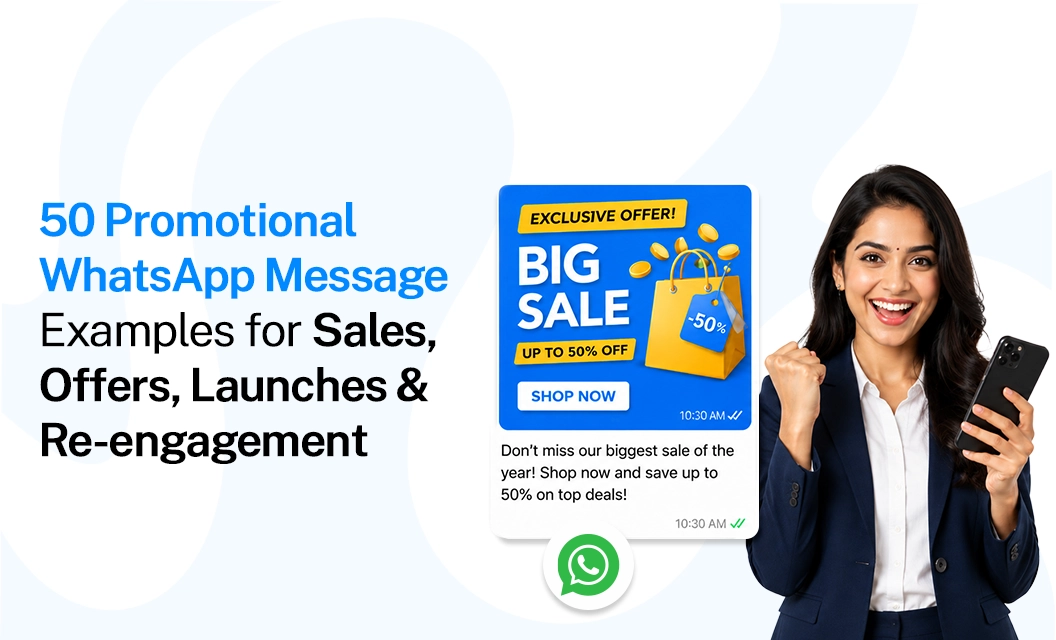
50 Promotional WhatsApp Message Examples for Sales, Offers, Launches & Re-engagement
Promotional WhatsApp messages are pre-approved template messages businesses send to announce sales, discounts, product launches, and win-back offers to customers who have opted in. Good examples are short, personalized, and lead with the benefit in the first line; weak ones bury the offer, ignore Meta's marketing template rules, or skip the opt-out line entirely.
Below are 50 promotional WhatsApp message examples for sales, offers, launches, and re-engagement, grouped by objective, with good-vs-bad comparisons so you can see exactly what separates a message that converts from one that gets reported as spam.
What Counts as a Promotional WhatsApp Message?
Any WhatsApp message whose primary intent is commercial, driving a sale, announcing a launch, pushing a discount, or pulling back a lapsed customer , falls under Meta's marketing template category. That includes flash-sale alerts, festive offers, cart-recovery nudges, loyalty rewards, and "we miss you" broadcasts.
It does not include order confirmations or shipping updates; those are utility templates, and mixing promotional language into a utility template is one of the fastest ways to get it reclassified or rejected.
Because marketing templates are the only ones with the widest reach and the highest scrutiny, every promotional WhatsApp message example on this page is written to fit inside that category's rules: pre-approved copy, a clear commercial intent, and no disguised utility language.
What Makes a Good Promotional WhatsApp Message?
A good promotional WhatsApp message is clear, relevant, and easy to act on. It should quickly communicate the offer, create a reason to respond, and end with one clear call to action.
Important: The examples below are written as starting points, not messages to copy blindly. Replace placeholders such as [Name], [Product], [Date], and [Link] with information that is genuinely relevant to the recipient.
50 Promotional WhatsApp Message Examples by Objective
1. Sales & Discount Messages
Sales messages work best when the customer can understand three things quickly: what is being offered, why it matters, and what to do next. One clear offer and one obvious action is usually easier to understand than multiple competing CTAs.
Limited-time sales message: Hi [Name], our weekend sale is live. Get 20% off selected products until Sunday. Shop your favorites here: [Link]
Product-specific sales message: Hi [Name], you viewed [Product] recently. It's currently available with a special price of ₹[Price]. Interested? Take another look: [Link]
Note: This works particularly well when the audience is based on a previous interaction rather than a broad customer list.
- New-customer sales message:
Welcome to [Brand], [Name]. To help you get started, here's 10% off your first order with code WELCOME10 . Shop here: [Link]
- Repeat-purchase message
Hi [Name], running low on [Product]? Your usual [Product] is available again.
Reorder here: [Link]
- Cross-sell message
Hi [Name], since you purchased [Product], you may also like [Related Product].
See how it pairs with your previous purchase: [Link]
- Upsell message
Looking for more from [Product]? Upgrade to [Premium Version] for additional [Benefit 1] and [Benefit 2].
Explore the upgrade: [Link]
- High-intent lead follow-up
Hi [Name], you recently enquired about [Service]. If you're still considering it, we can help you choose the right option.
Reply YES and we'll help you get started.
- Price-drop message
Good news, [Name]. The price of [Product] has dropped to ₹[Price].
View the updated offer: [Link]
- Stock-return sales message
[Product] is back in stock.
If you were waiting for it, you can order it here: [Link]
- Last-chance sales message
Final reminder, [Name]: the [Offer Name] ends tonight at [Time].
Use code [CODE] before it expires: [Link]
What makes these sales messages stronger?
A useful WhatsApp marketing sample should be specific rather than aggressively promotional. Instead of saying “Best deal ever!!!" tell the customer exactly what changed: a price reduction, a product becoming available, an expiring offer, or a relevant recommendation.
2. Promotional WhatsApp Message Examples for Offers & Discounts
Discount messages are among the most common promotional WhatsApp message examples, but simply adding a percentage discount does not automatically make the copy effective.
Make the offer easy to understand. Include the value, eligibility, and expiry when those details matter.
- Percentage discount
Get 25% OFF on [Category] this weekend.
Use code SAVE25 before [Date].
Shop now: [Link]
- Flat discount
Hi [Name], enjoy ₹500 OFF on orders above ₹2,500 this week.
- First-order offer
Your first order comes with a little extra.
Get 15% OFF with code FIRST15.
Start shopping: [Link]
- Buy-one-get-one offer
Buy 1 [Product] and get 1 [Product] free.
Available until [Date] while stocks last.
See the offer: [Link]
- Free-shipping promotion
Your next order ships free.
Use code FREESHIP at checkout before [Date].
Shop now: [Link]
- Minimum-order promotion
Spend ₹[Amount] and get ₹[Discount] OFF your order.
Offer valid until [Date].
Start shopping: [Link]
- Category-specific promotion
Love [Category]? This week, get 20% OFF selected [Category] products.
Explore the collection: [Link]
- Loyalty-customer offer
[Name], you've been with us for a while, so here's something for you: ₹[Amount] OFF your next order.
Your code: LOYAL[CODE]
Redeem here: [Link]
- Birthday offer
Happy Birthday, [Name]!
Celebrate with ₹[Amount] OFF your next [Product/Service]. Use code BDAY[CODE] before [Date].
Claim your offer: [Link]
- Flash offer
6-hour offer: get 30% OFF [Product/Category] until [Time].
Once the offer ends, regular pricing returns.
3. Promotional WhatsApp Messages for Product & Service Launches
Launch messages have a different job from discount messages. Instead of immediately pushing a price reduction, they can introduce something new and give the recipient a reason to explore it.
A good launch WhatsApp promotion message should answer at least one of these questions:
What is new?
Who is it for?
What problem does it solve?
What can the customer do next?
New product launch
It's here, [Name]. Meet our new [Product Name], designed for [primary benefit].
Explore the new launch: [Link]
- New collection launch
Our new [Season/Collection] collection has arrived.
Discover [key feature or style] across the latest range: [Link]
- New service launch
We're now offering [Service Name] to help businesses [benefit].
Want to see how it works? [Link]
- Early-access launch
You're getting early access, [Name].
[Product] officially launches on [Date], but you can explore it before everyone else: [Link]
- Launch with founding offer
Meet [Product Name]. To celebrate the launch, we're offering the first [Number] customers [Offer].
Explore it here: [Link]
- Feature launch
A new way to [benefit] is now available.
[Feature Name] helps you [simple explanation].
See what's new: [Link]
- Product restock + launch
Back by popular demand—and now available in [New Variant].
Meet the latest [Product Name]: [Link]
- Service package launch
We've introduced a new [Package Name] for businesses looking to [outcome].
See what's included: [Link]
- Curiosity-led launch
Something new is coming to [Brand] on [Date].
Here's your first look: [Link]
- Launch announcement with CTA
Introducing [Product Name].
Built for [audience] who want to [benefit].
Explore the launch: [Link]
4. Promotional WhatsApp Messages for Events, Festivals & Seasonal Campaigns
Seasonal promotions work best when the message connects the occasion to a specific customer action.
Instead of simply saying “Happy Diwali from [Brand]”, give the recipient a useful reason to engage if the campaign objective is commercial.
- Festival sale
Diwali shopping starts here. Get 20% OFF selected [Category] products until [Date].
Explore the collection: [Link]
- Independence Day offer
Celebrate Independence Day with 15% OFF [Category].
Use INDIA15 until [Date].
Shop now: [Link]
- Christmas promotion
🎄 Your Christmas shopping just got easier.
Get [Offer] on selected [Category] products until [Date].
Shop: [Link]
- New Year promotion
Start the year with [Benefit]. Get [Offer] on [Product/Service] until [Date].
Explore: [Link]
- Event registration
[Event Name] is happening on [Date].
Join [speakers/activity/experience] and reserve your spot here: [Link]
- Webinar promotion
Want to learn how to [outcome]?
Join our free webinar on [Date] at [Time].
Reserve your seat: [Link]
- Workshop promotion
Learn [skill] in our upcoming [Workshop Name] on [Date].
Seats are limited. Register here: [Link]
- Final registration reminder
Registration closes today for [Event Name].
If you haven't reserved your spot yet, register before [Time]: [Link]
5. Promotional WhatsApp Messages for Re-engagement
Re-engagement messages should not sound like a brand asking, “Why haven't you bought from us?” The better approach is to reconnect around something relevant: a previous purchase, viewed product, unfinished action, new collection, useful content or a personalized incentive.
These are especially useful for customers who previously interacted with your business but have become inactive.
- “We miss you” message
Hi [Name], it's been a while. We've added some new [Products/Services] that you might like. Take a look: [Link]
- Previous-interest reminder
Still considering [Product]?
It's available now, along with [new benefit/variant].
See the latest details: [Link]
- Inactive-customer offer
We'd love to have you back, [Name]. Here's ₹[Amount] OFF your next purchase with code WELCOME BACK.
Valid until [Date]: [Link]
- New-arrivals reactivation
New arrivals are here. Since you previously browsed [Category], we thought you'd want to see what's new: [Link]
- Personalized recommendation
Hi [Name], based on your previous purchase of [Product], you may like [Recommended Product].
Take a look: [Link]
- Abandoned-interest reminder
You were checking out [Product] recently.
If you're still interested, it's available here: [Link]
- Content-led re-engagement
Looking for ways to [solve problems]? We put together a quick guide that may help.
Read it here: [Link]
Note: This approach is useful when the goal is to restart a conversation without immediately asking for a purchase.
- Back-in-stock reactivation
The [Product] you were interested in is back in stock.
See availability here: [Link]
“What's new?" message
A few things have changed since you last visited us, [Name].
New [products/features/services] are now available. Explore what's new: [Link]
- Preference-based re-engagement
Hi [Name], would you still like updates about [Category]?
Reply YES to continue receiving relevant offers, or STOP if you'd rather not receive promotional updates
Where to Send These From: Templates, Not Free-Form Text
None of the 50 examples above can be sent as a plain chat message once a customer's 24-hour service window has closed.
Marketing content requires an approved WhatsApp message template. Building each of these as a template with the correct category, variables, and buttons is what gets it approved on the first submission rather than bounced back for edits.
If you're sending any of these at scale rather than one-to-one, they belong inside a proper WhatsApp marketing broadcast workflow, where segmentation and scheduling do the heavy lifting instead of a manual send.
Compliance Basics Every Promotional Message Must Follow
A promotional WhatsApp message example only works if it's actually deliverable. Three non-negotiables, drawn from Meta's own template categorization guidance:
Opt-in first. Every recipient must have explicitly agreed to receive marketing messages before you send one; a checkout checkbox, a signup form, or a prior conversation they started.
Correct category. A template that mixes an order update with a discount code gets classified as a marketing, not utility, plan in the category at the drafting stage, not after rejection.
Opt-out clarity. Give recipients an easy way to stop messages (a "Reply STOP" line or a managed unsubscribe flow); this protects your quality rating as much as it protects the customer.
Getting these details right also affects cost: Marketing templates are billed differently from Utility and authentication templates, so it's worth checking current WhatsApp API pricing before you plan a large broadcast around any of the examples above.
Final Takeaway:
The best promotional WhatsApp messages aren't necessarily the loudest ones. They are the ones that give the right customer a clear reason to act at the right moment. Before sending at scale, combine strong copy with audience segmentation, appropriate templates, customer consent and a clear understanding of messaging costs.
FAQs
Do Ineed Meta's approval before sending a promotional WhatsApp message?
Yes. Every promotional message must go out as a pre-approved marketing template. You submit the copy, variables, and buttons through WhatsApp Manager or the API, and Meta reviews it before it can be sent to customers outside an open service window.
Can I personalize these 50 examples with customer names and order details?
Yes, and you should. Replace the {{1}}, {{2}} placeholders with variables like first name, product name, or discount code. Personalized promotional WhatsApp messages consistently read as more relevant than generic broadcasts.
What's the difference between a promotional message and a utility message on WhatsApp?
A promotional (Marketing) message drives sales, offers, or launches—content the customer didn't specifically request. A utility message is transactional, like an order confirmation or delivery update, tied to an action the customer already took.
How long can a promotional WhatsApp message be?
Keep the body under two short lines wherever possible. Templates support longer text, but shorter promotional messages with one clear offer and one CTA consistently read better on a lock-screen preview than dense paragraphs.
Is a "Reply STOP" line legally required?
It's required by Meta policy for Marketing templates and is good practice regardless of jurisdiction. Some regions also have their own consent and data-retention rules on top of Meta's baseline requirement.
When you're ready to turn these examples into repeatable campaigns, explore Emovur’s WhatsApp Business API to see how templates, broadcasts, and pricing fit together for your volume.