WhatsApp Advertising Guide: CTWA Tracking & Common Mistakes
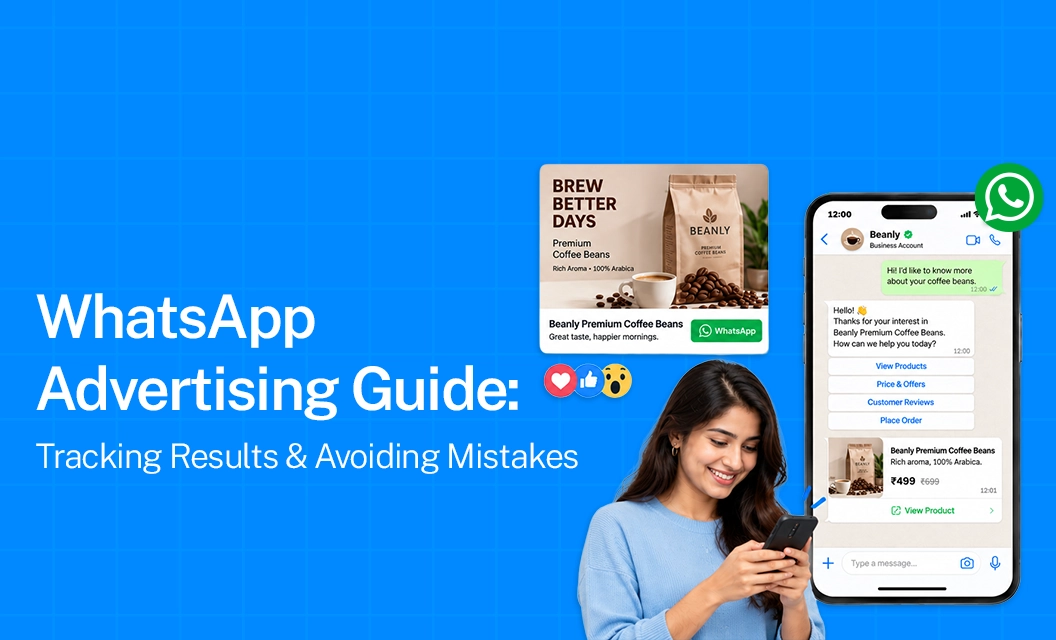
Click-to-WhatsApp ads are easy to start, but getting good results takes more work. Your campaign may look fine in Ads Manager, but poor targeting, weak ads, or slow follow-up can waste your budget.
Most of them explain how to set up a WhatsApp ad campaign. But they often do not explain what to do after the campaign goes live: how to check if your ads are working, find problems, and avoid wasting money.
This guide covers the full process, how to run Click-to-WhatsApp ads, measure their results, improve performance, and get better returns.
Why WhatsApp Ads Are Hard to Attribute
Unlike website conversions, WhatsApp conversations don't automatically tell Meta what happened after someone started a chat. Without additional tracking, your WhatsApp advertising campaign may look successful in Ads Manager even if the leads are never converted.
Two things can improve attribution:
ctwa_clid tracking: Each Click-to-WhatsApp ad click has a unique ID. Storing this ID with the conversation helps you connect a later sale back to the ad that generated the lead.
Conversions API for Business Messaging: This sends outcomes such as qualified, converted, or lost leads back to Meta, helping it optimise campaigns for better-quality leads.
Without this tracking, WhatsApp Ads Manager mainly shows metrics like cost per conversation, which isn't enough to measure actual returns.
What to Track Instead of Cost Per Conversation
Cost per conversation is an easy metric to find in Ads Manager, but it doesn't tell you whether those conversations are turning into real business. A better WhatsApp advertising scorecard should look beyond the initial chat and track what happens after the conversation starts.
Key metrics include:
Cost per qualified lead: Shows how much you're actually spending to generate a lead that meets your sales criteria.
Conversation-to-qualified-lead rate: Tells you what percentage of WhatsApp conversations become genuine sales opportunities.
Response time to first message: Measures how quickly your team responds to new enquiries. Faster responses can help prevent leads from losing interest.
Qualified lead-to-sale rate: Shows how effectively your sales team converts qualified WhatsApp leads into customers.
Revenue per ad set: Helps identify which specific ad sets are generating revenue, rather than simply producing conversations.
These metrics require WhatsApp conversation data to be connected with your CRM. Ads Manager alone usually won't show the full journey from conversation to qualified lead to sale.
Common Mistakes That Waste WhatsApp Ad Spend
A handful of setup mistakes account for most underperforming WhatsApp advertising campaigns:
Getting Started
Proper attribution and clean handoff are usually the missing piece between a WhatsApp advertising campaign that looks fine and one that's actually profitable.
Emovur captures ctwa_clid on every incoming conversation, syncs qualified-lead and sale outcomes back through the Conversions API, and gives you the CRM-level reporting Ads Manager can't. Explore Emovur's WhatsApp Business API and book a demo to see it in action.
FAQs
What is ctwa_clid and why does it matter?
It's the unique ID Meta attached to every Click-to-WhatsApp ad click. Capturing it lets you trace a conversation — and any resulting sale — back to the exact ad that generated it.
Why does my WhatsApp ads manager dashboard not show sales data?
Ads Manager only sees what happens on Meta's side. Sales and qualification happen inside WhatsApp and your CRM, so that data has to be sent back to Meta via the Conversions API to show up in reporting.
Does response time really affect WhatsApp ad performance?
Yes — slower replies consistently correlate with lower conversion rates, and Meta's own optimisation improves when businesses respond quickly and consistently.
Can a poor WhatsApp advertising campaign hurt my number's quality rating?
Yes. Sending irrelevant or excessive messages to people who clicked an ad can lower your quality rating, which in turn can restrict messaging limits and ad delivery.
What's the single biggest attribution mistake advertisers make?
Not capturing the ctwa_clid at the point of conversation. Once it's lost, there's no reliable way to connect a later sale back to the ad that produced it.
Keep reading:
Whatsapp-quality-rating-low-medium-high-explained
Click to whatsApp Ads for high ticket sale
Collect Zero party data on whatsApp without friction