


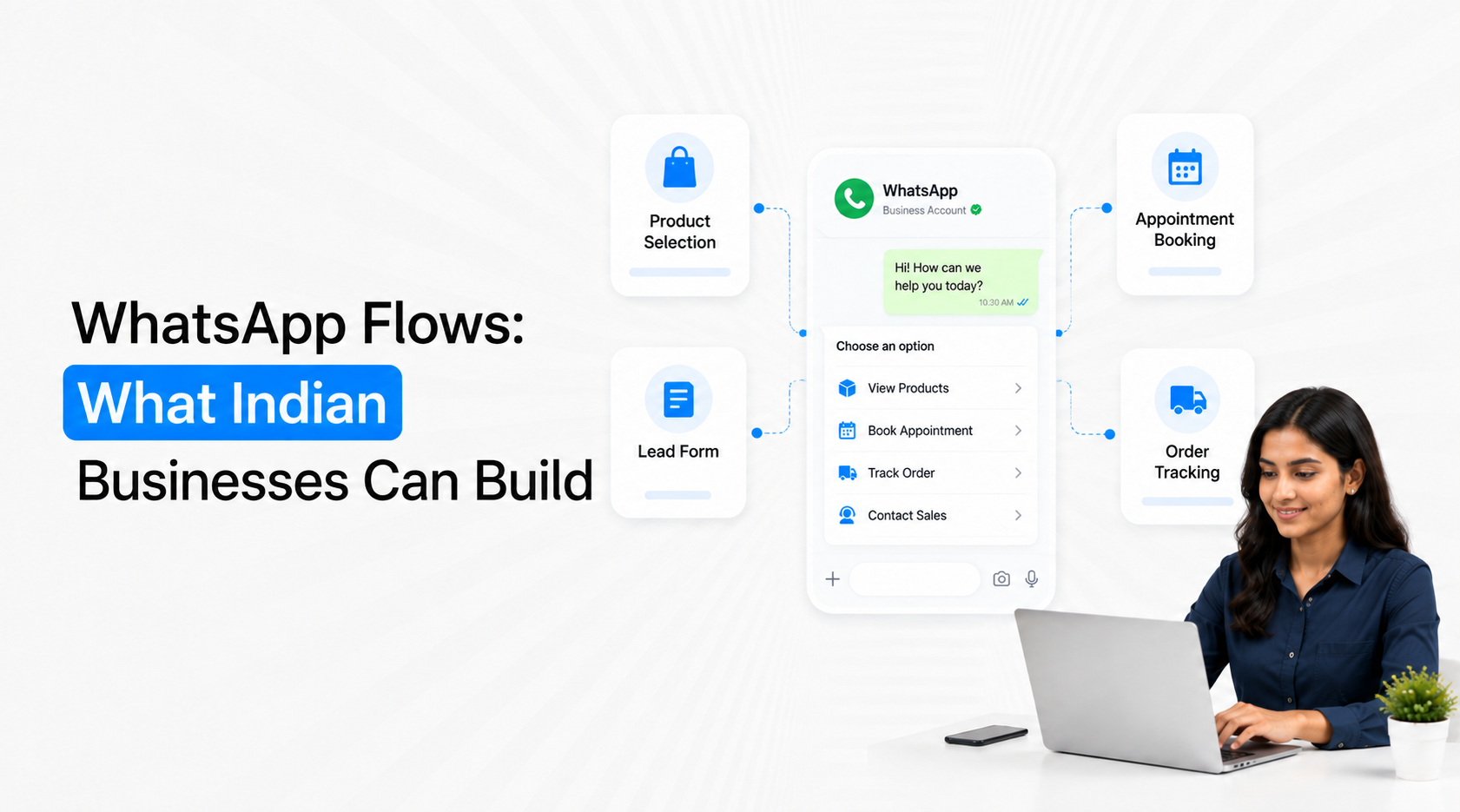
WhatsApp Flows let businesses build structured, multi-step customer journeys inside WhatsApp instead of sending users to an external form for every task. Indian businesses can use WhatsApp Flows for lead qualification, appointment booking, registrations, service requests, product selection, feedback and other processes where customers need to submit structured information. The strongest use cases are not simply “forms inside WhatsApp”. A well-designed Flow should help the customer complete a specific business task with fewer messages, fewer manual errors and a clear next action.
What Are WhatsApp Flows?
WhatsApp Flows are interactive experiences available through the WhatsApp Business Platform. Meta introduced Flows so businesses could build experiences such as choosing a train seat, ordering food or booking an appointment directly inside a WhatsApp chat. Flows support customizable forms and structured menus, allowing customers to complete steps without moving between WhatsApp and a separate website.
A Flow works best when the customer already knows broadly what they want but the business still needs structured information before completing the next action. Instead of asking several questions through individual chat messages, the business can present the relevant fields and choices in one controlled journey.
A typical WhatsApp Flow can combine several useful elements:
Multiple screens with a logical sequence: A business can separate a longer task into manageable stages, such as choosing a service first and selecting a preferred appointment slot afterwards. This is easier to understand than showing every field at once.
Structured response options: Customers can select single or multiple choices, enter short answers or provide longer text where necessary. Emovur's current Flow builder supports these response types across multiple screens.
A defined completion action: The Flow should finish with a meaningful outcome such as submitting an enquiry, requesting an appointment or completing a registration, rather than simply collecting data with no next step.
Response collection for downstream use: Submitted information can be captured in a structured format and then connected with CRM, sales or operational workflows instead of remaining buried inside an unstructured chat transcript.
Emovur's WhatsApp Flows implementation currently supports Flow creation, response collection, CSV exports and webhook-based integrations for passing submitted information into other business processes.
1. Build Lead Qualification Journeys Without Turning WhatsApp Into an Interview
Lead qualification is one of the strongest WhatsApp Flows use cases because many businesses need several pieces of information before deciding what should happen next. The Flow can collect these fields in one structured experience while keeping the conversation itself available for questions and human assistance.
For example, a real-estate business may need property type, preferred location, approximate budget and buying timeline. An education company may need course interest, current qualification, learning mode and intended joining period. A B2B company may need company size, use case, current system and implementation timeline.
A strong qualification Flow should concentrate on information that changes the next business action:
Use choices where possible instead of free text: Budget bands, location, product category or implementation period are easier to process when customers choose from clearly defined options. Structured responses also make CRM segmentation and sales routing more reliable.
Avoid collecting fields already known: If the customer came from a campaign for a specific course or property, the Flow should continue from that context instead of asking them to identify the same product again.
Keep qualification separate from full sales discovery: A Flow should determine whether the lead should progress and who should handle it. Complex objections, negotiation and consultation should still move into an appropriate human conversation.
Connect completed responses to the customer record: Qualification becomes useful when sales can immediately see what the prospect selected. The customer should not complete a Flow and then repeat the same information to a salesperson.
For businesses that need to connect Flow responses with lead ownership and stages, the WhatsApp CRM Integration Guide covers the wider CRM architecture without turning the Flow itself into a CRM system.
2. Build Appointment and Consultation Booking
Appointment booking is another natural fit because the customer is completing a task with a predictable structure. Meta specifically identified appointment booking as one of the original WhatsApp Flows use cases.
A clinic, salon, education counsellor, consultant, real-estate advisor or service business can use a Flow to collect the information required before the booking moves into the scheduling system.
An appointment Flow might include:
Service selection: Let customers choose the consultation, service or appointment type first so irrelevant options can be removed from later steps.
Branch or location preference: Multi-location businesses can identify where the customer wants service before asking for scheduling information.
Preferred date or slot: Where connected scheduling logic is available, the Flow can collect or present the relevant booking preference rather than requiring several chat exchanges.
Booking confirmation data: Capture only what is necessary to complete or request the appointment and pass it to the scheduling or CRM workflow.
The design should reduce messages such as “Which service?”, “Which branch?”, “Which date?” and “What time?” being sent individually. The Flow packages those related decisions into a cleaner customer experience.
3. Build Event, Webinar and Programme Registration
Registration workflows often become unnecessarily complicated because businesses send an external form after already starting the conversation on WhatsApp. A Flow can keep the registration experience inside the chat when the information required is relatively straightforward.
Emovur currently lists event registration as one of its supported WhatsApp Flow use cases, alongside lead qualification, appointment booking and feedback collection.
Businesses can structure registration Flows around:
Attendee information: Collect the minimum details required to identify and communicate with the participant.
Session or programme selection: If several sessions are available, customers can select the relevant one instead of typing their preference manually.
Location or attendance mode: Capture whether the person intends to attend online, offline or at a specific venue where this genuinely affects registration.
Registration completion: Once the Flow is submitted, the business can trigger the appropriate confirmation, CRM update or event workflow.
This can work particularly well for webinars, workshops, product demonstrations, counselling sessions, open houses and other events where WhatsApp is already part of customer communication.
4. Build Product or Service Selection Journeys
WhatsApp Flows can also help when customers know they are interested but are unsure which option fits. This is different from an AI recommendation engine. The Flow uses structured choices to narrow the available options according to known business rules.
For example, an insurance or financial-services business would need to be especially careful about regulatory and eligibility requirements, while a retail or service business may simply need to help users navigate several product categories. The principle is the same: only collect information required to narrow the choices and avoid pretending the Flow is making a judgement it is not qualified to make.
A product-selection Flow can help customers move through:
Primary requirement: Start by asking what the customer wants to accomplish rather than presenting every available product immediately.
Relevant preferences: Use fields such as category, usage, budget band or location only when those attributes materially change the available options.
Suitable next step: The result might be a relevant product category, a human consultation or a request for more information rather than an automated purchase recommendation.
Sales handoff where complexity increases: If the customer reaches a high-value or unusual requirement, the Flow can capture enough context for the right salesperson to continue.
For more conversational journeys where answers are unpredictable rather than structured, an AI chatbot may be a better layer. Use Flows when the business knows the questions and allowed answers; use conversational AI when the customer may express the requirement in many different ways.
5. Build Feedback and Post-Service Data Collection
Feedback is useful when the business asks a small number of questions that can lead to action. A Flow can collect a rating, reason and optional comment without sending the customer through a separate survey site.
A useful post-service Flow might ask for an overall rating first, then show a different follow-up question depending on whether the experience was positive or poor. Emovur's current Flow product includes feedback collection as a supported use case and allows responses to be managed or exported for further analysis.
Keep feedback Flows focused on decisions the business can actually make:
Collect a clear satisfaction measure: A rating or structured choice is easier to compare over time than an entirely open-ended response.
Ask for the reason only when useful: If a poor rating is selected, ask which part of the experience created the problem rather than forcing every customer through the same detailed survey.
Capture comments selectively: Free-text feedback can provide context, but it should complement structured fields rather than replace them entirely.
Trigger follow-up for important responses: A serious service issue should create a support or customer-success action instead of disappearing into a CSV report.
The value is not the number of feedback submissions. It is the ability to convert customer responses into a measurable operational action.
6. Build Service Requests and Structured Customer Tasks
Many support interactions do not need an open-ended chatbot conversation. The customer simply needs to submit enough information for the business to process a specific request.
A Flow can therefore be useful for structured service tasks such as installation requests, callback requests, branch selection, warranty-service initiation, basic support intake or document-request workflows where the required information is predictable.
The design should follow a simple principle: use the Flow to complete the structured part, then move exceptions elsewhere.
For example, a service request may capture product type, issue category, location and preferred contact method. If the customer's problem fits a known service route, the request can continue automatically. If the customer describes an unusual problem, a human support conversation may be more appropriate than adding another five screens to the Flow.
This keeps WhatsApp Flows from becoming overly complex mini-applications.
What Should You Not Build With WhatsApp Flows?
WhatsApp Flows are powerful, but not every WhatsApp journey should become a Flow. A structured interface adds value only when the customer needs to make choices, submit information or complete a defined task.
Avoid using a Flow when:
A single message can solve the problem: Asking customers to open a multi-screen Flow for one simple answer adds unnecessary friction.
The conversation is highly unpredictable: Complex troubleshooting, negotiation or consultative sales often needs AI or human conversation rather than fixed fields.
The task requires extensive external functionality: A full application, advanced dashboard or document-heavy process may still belong on a website or dedicated app.
You are collecting data without a downstream use: Every field should influence routing, service, segmentation or the next workflow. More collected information does not automatically create a better customer journey.
Customers need human judgement: A Flow can collect the facts, but it should not replace people where exceptions or judgement determine the outcome.
The question should not be “Can we build this as a WhatsApp Flow?” It should be “Will completing this task inside WhatsApp make it easier for the customer?”
How to Design a WhatsApp Flow That Customers Actually Finish
A Flow should feel shorter than the conversation or external process it replaces. If it contains ten screens and twenty questions, customers may simply leave.
A practical design framework is:
Start with the task → Collect only required information → Use structured choices → Show only relevant next questions → Complete one action → Send the response into the right business system.
Keep these rules in mind:
One Flow should have one primary outcome: Appointment booking and detailed customer onboarding should usually be separate experiences rather than one enormous Flow.
Put easy questions first: Customers are more likely to continue when the first interaction is obvious and relevant.
Use multiple screens only when they simplify the task: Do not create extra screens for visual effect.
Map every response before launch: Know whether the answer becomes a CRM field, workflow trigger, booking request, segment or reporting value.
Test on an actual phone: A Flow that looks simple on a desktop workflow builder may feel long on a mobile screen.
Emovur's Flow builder currently allows businesses to create multiple screens, configure single-choice, multiple-choice and text responses, publish the Flow and then incorporate it into WhatsApp messaging.
Build Tasks Inside WhatsApp, Not Forms for the Sake of Forms
The strongest WhatsApp Flows for Indian businesses are built around tasks customers already want to complete. Lead qualification, booking, registration, product selection, feedback and service requests work because the customer has a clear reason to provide structured information.
Meta originally positioned WhatsApp Flows around exactly this idea: helping people choose, order, book and complete business tasks without leaving their chat.
A practical model is:
Customer Intent → Open Flow → Complete Structured Task → Capture Response → Update Business System → Trigger the Next Relevant Action
Use WhatsApp Flows when structure removes friction. Use normal messaging when a simple answer is enough. Use AI when the customer's language or intent is unpredictable, and use humans when judgement becomes more important than form completion.
That distinction is what turns WhatsApp Flows from another digital form builder into a useful part of the customer journey.


