


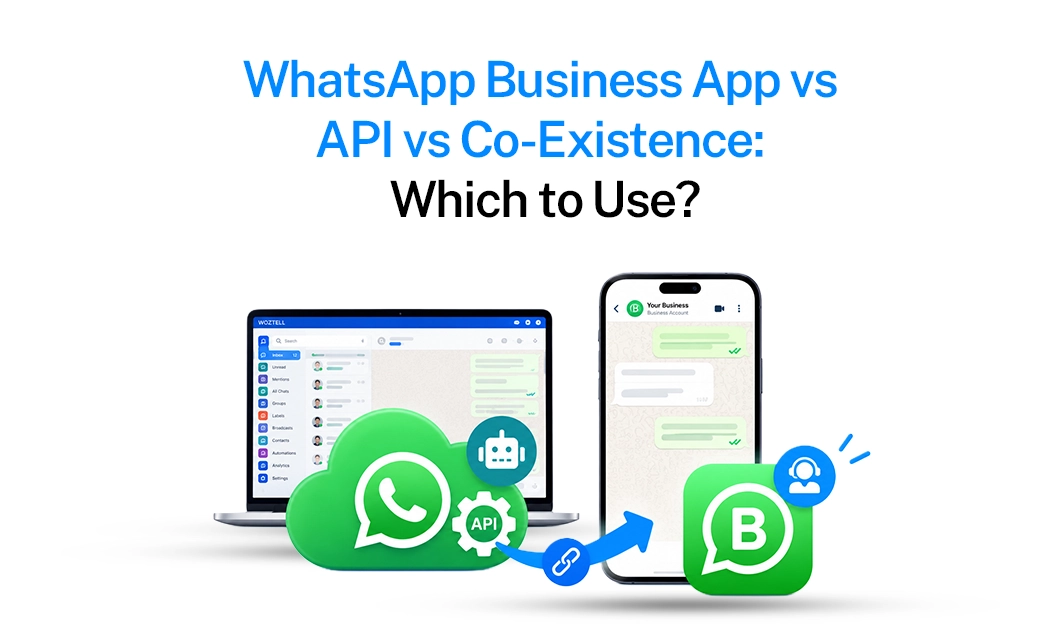
If you're a small business with a manageable number of customer conversations, the WhatsApp Business App is often all you need. It works well when you or a small team handle chats manually, answer enquiries, share product details, and follow up with customers.
But as message volume grows, manual conversations can become difficult to manage. Missed enquiries, repetitive replies, and the need for multiple team members are usually signs that it's time to consider theWhatsApp Business API.
1. What Is the Regular WhatsApp Business App?
The WhatsApp Business App is the free app you download on a single phone. It gives a small business a catalog, quick replies, greeting messages, and basic labels to sort chats — all tied to one device and one person (or a small team using the same phone).
It's built for one-to-one, low-volume conversations where a human is replying to every chat manually.
2. What Is the WhatsApp Business API?
The WhatsApp Business API isn't an app you install, it's a backend connection that lets your CRM, chatbot, e-commerce store, or support tool send and receive WhatsApp messages programmatically, at scale, through Meta-approved partners (called BSPs).
It supports things the app can't: multi-agent shared inboxes, automated chatbots, broadcast campaigns to thousands of contacts, WhatsApp Flows, click-to-WhatsApp ads, and CRM/ERP integrations. This is what powers business-grade WhatsApp automation.
When Should a Business Use the Regular WhatsApp Business App?
Stick with the free app if:
- You're a solo founder or very small team (1–2 people) handling chats
Your monthly conversation volume is low (a few dozen to a couple hundred chats)
You don't need more than one device/agent replying at the same time
You don't need automation, broadcasts, or third-party integrations
You're pre-revenue or testing WhatsApp as a channel before investing in tooling
Important: Stick to the whatsApp App if your conversations are less,such as it perfectly suits for a boutique store, a single clinic, or a freelancer.
When Should a Business Opt for the WhatsApp Business API?
Move to the WhatsApp Business API once any of these show up:
- Multiple agents need to reply from the same WhatsApp number simultaneously
- You need automated order updates, reminders, or OTPs sent programmatically
- You want a chatbot to handle FAQs, bookings, or lead qualification 24/7
- You're running broadcast campaigns (offers, festival greetings, re-engagement) to a large contact list
- You want WhatsApp connected to your CRM, helpdesk, or e-commerce platform
- You have multiple locations or franchises and need centralized visibility with local execution
- You want Click-to-WhatsApp ads, WhatsApp Flows, or in-chat payments
If your business has grown beyond what one phone and one person can comfortably handle, the WhatsApp Business API is the natural next step.
But choosing the right provider matters. The differences in cost and reliability often come down to things like provider markup and the quality of support you get, not the underlying Meta infrastructure. Before you make a decision, it's worth comparing the best WhatsApp Business API providers in India to find the right fit for your business.
How Does WhatsApp Co-Existence Work?
This is the part most businesses get confused about. Co-existence is Meta's official feature that lets a business run the WhatsApp Business App and the WhatsApp Business API on the same phone number, at the same time.
Before co-existence, migrating a number to the API meant losing app access and chat history on that device. Now:
- Your existing number, chat history, and contacts move over to the API-connected system
- Your team can keep using the WhatsApp Business App on the phone for everyday manual chats
- At the same time, the API handles automation, broadcasts, chatbots, and multi-agent replies in the background through a dashboard/team inbox
- Both sides sync — a chat replied to on the app shows up in the API dashboard, and vice versa
Getting Started:
Use the WhatsApp Business App while you're small and manual. Move to the WhatsApp Business API when you need automation, multiple agents, or integrations. And when you're not ready to give up your number's chat history, co-existence lets you run both side by side — no hard switch required.
Frequently Asked Questions:
When should a business switch from WhatsApp Business App to API?
Consider moving to the WhatsApp Business API when your team is handling a high volume of conversations, missing leads, repeating the same replies, or needs features such as CRM integration, chatbots, automated notifications, or a shared team inbox.
What is WhatsApp co-existence?
WhatsApp co-existence allows eligible businesses to use their existing WhatsApp Business App number alongside the WhatsApp Business Platform. This can help businesses retain their existing app-based workflow while adding API capabilities such as automation and team-based communication.
Can I use WhatsApp Business App and API on the same number?
With WhatsApp co-existence, eligible businesses can use the WhatsApp Business App and WhatsApp Business Platform with the same business number, subject to Meta's current eligibility and setup requirements.
How do I choose the right WhatsApp Business API provider?
Compare providers based on pricing, Meta messaging charges, platform fees or markup, features, integrations, onboarding, customer support, and scalability. Comparing providers before committing can help you avoid unexpected costs and limitations.
Explore how Emovur brings the WhatsApp Business API, team inbox, and multi-location marketing tools together on one platform built for businesses scaling beyond a single phone.


