Quick answer:
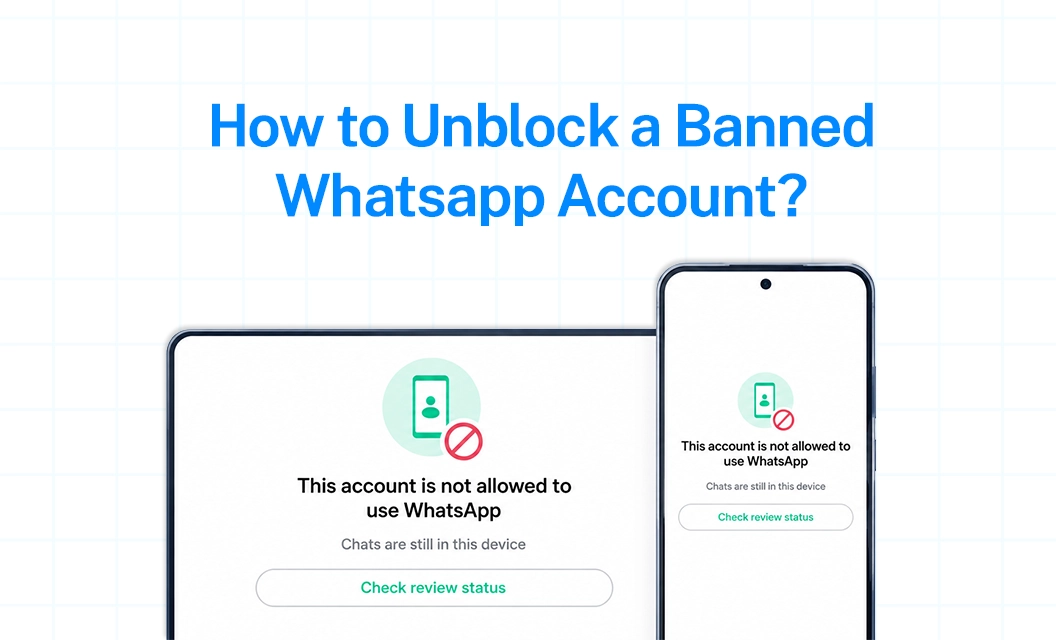
Seeing “This phone number can't use WhatsApp” can be confusing, especially if you rely on WhatsApp for personal or business communication. The right recovery step depends on whether your account is banned, temporarily restricted, or temporarily banned.
In this guide, we'll show you how to unblock a banned WhatsApp account, when to request a review, what to avoid during the process, and what to do if your appeal isn't successful.
Banned vs. Blocked vs. Restricted: What's Actually Happening
These three terms get used interchangeably, but they mean different things:
Banned: WhatsApp itself has locked you out of the app for violating its terms.
Blocked: A specific contact or business has blocked you. This has nothing to do with WhatsApp's policies and can't be "appealed" — only that person can unblock you.
Restricted: Some features (like messaging new numbers or joining groups) are limited, but you still have partial access. This is usually a warning stage, not a full lockout.
Temporary vs. Permanent Ban: How to Tell in 5 Seconds
Why This Happens
Most bans trace back to one of these:
Sending spam or bulk messages without consent
Using unofficial app versions (GB WhatsApp, WhatsApp Plus, etc.)
Using unauthorized automation or bot tools
Getting reported by multiple users
Joining or adding contacts to groups too quickly
Sharing content that violates WhatsApp's terms of service
Step-by-Step: How to Unban Your Account
Open WhatsApp and read the exact ban message. It usually tells you whether it's temporary or permanent.
Tap "Request a Review" if it's a temporary ban, or "Contact Support" if permanent.
Submit your appeal with a clear, honest explanation (see template below).
Wait 24–48 hours. Some cases take longer — avoid submitting multiple requests back to back.
If denied, resubmit once with more context. Repeated spam-submitting your appeal can hurt your case rather than help it.
How to Write a Ban Appeal That Actually Works
Keep it short, factual, and free of excuses, reviewers respond better to accountability than to arguing the ban was a mistake.
If You're Using WhatsApp Business API, This Is Different
Consumer app bans and WhatsApp Business API restrictions don't work the same way. On the API, Meta uses a quality rating system (Green/Yellow/Red) tied to how recipients respond to your messages — rather than an outright app ban. A dropping quality rating is often the early warning sign that precedes a restriction. Platforms like Emovur can help you monitor quality ratings and message compliance in real time, so you catch issues before they escalate into a full block.
Preventing Future Bans
Always get explicit consent before messaging contacts
Avoid unofficial apps or unauthorized bulk-sending tools
Follow WhatsApp's message template rules and marketing message compliance guidelines
For a full rundown of dos and don'ts, see our WhatsApp API Compliance Checklist for Marketing Teams.
Conclusion
A WhatsApp ban feels urgent, but the fix is usually straightforward: identify whether it's temporary or permanent, use the in-app review or support option, and submit a clear, honest appeal. For businesses running WhatsApp at scale, staying ahead of quality ratings and compliance rules is the best long-term protection against ever facing a ban in the first place.
FAQs
1. How to unblock a banned WhatsApp account?
If WhatsApp shows the Request a Review option, submit an appeal directly through the app. WhatsApp will review the account and notify you of its decision.
2. How to recover a banned WhatsApp account?
Start by identifying whether the account is banned, temporarily banned or restricted. Then follow the recovery process shown by WhatsApp for that specific status.
3. Can a permanently banned WhatsApp account be recovered?
It depends on the outcome of WhatsApp's review. If WhatsApp provides a Request for a Review, you can appeal. If the option isn't available, WhatsApp says the ban is final and cannot be appealed through that process.
4. Will I lose my WhatsApp chats if my account is banned?
While the account is banned, WhatsApp says you cannot access your chat history or backups. Access to the backup becomes possible after the phone number associated with it is unbanned.
5. Can a WhatsApp Business account be banned?
Yes. WhatsApp Business accounts can be banned when activity violates applicable WhatsApp Terms or Business/Commerce policies.