WhatsApp Business API Migration vs WhatsApp Coexistence: Keep Your Number
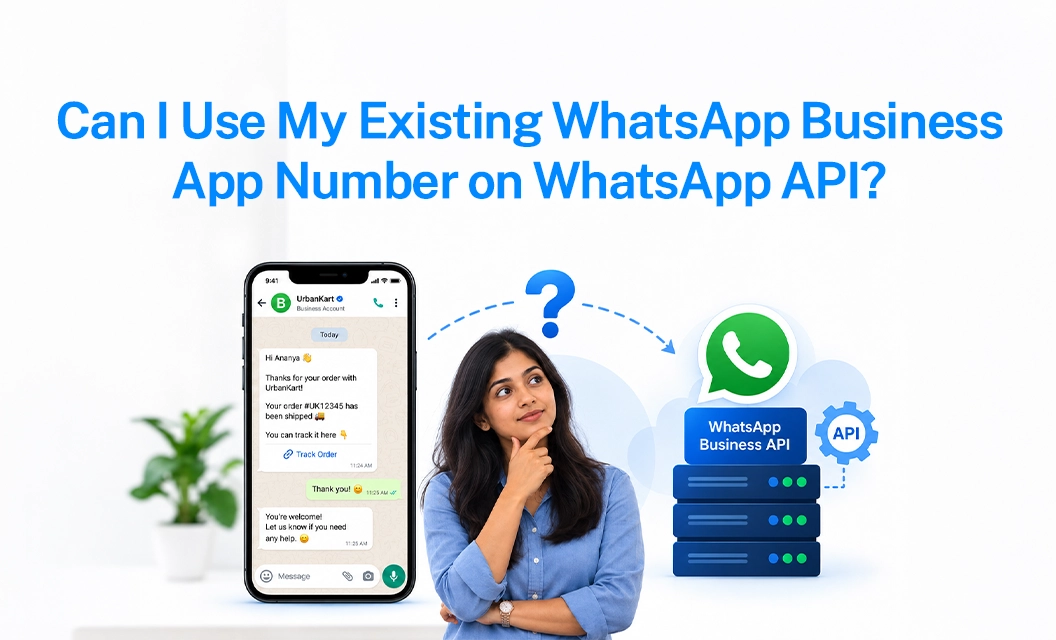
You do not need a new number, and you do not need to delete your current WhatsApp Business App account to move to the WhatsApp Business API. Thanks to WhatsApp's coexistence feature, your existing WhatsApp Business App phone number can be connected to the API while the app itself keeps working, same number, same chat history, same contacts.
This used to be the biggest blocker for businesses considering the API: switching meant wiping out months of conversations, opt-ins, and customer context. That's no longer the case. Here's exactly how the process works, what you need before you start, and how to migrate without disruption.
WhatsApp Business App vs. WhatsApp Business API
Before migrating, it helps to be clear on what you're moving between:
WhatsApp Business App: a free mobile app for small businesses to chat with customers manually, one device at a time.
WhatsApp Business API: (via a WhatsApp Business API phone number registered through a Business Solution Provider like Emovur) — built for scale, with automation, chatbots, a shared team inbox, broadcasts, and integrations with your CRM or helpdesk.
Growing businesses typically outgrow the app once one phone, one login, or one agent stops being enough. That's where WhatsApp Business API migration becomes necessary — and where the "will I lose my number" question comes up.
What Is WhatsApp Coexistence?
WhatsApp coexistence is Meta's official feature that lets a single WhatsApp Business API phone number run on both the WhatsApp Business App and the WhatsApp API at the same time. In practice, that means:
Your number stays exactly the same; no re-verification with customers, no lost recognition.
Chat history and contacts sync across both the app and the API platform (recent conversation history carries over, not just future messages).
Your team can keep replying from the mobile app while automation, broadcasts, and AI-assisted replies run through the API in parallel.
Nothing is deleted; this is additive, not a replacement.
This makes coexistence the safest path for a WhatsApp Business API migration when the number already has real customer relationships attached to it.
Requirements to Migrate Your Number via Coexistence
Before you start onboarding, confirm the following:
An active WhatsApp Business App number: personal WhatsApp numbers aren't eligible; it must already be a WhatsApp Business App account.
An updated WhatsApp Business App version on the phone where the number is registered.
Access to a Facebook Business Manager account, since the API connection routes through Meta.
A WhatsApp Business Solution Provider to complete registration and give you a working WhatsApp Business API integration; this is where a platform like Emovur comes in, handling the technical setup, template approvals, and dashboard access.’
A device to scan a QR code during setup, which is how the app and the API are linked to the same number.
How the Migration Works, Step by Step
Start onboarding with your API provider: and choose "connect existing number" rather than registering a new one.
Link via QR code: from within the WhatsApp Business App to authorize coexistence.
Let the sync complete: contacts and recent chat history sync into the API-powered dashboard.
Keep using the app as usual: while your team gets access to the shared inbox, automation, and broadcast tools on the API side.
Layer in automation gradually: chatbots, drip sequences, and template messages can be switched on once you're comfortable, without touching the number itself.
Need Help With the Setup?
Our onboarding team handles the coexistence linking, Meta Business Manager verification, and dashboard setup for you — most businesses are live within a day. Check the full walkthrough on our WhatsApp API Number Migration & Coexistence support guide, or talk to us directly.
Book a Free Demo with Emovur →
Commonly Asked Questions:
1. Will I lose my chat history when I move to the WhatsApp API?
No. With coexistence, your recent chat history and contacts sync to the API dashboard instead of being erased. Your WhatsApp Business App keeps working normally alongside it.
2. Do I need a new phone number for the WhatsApp Business API?
No. Coexistence lets you register your existing WhatsApp Business App number on the API directly, a new number is only needed if you want a separate line for automation.
3. Can my team keep using the WhatsApp Business App after migrating?
Yes. The app and the API both stay active on the same number, so your team can reply manually from the app while automated flows, broadcasts, and the shared inbox run through the API.
4. How long does WhatsApp Business API migration take?
Once you have Meta Business Manager access and an updated WhatsApp Business App, the QR-based coexistence setup typically takes under a day with a Business Solution Provider handling registration.
5. Is coexistence available for every business?
Coexistence is available for any active WhatsApp Business App number — it isn't available for personal WhatsApp accounts, which would need to be converted to a business account first.
6. Who do I contact to start the migration?
A WhatsApp Business Solution Provider like Emovur manages the full WhatsApp API integration for you. Book a demo to get your existing number connected.
Related Reading
https://emovur.com/whatsapp-business-api/integration-list
https://emovur.com/blog/whatsapp-business-api/whatsapp-crm-integration-complete-setup-guide