

Choosing a WhatsApp CRM in India usually goes like this. You sit through three demos, admire three dashboards, and sign with the prettiest one. Ninety days later someone asks, “How many leads did we never reply to?” and the dashboard goes suspiciously quiet.
This guide compares seven tools Indian teams actually shortlist. It also names the one feature most buyers only look for after that awkward question.
What a WhatsApp CRM Actually Does (and What It Doesn’t)
A WhatsApp CRM connects your business number to a shared inbox, so a whole team can reply from one number. Every chat gets an owner, a status and a history. Without one, WhatsApp is a personal app: one phone, one person, and a lead history that leaves the building when that person does.
What it does not do is fix a slow team by itself. It makes slowness visible. That is useful, and occasionally uncomfortable.
The 7 Best WhatsApp CRM Tools in India, Compared
All seven tools are reviewed from publicly available information against the same questions: who it suits, how it is priced, and where it has limits. Please confirm current details on each vendor’s website before you decide.
Tool | Starting price (India, approx.) | Seats | Best for |
Emovur | Free plan; paid from ₹999/month | Unlimited agents on Starter | Teams that want to spot missed leads and slow replies. Insights shows unattended and never-answered chats, and integrations come with every plan. |
Interakt | About ₹2,500 to ₹2,800/month | Unlimited agents | Growing D2C teams |
WATI | About ₹2,000 to ₹3,000/month | 3 on Growth | Small teams wanting a chatbot |
AiSensy | ₹1,500/month | 1 owner + 5 agents | Broadcast-first D2C brands |
Gallabox | About ₹2,400/month (annual) | Small cap on entry plan | Retail and service inboxes |
Zoho CRM | ₹800 per user/month (annual) | Per user | Teams already on Zoho |
Kraya | About ₹2,999/month | Per seat | Lead-heavy service businesses |
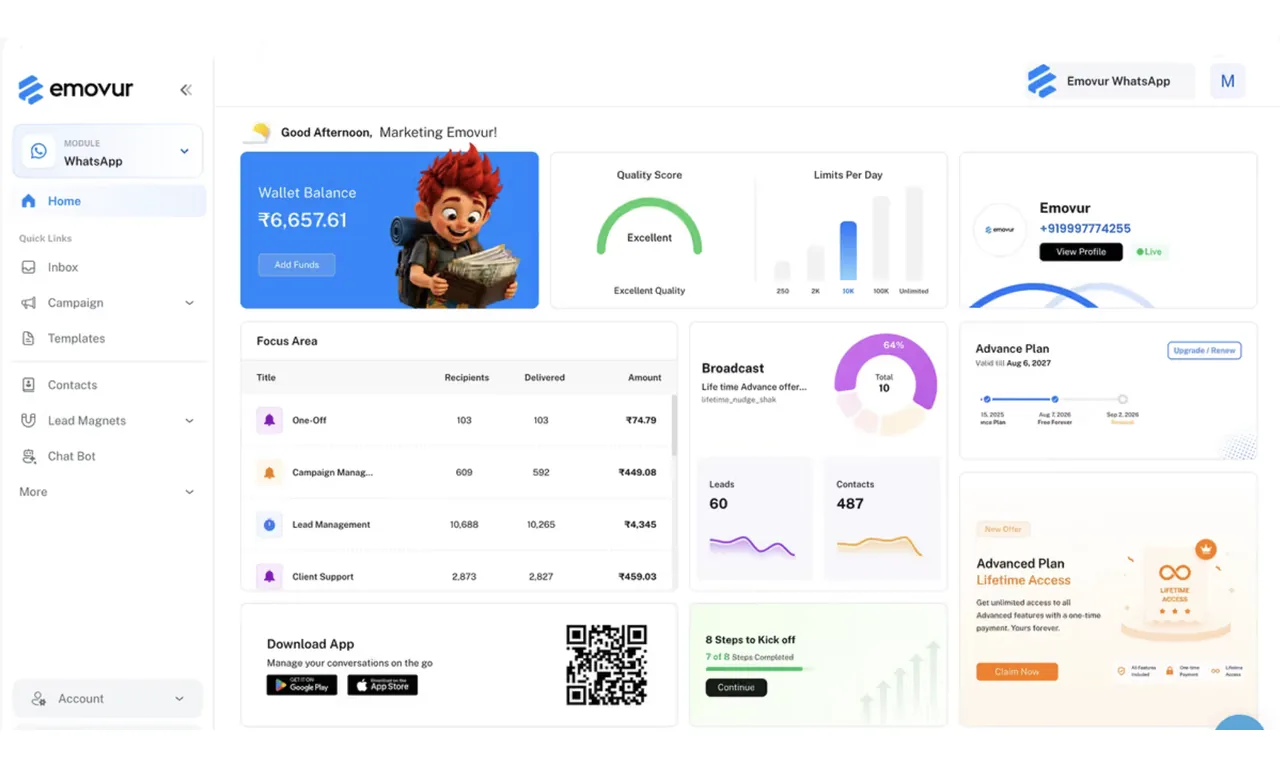
1. Emovur: Best for Growing Business who are scaling there Business
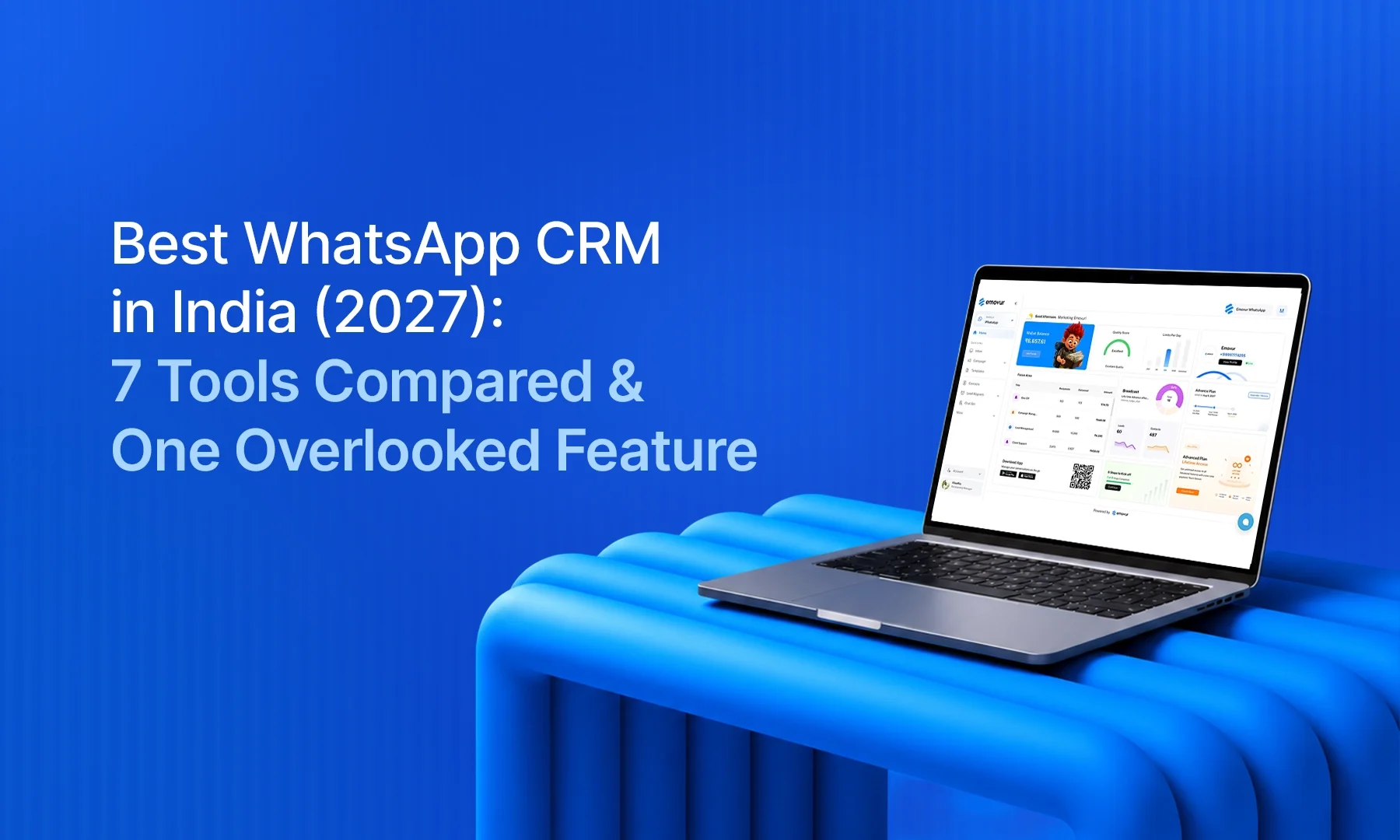
Why teams pick it: Most inboxes tell you what was answered. Emovur’s Insights view also shows what was not: unattended chats, never-answered chats, and first response time as a median and a slow-end figure. Add teams, assignment rules and workflows, and a manager can see who owns which chat and which ones are waiting.
Pros
- Agents can belong to more than one team, and conversations filter by status, assignee, label and team.
- Canned replies insert with a “/” shortcut and support variables like the contact’s first name. Agents can edit before sending.
- Workflows can act on conditions such as “unattended” or minutes waiting, then assign the chat to a team.
- A “Session expired” banner appears when the 24-hour window closes, so agents do not type replies that cannot be sent.
- Integrations with Zoho CRM, Zoho Bigin, Shopify, WooCommerce, Google Sheets and Zapier are included in all plans.
- Broadcasts support CSV upload, segments, scheduling and duplicate handling.
Cons
- Time-based SLA alerts are not part of our current inbox documentation, so ask about them in a demo.
Pricing: Free plan available. Starter from ₹999 per month and Advanced at ₹1,999 per month, with Enterprise on request. Integrations are included in every plan.
2. Interakt: Best for Growing Indian D2C Teams
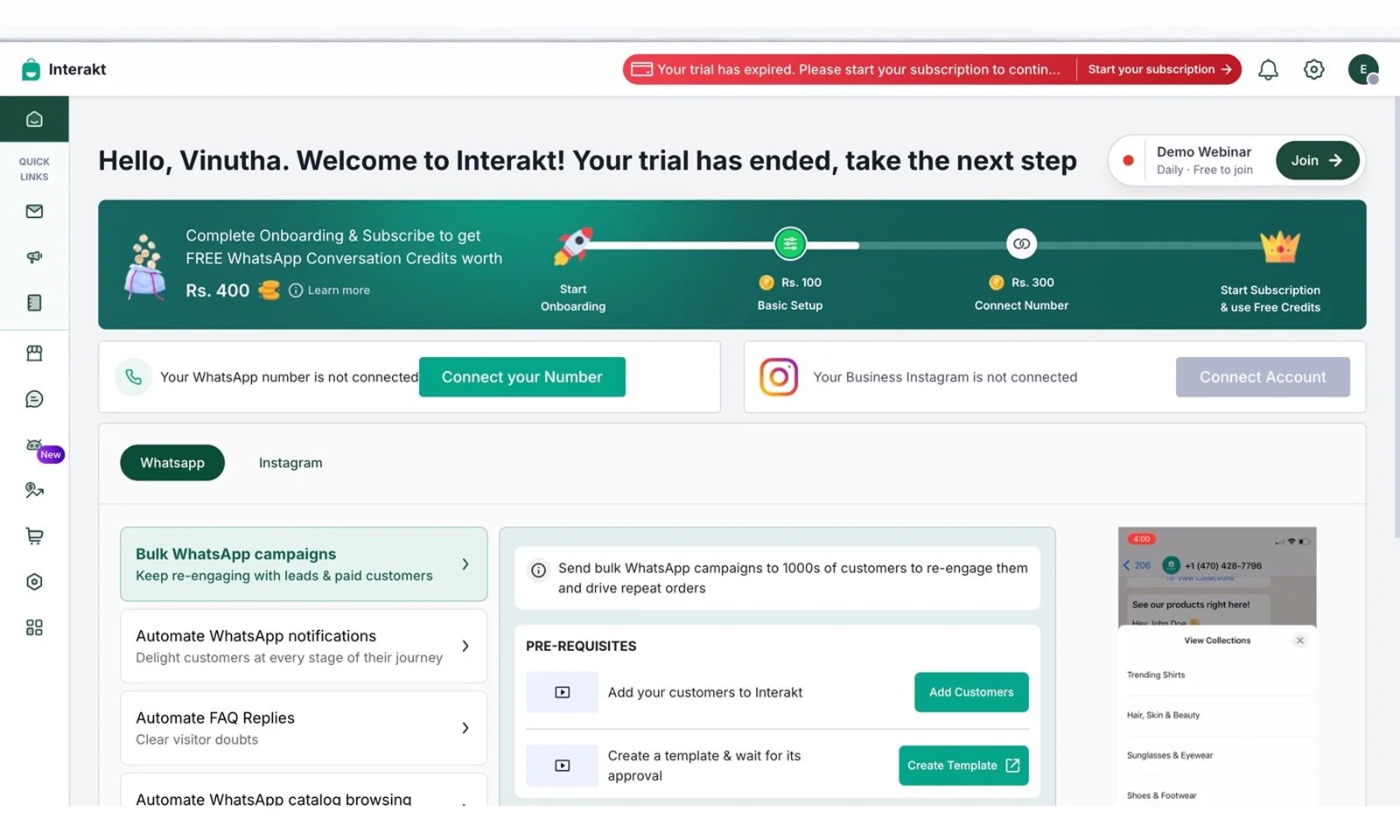
Why teams pick it: Interakt’s flat pricing is its big benefit. You pay one price whether you have three agents or thirty, which is rare in this market. It also publishes its rupee message rates openly, which makes budgeting simpler than with vendors who make you ask.
Pros
- Unlimited agents on paid plans, so growth does not raise the bill.
- Published rupee message rates.
- Product catalogue sync with Shopify, WooCommerce or Excel.
- A no-code chatbot builder.
- A 14-day trial with no card.
Cons
- Auto-assignment sits on the higher Advanced plan.
- The lowest-priced plan covers Instagram only.
- AI agents and the sales CRM are separate paid add-ons.
Pricing: Growth at about ₹2,500 to ₹2,800 per month and Advanced at about ₹3,500 to ₹3,800 per month, plus taxes. Sources differ slightly, so check the live page.
3. WATI: Best for Small Teams That Want a Chatbot
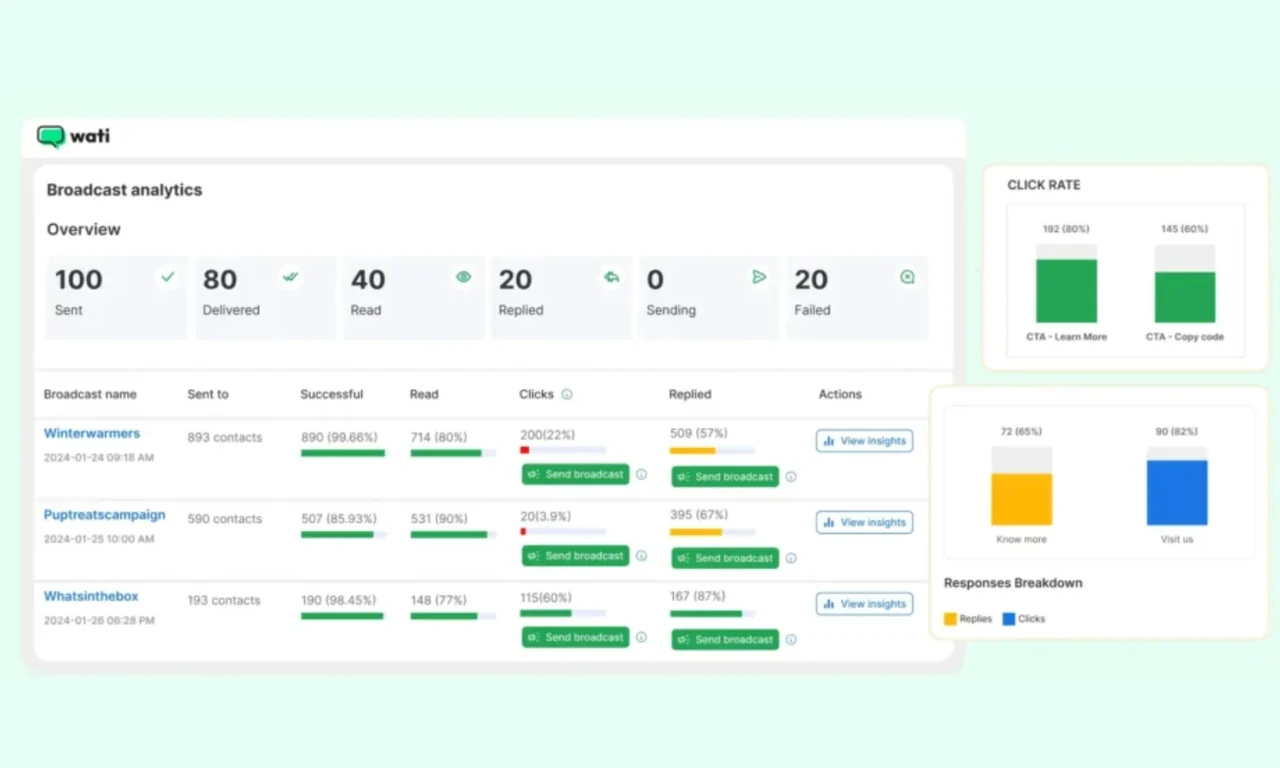
Why teams pick it: WATI is a mature, well-documented platform, and its flow builder is one of the friendliest for non-technical people. It handles template pre-approval and quality scoring for you, which removes a lot of early frustration.
Pros
No-code flow builder aimed at non-developers.
Team inbox with manager visibility.
Template pre-approval and quality scoring handled by the vendor.
AI co-pilot credits included on every tier.
Cons
The Growth plan caps at three users and you cannot add more, so a fourth agent means a bigger plan.
Automation triggers are metered on every tier.
Shopify integration is a paid add-on of about $4.99 per month.
Growth caps broadcasts at 15,000 per month.
Pricing: Growth from about ₹2,000 to ₹3,000 per month depending on billing cycle. Pro and Business plans cost considerably more, so check the current page.
4. AiSensy: Best for Broadcast-First D2C Brands
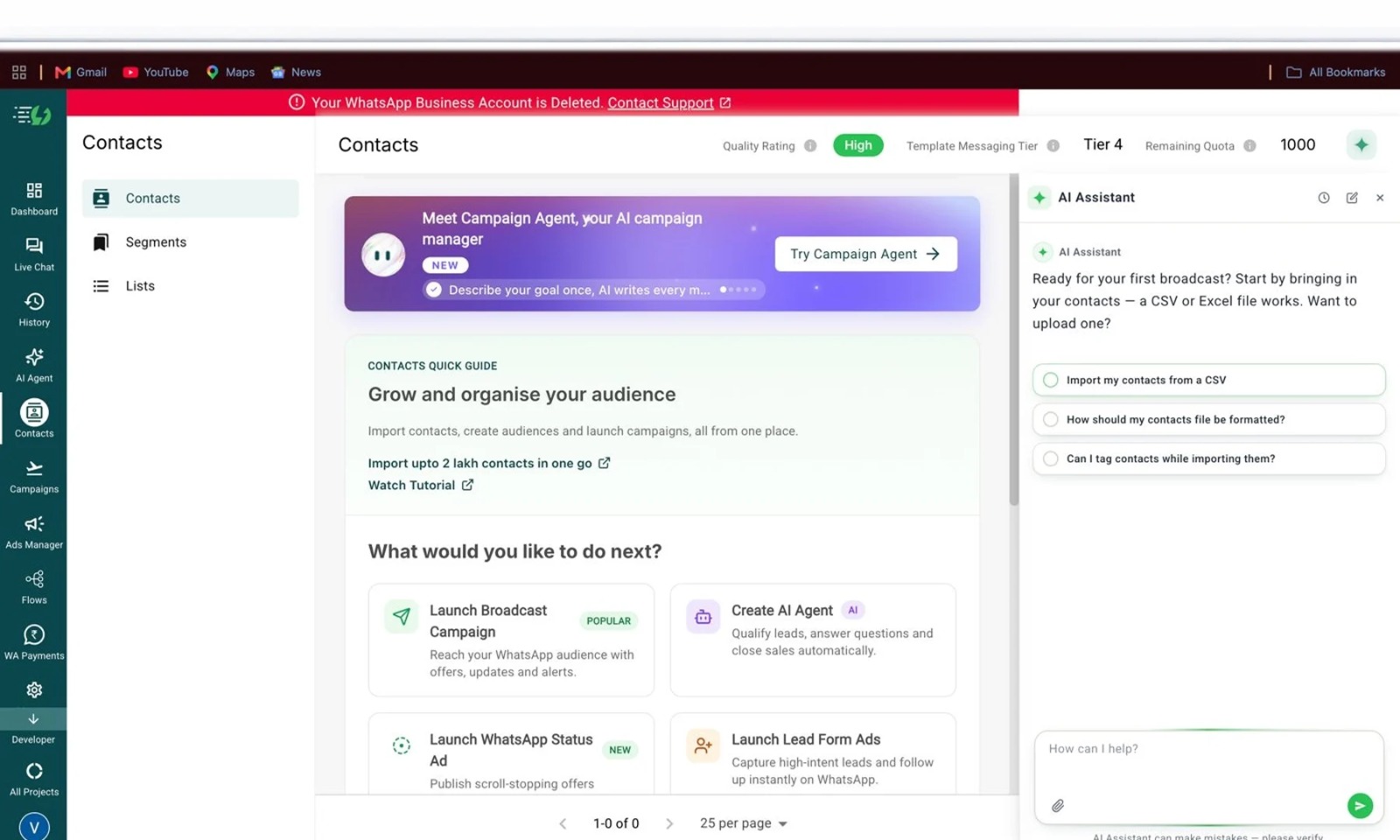
Why teams pick it: AiSensy makes it easy to start. There is a free plan to test the API, and the paid plans come with broadcast tools, a campaigns-first layout and a free Blue Tick application. For a small D2C team whose main job is sending offers and order updates, it removes a lot of setup.
Pros
Free Forever plan for testing.
One owner plus five agents included.
Scheduled broadcasts up to two months ahead on Pro and above.
Click-to-WhatsApp ads manager.
Cons
The drag-and-drop chatbot builder is a separate paid add-on of about ₹2,500 per month.
Extra agents cost ₹750 per month each.
Marketing messages are billed at ₹1.09 each, which one comparison puts at roughly 26 percent above Meta’s own rate.
Pricing: Basic at ₹1,500 per month and Pro at ₹3,200 per month, plus GST. Annual billing saves 10 percent. Enterprise is custom.
5. Gallabox: Best for Retail and Service Teams Who Want a Clean Inbox
Why teams pick it: Gallabox leans on a friendly, uncluttered inbox with canned replies, opt-in management and a multilingual chatbot. That suits retail and service teams where agents are not power users and need to be productive on day one.
Pros
Shared team inbox with canned responses.
Opt-in management built in.
Multilingual chatbot.
Free trial available.
Cons
Recent listings show a hard user cap on entry plans, with extra users, extra channels and the Shopify integration as paid add-ons.
Message charges include a markup and are billed separately.
Plans have been repriced recently, so older articles show very different numbers.
Pricing: Entry plans from about ₹2,400 per month on annual billing. Higher tiers run from roughly ₹5,000 to ₹25,000 per month depending on the plan version and billing cycle. Confirm on the live page.
6. Zoho CRM: Best for Teams Already Living Inside Zoho
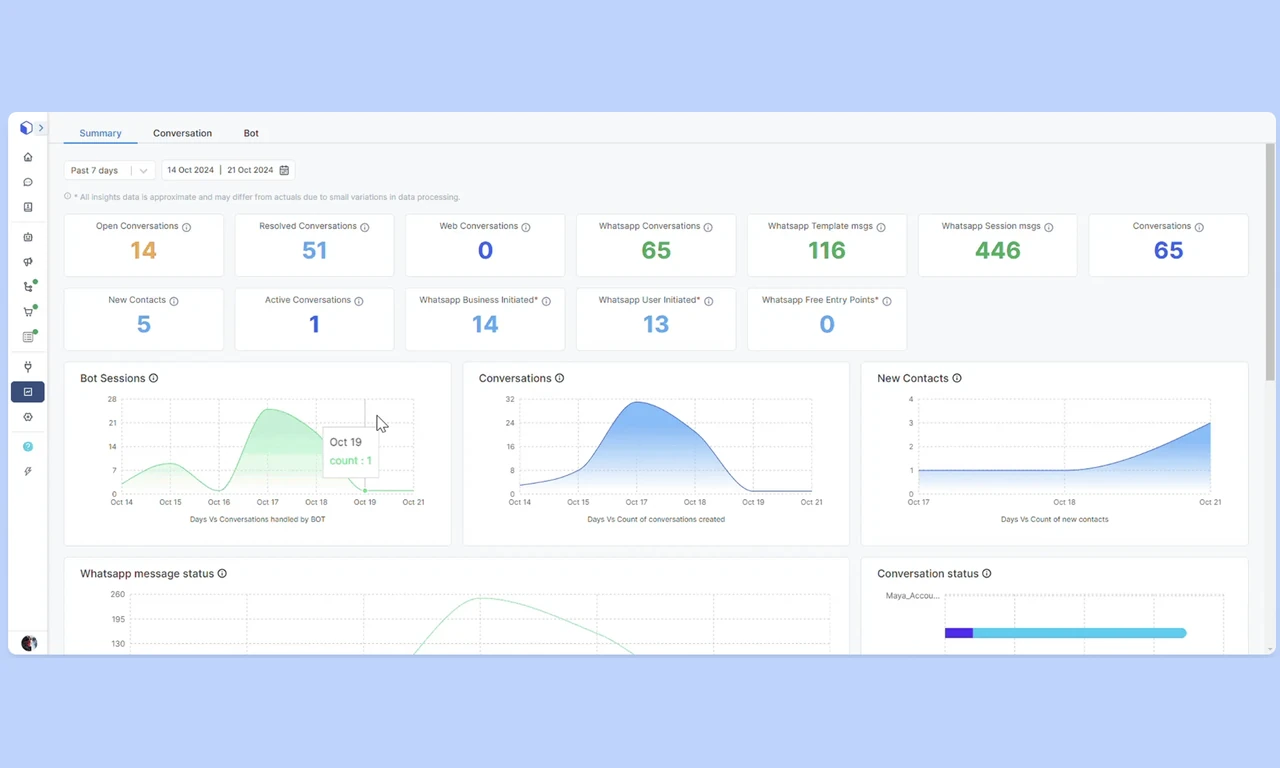
Why teams pick it: If your sales team already works in Zoho, WhatsApp arrives inside the system you use daily. Conversations attach to the right lead, contact or deal, and workflows can send WhatsApp follow-ups. You get a full CRM with pipelines, reports and rupee billing.
Pros
A full CRM with pipelines, records and reporting.
WhatsApp messages attach automatically to the correct record.
Workflow rules can include WhatsApp follow-ups.
India-made, with rupee billing and a free edition for up to three users.
Cons
WhatsApp needs a paid edition, and the free edition does not include it.
It is record-centric rather than a chat-first shared inbox.
The chatbot builder lives in a separate Zoho product.
Per-user pricing multiplies as your team grows.
Pricing: About ₹800 (Standard), ₹1,400 (Professional), ₹2,400 (Enterprise) and ₹2,600 (Ultimate) per user per month on annual billing, plus GST.
7. Kraya: Best for Lead-Heavy Service Businesses
Why teams pick it: Kraya is built around follow-up. It qualifies leads with AI and sends follow-ups that change depending on whether the lead replied or went silent. For service businesses with long sales cycles, such as real estate or education, that is where deals are usually lost.
Pros
AI-led qualification and follow-ups that branch on the lead’s reply.
Lead management and conversation ownership built in.
Onboarding support included.
Focused on Indian service businesses.
Cons
AI automation needs more configuration, as Kraya itself says.
Entry pricing is per seat, so a bigger team costs more.
It is less suited to broadcast-heavy D2C selling.
Pricing: From about ₹2,999 per month. Higher plans add guided onboarding and cost more upfront.
The Feature Most Teams Realise Too Late: a Dropped-Conversation View
Every WhatsApp CRM shows you the replies you sent. Very few show you the chats nobody answered.
In your next demo, ask one thing: “Show me every chat from last week that never got a reply.” A good tool answers in seconds, with filters for unattended and never-answered chats. Also ask for first response time as a median and for the slow end (the slowest 10 percent). Averages hide the lead who waited nine hours at 2 a.m.
It matters more now. Since 1 October 2026, service replies beyond the first 1,000 free per number each month are billed by Meta. Replies have a price, and so do ignored leads.
One more check: when the 24-hour window closes, the tool should warn the agent before they type into the void. Emovur shows a “Session expired” banner and asks for an approved template.
The Two Bills Behind Every WhatsApp CRM
Most pricing pages show you one bill. You will pay two.
Bill one is the tool: It is charged per agent or as a flat fee. This is where team size matters. Five agents on a per-agent plan cost five times one agent. On a flat plan, they cost the same.
Bill two is Meta: Since July 2025, Meta charges per delivered message, not per conversation. Marketing messages cost the most. After 1 October 2026, service replies beyond the first 1,000 free per number each month are billed too, at the utility rate. Utility templates sent inside the 24-hour window are billable as well.
A simple illustration: at ₹0.15 per message, 3,500 replies in a month means 2,500 billable replies, or about ₹375. Small on its own, but it multiplies with team size and volume. Ask every vendor two things: your exact Meta rate, and whether they add a markup on top.
How to Choose a WhatsApp CRM in India Without Regret
Count your agents, today and in a year: Per-agent plans multiply as you grow. Flat plans do not.
Check how it connects: There are two routes. The official WhatsApp Business API runs on Meta’s servers and supports approved templates and broadcasts. QR-code tools mirror your phone like WhatsApp Web, go live in minutes, and cannot send templates or broadcasts. Sales teams need the official API.
Check the seat caps and add-ons: A user cap or a paid store integration can turn “affordable” into “surprising”.
Run the “no reply” test: from above before you sign anything.
Your First 30 Days on a WhatsApp CRM
Week 1: Connect your number, create teams, set assignment rules and add canned replies for the questions you answer daily.
Week 2: Submit your first message templates, so you are ready when a chat falls outside the 24-hour window.
Week 3: Add one simple automation, such as routing chats to the right team. Stop there.
Week 4: Open the dropped-conversation view. Fix the leaks you find, then repeat monthly.
Still confused? Read our guide Whatsapp CRM Complete Guide for Businesses
Compare plans at your own pace.
Before you decide, it helps to see what each tool includes at each price. Our pricing page lists what comes with every Emovur plan, and integrations such as Zoho CRM, Shopify and Google Sheets are part of all of them. Set it next to the other six tools above and see which fits your team size.
Frequently Asked Questions
Do I need the WhatsApp Business API for a WhatsApp CRM?
For a team, yes. The API lets several agents share one number and send approved templates and broadcasts. The free WhatsApp Business app is built for one person on one phone. A tool that connects by QR code instead cannot send templates or broadcasts.
How much does a WhatsApp CRM cost in India?
You pay two bills: the tool’s plan and Meta’s per-message charges. Plans are either per agent or flat, so team size changes the maths. Since 1 October 2026, service replies beyond the first 1,000 free per number each month are billed. Ask each vendor for its rupee rates and any markup.
Can I connect WhatsApp to the CRM I already use?
Often yes. Emovur connects with Zoho CRM, Zoho Bigin, Shopify, WooCommerce, Google Sheets and Zapier, and integrations are included in all three plans. For other tools, ask which integrations are native and which need a paid add-on.
Can two agents reply to the same customer by mistake?
It happens when a team shares one phone, and it is a common reason teams move to a CRM. A shared inbox gives every chat an assignee and a status, so everyone can see who owns it. Check that the tool you pick shows this clearly before you sign.
What happens when the 24-hour window closes?
You can no longer send free-text messages. You must send an approved template, and free-text stays locked until the customer replies. A good CRM shows a clear warning, so your agents do not type a long reply that cannot be sent.
People also look for?
How to Use WhatsApp Integrated CRM: Setup, Examples & Best Practices
WhatsApp CRM: Features Sales Teams Actually Need in 2026