


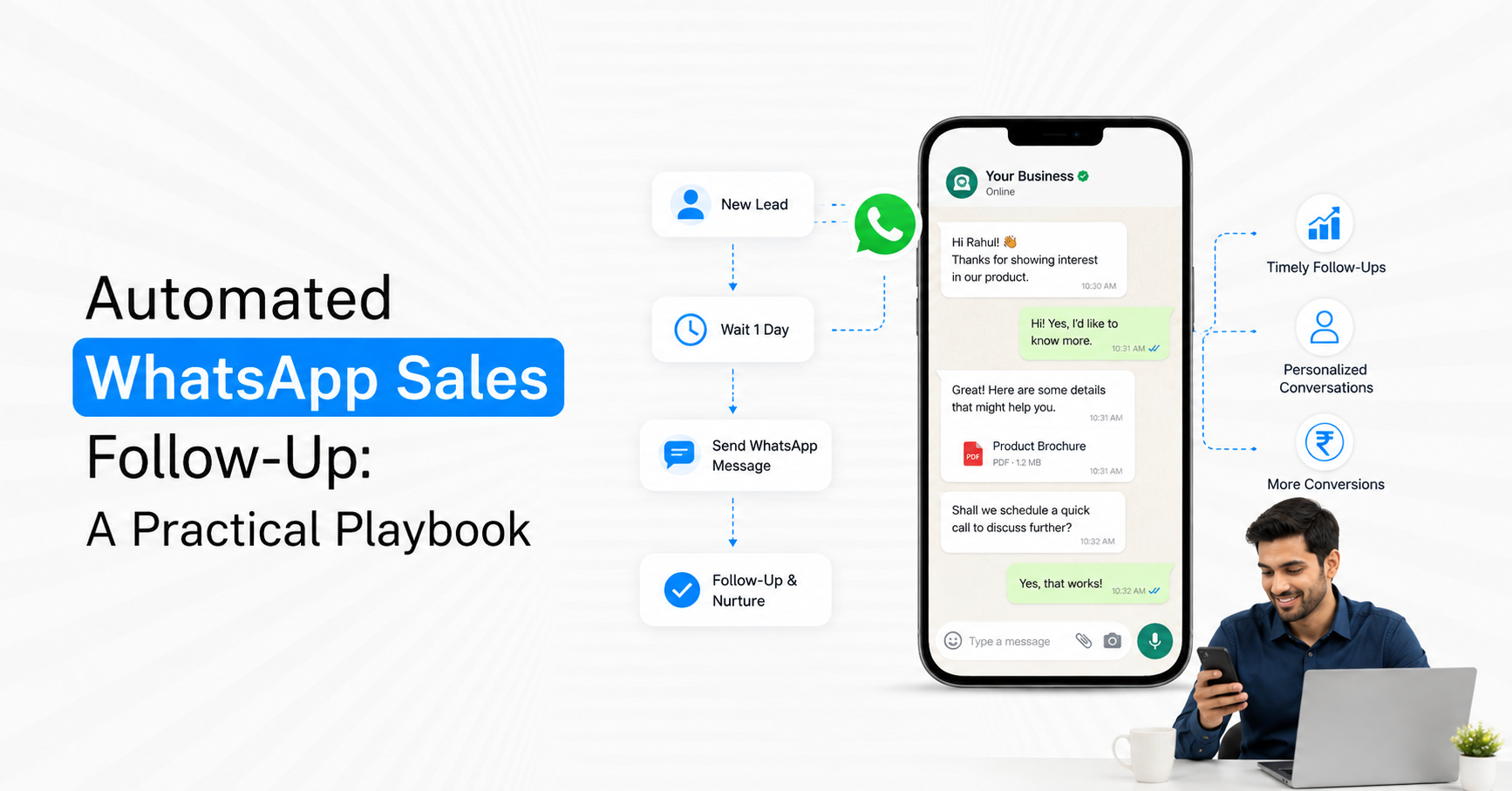
Automated WhatsApp sales follow-up works when each message is triggered by a real sales event instead of being sent on a generic Day 1, Day 3 and Day 7 schedule. For Indian businesses, the strongest system connects WhatsApp with CRM stages, customer activity and salesperson ownership so leads receive the next useful message automatically while high-intent conversations move to humans. The goal is not more follow-ups. It is fewer missed opportunities, faster response and a clearly defined next action for every active lead.
What Is Automated WhatsApp Sales Follow-Up?
WhatsApp sales follow-up automation uses customer actions, CRM stages, timing rules and predefined conditions to decide when a prospect should receive the next sales message.
A basic reminder system sends messages according to time. A stronger system understands why the lead is waiting.
Useful follow-up triggers include:
New enquiry received: Respond while customer intent is still fresh.
Qualification incomplete: Ask only for the missing information.
Demo requested but not booked: Prompt the customer to choose the next step.
Demo completed: Follow up on questions or agreed actions.
Proposal sent: Confirm receipt and provide a path for clarification.
No response from a qualified lead: Re-open the conversation after an appropriate delay.
Appointment or site visit missed: Offer a relevant rescheduling option.
CRM stage changed: Trigger communication appropriate to the new sales stage.
Emovur's WhatsApp Drip Campaign currently supports automated follow-ups using customer actions, interests, delays, conditions and journey stages.
1. Start With Sales Stages, Not Message Dates
The first mistake in automated WhatsApp follow-up is designing the sequence around calendar days before defining the sales process.
Map the pipeline first.
A simple sales pipeline may include:
New Lead → Contacted → Qualified → Demo/Meeting → Proposal → Decision → Won/Lost
Each stage has a different reason for follow-up.
New Lead: Establish contact and identify requirement.
Contacted: Complete missing qualification.
Qualified: Move towards the next meaningful sales action.
Demo: Confirm attendance or discuss the next step.
Proposal: Handle clarification and decision progress.
Decision: Remove obstacles without repeatedly chasing.
Won: Stop sales nurture and move to onboarding.
Lost: Stop the active sales sequence or move to a separate future re-engagement strategy.
This keeps follow-up tied to the sales funnel instead of arbitrary dates.
2. Respond Immediately to New Inbound Leads
The first automated message should acknowledge the enquiry and help the customer progress. It should not attempt to sell everything immediately.
A useful first-touch message can:
Confirm receipt: Let the customer know the enquiry reached the business.
Identify intent: Understand the product, service or requirement.
Collect one useful qualifier: Location, requirement, company size or another important field.
Set the next action: Explain whether sales will call, send information or continue on WhatsApp.
Route high intent: Move strong opportunities to a salesperson quickly.
The first automation exists to reduce response delay and create structure. It should not become a long questionnaire.
3. Automate Qualification Follow-Up Around Missing Information
If a lead starts qualification but does not complete it, the follow-up should reference what is missing rather than restarting the process.
Suppose a property lead has already shared preferred location and property type. The next follow-up should not ask those questions again.
Qualification automation should use:
Existing answers: Do not recollect known fields.
Missing fields: Ask only what affects qualification.
Lead score: Reduce unnecessary nurturing for poor-fit enquiries.
Purchase timeline: Prioritise customers with stronger intent.
Product interest: Send only information relevant to the expressed need.
CRM stage: Keep the automation aligned with the actual pipeline.
For CRM implementation, the existing WhatsApp CRM Integration Guide explains how WhatsApp conversations can be connected with lead records, ownership, stages and follow-up tasks.
4. Use Different Follow-Up Logic for Different Intent Levels
A lead who asks for pricing should not receive the same sequence as someone who downloaded a guide.
Split leads by intent before automating follow-up.
High Intent
Signals may include pricing requests, demo requests, appointment requests, quotations or immediate purchase timelines.
Follow-up approach:
Respond quickly.
Complete only essential qualification.
Assign a salesperson.
Use short automation.
Stop automation when the human begins the sales conversation.
Medium Intent
The lead has a defined need but has not committed to the next sales action.
Follow-up approach:
Answer the most relevant concern.
Add useful decision information.
Ask for one next action.
Move to human sales when intent increases.
Low Intent
The customer is researching or has provided little commercial information.
Follow-up approach:
Use fewer messages.
Space communication further apart.
Avoid aggressive sales prompts.
Stop if engagement remains weak.
Intent-based automation prevents every lead from receiving the same WhatsApp sales sequence.
5. Give Every Follow-Up One Job
Do not send follow-ups simply because the lead has not replied.
Every message should move the opportunity towards one defined next step.
Useful follow-up purposes include:
Clarify: Answer a question blocking progression.
Qualify: Collect one missing sales field.
Confirm: Verify a demo, visit or meeting.
Educate: Provide information relevant to the buyer's current concern.
Prompt: Ask the customer to complete a specific action.
Re-open: Restart a stalled but still relevant opportunity.
Handoff: Move the customer to the responsible salesperson.
Avoid five versions of "Just following up."
The customer should understand why the new message is useful.
6. Trigger Follow-Up From Customer Behaviour
Time is useful, but behaviour is usually a stronger trigger.
A WhatsApp sales automation workflow can change based on what the prospect actually does.
Useful behaviour signals include:
Customer replies.
CTA is selected.
Qualification form is completed.
Meeting is booked.
Proposal is viewed or acknowledged where your systems support tracking.
Lead stage changes.
Opportunity is marked won or lost.
Salesperson manually takes ownership.
Customer opts out.
For example, if the customer books a demo after the first reminder, every remaining demo-booking follow-up should be cancelled automatically.
Emovur's drip functionality currently supports behaviour-based branches and ending a sequence when the customer completes the defined action.
7. Use WhatsApp Differently After a Demo
Post-demo follow-up should not repeat the pitch delivered during the meeting.
The purpose is to move the opportunity towards a decision.
Useful post-demo automation can include:
Meeting acknowledgement: Confirm that the demo was completed.
Agreed information: Notify the prospect when promised material has been sent.
Clarification prompt: Give the customer an easy way to ask a pending question.
Next-step confirmation: Confirm another meeting, trial or stakeholder discussion.
Salesperson reminder: Create an internal CRM task when human follow-up is required.
For B2B sales, WhatsApp is particularly useful for meeting confirmations, post-demo check-ins and next-step reminders, while detailed proposals and formal documentation may remain better suited to email.
8. Handle Proposal Follow-Up Carefully
Proposal-stage leads are valuable, but they can also be damaged by excessive chasing.
A proposal follow-up sequence should help determine what is preventing the decision.
Useful proposal-stage follow-up can:
Confirm receipt: Avoid assuming the prospect saw the document.
Offer clarification: Make questions easy to raise.
Check decision status: Ask whether another stakeholder or action is involved.
Confirm agreed timelines: Follow up when the prospect said a decision would happen.
Route objections: Move pricing, technical or commercial questions to the correct person.
Do not automate negotiation. Custom discounts, contractual changes and commercial exceptions should generally move to sales ownership.
9. Stop Automation When the Salesperson Takes Over
One of the worst experiences occurs when a salesperson is actively speaking with a prospect while automated messages continue arriving.
Define conversation ownership.
Once an agent accepts the lead, relevant automated sales messages should pause unless they serve a separate confirmed workflow such as an appointment reminder.
Human takeover triggers can include:
Customer asks for sales.
Lead reaches a defined score.
Pricing discussion begins.
Quotation is requested.
Prospect asks a complex question.
Demo is scheduled.
Salesperson manually claims the conversation.
Emovur's Shared Team Inbox supports chat assignment, ownership, shared customer history and sales-team conversation management.
10. Give Salespeople the Context Automation Already Collected
Automated qualification only saves time if the salesperson receives the information.
The handoff should include a concise sales context.
Useful fields include:
Lead source
Customer requirement
Product/service interest
Location
Budget where relevant
Purchase timeline
Qualification status
Last customer response
Current CRM stage
Previous automated messages
Next expected action
A salesperson should not begin with "How can I help you?" after the customer has already answered several qualification questions.
The better experience is continuation, not restart.
11. Follow WhatsApp's Messaging Rules in Automated Follow-Up
Automation does not override WhatsApp Business Platform requirements.
WhatsApp's current policy states that businesses may reply without a template within 24 hours of the user's last message. Outside that customer-service window, business-initiated communication must use an approved message template. WhatsApp also requires businesses to have appropriate opt-in for business-initiated messaging and provide clear escalation paths when automation is used.
For follow-up operations:
Maintain customer eligibility: Do not treat every CRM contact as automatically eligible.
Use approved templates where required: Especially when re-initiating outside the service window.
Match the message to its purpose: Sales follow-up should not disguise unrelated promotions.
Stop on opt-out: Suppression should override future automation.
Keep human escalation available: Customers should have a direct route to assistance.
Compliance should be built into the workflow rather than checked manually before every message.
12. Create Stop Conditions for Every Sequence
Every automated sales follow-up campaign should have more ways to stop than to continue.
Useful exit conditions include:
Customer converts.
Demo or appointment is booked.
Human salesperson takes ownership.
Opportunity is marked lost.
Customer explicitly declines.
Customer opts out.
Customer no longer meets qualification.
Maximum follow-up period is reached.
Lead enters another lifecycle journey.
Without stop conditions, automation becomes persistence rather than sales enablement.
13. Use CRM Tasks for Follow-Ups That Should Not Be Automated
Some follow-ups need a salesperson but are still easy to forget.
Instead of automating the customer-facing message, automate the internal task.
Examples include:
Call high-value prospect.
Review quotation before follow-up.
Contact buyer after stakeholder meeting.
Check approval status.
Prepare custom pricing.
Reconnect on the date agreed by the customer.
The CRM can remind the owner while the customer still receives a human response.
This is an important distinction: automating follow-up does not always mean automating the message.
14. Build Separate Sequences for Different Sales Moments
Avoid one massive workflow stretching from first enquiry to final sale.
Build smaller automation modules.
Useful sequences can include:
New Lead Response
Qualification Completion
Demo Booking
Demo Reminder
Post-Demo Follow-Up
Proposal Follow-Up
No-Response Recovery
Missed Appointment
Warm Opportunity Re-engagement
Shorter workflows are easier to understand, test and stop when customer context changes.
They also reduce the risk of a lead remaining trapped inside an outdated sequence after moving to another sales stage.
15. Measure Follow-Up Progression
Do not judge the system only by messages delivered.
The real question is whether follow-up moves opportunities forward.
Track metrics such as:
First-response time: How quickly new leads receive meaningful contact.
Follow-up completion: How many eligible leads receive the required next action.
Response rate by stage: Which sales stages generate customer replies.
Qualification rate: Leads moving from enquiry to qualified.
Demo booking rate: Qualified prospects scheduling meetings.
Proposal progression: Opportunities moving beyond proposal stage.
Human takeover rate: Leads requiring direct sales involvement.
Conversion after automation: Opportunities becoming customers.
Average time between stages: Whether automation shortens pipeline delay.
Exit reason: Converted, lost, unresponsive, opted out or manually stopped.
The most valuable metric is often stage progression, not message engagement.
A Practical WhatsApp Sales Follow-Up Blueprint
Before launching automation, define these rules for every sales stage.
If a follow-up does not have a clear objective, ownership rule or exit condition, it probably should not be automated yet.
Build a Sales System, Not a Reminder Machine
The strongest automated WhatsApp sales follow-up does not chase every lead repeatedly. It understands where the opportunity sits, what happened previously and which action should happen next.
The operating model should be:
Lead Event → CRM Stage → Relevant Follow-Up → Customer Behaviour → Stage Update → Human Takeover or Next Automation → Exit
Connect the automation to CRM data, keep each message focused on one sales objective and stop the sequence as soon as a salesperson or conversion event changes the customer journey.
For implementation, use the WhatsApp Drip Campaign to build behaviour-based follow-up sequences, connect WhatsApp with the CRM using the WhatsApp CRM Integration Guide, and use the Shared Team Inbox when qualified conversations require salesperson ownership.
Book an Automation Demo when your sales pipeline already has clear stages, follow-up rules and human ownership points that can be converted into a reliable WhatsApp workflow.


