


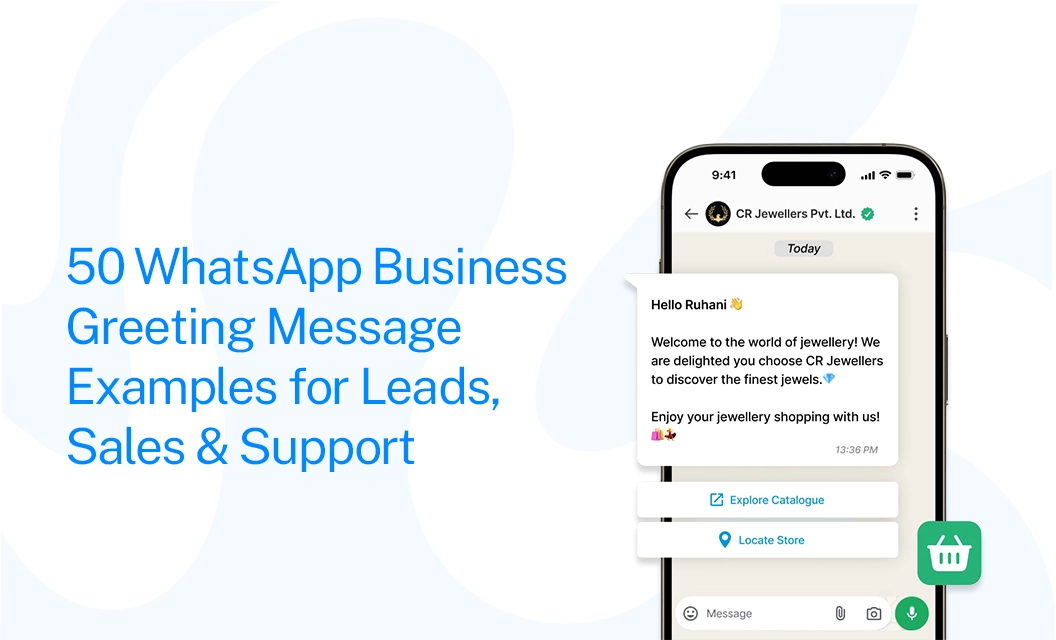
50 WhatsApp Business Greeting Message Examples for Leads, Sales & Support
Opening:
When a customer sends a message on WhatsApp, they don’t want to be left wondering if anyone is going to reply. A simple welcome can make the conversation feel more personal from the very first message. This is where a WhatsApp Business greeting message comes in.
A good greeting message welcomes customers, acknowledges their message, and lets them know what to expect next. Whether it’s a new lead asking about a product, a customer looking for support, or someone messaging outside business hours, the right WhatsApp greeting message example can make the first interaction smoother.
The best greetings don’t need to be long or overly formal. A friendly “Hi! Thanks for reaching out. How can we help?” can be enough to start the conversation on the right note.
In this guide, you’ll find 50 WhatsApp Business greeting message examples for leads, sales, support, and out-of-hours conversations, along with simple tips to create your own.
Before we dive into the examples, first let us understand what a WhatsApp Business greeting is and how to create them.
A WhatsApp Business greeting message is an automated welcome message sent when a customer starts a conversation with your business. It helps create a good first impression, acknowledges the customer, and lets them know what they can expect from the conversation.
Now that we know what a WhatsApp Business greeting message is, let’s first clarify the different types of messages people may mean when they use the term. Understanding the difference will help you choose the right example for your business and avoid using a message that doesn’t fit your goal.
First, Understand Which Message You Need
Before choosing a WhatsApp greeting message, it’s important to know which type of message you’re creating. The term “WhatsApp greeting message” can refer to different types of messages, and choosing the wrong one can lead to confusion or an ineffective customer experience.
1. WhatsApp Business Greeting Message
This is the built-in greeting feature in the WhatsApp Business app. It automatically welcomes customers when they message your business for the first time or after a period without contact. You can set one message to welcome them and begin the conversation.
Example:
“Hello! Thanks for contacting Green Café. How can we help you today?”
2. WhatsApp Template Message
Template messages are used with the WhatsApp Business API to start conversations with customers or send messages outside the active 24-hour customer service window. WhatsApp must approve these messages before they can be used. They’re commonly used for campaigns, automated first-contact messages, notifications, reminders, marketing, and follow-ups.
Example:
“Hello {{1}}, your appointment with {{2}} is confirmed for {{3}}.”
3. Chatbot Greeting Message
This is the first message a customer sees when they enter an automated chatbot conversation. It is part of a larger chatbot flow and may be followed by questions, buttons, options, or automatic replies. Unlike a WhatsApp Business greeting, it helps guide the customer through an automated conversation.
Example:
“Welcome to Green Café! Please choose an option: 1. View menu 2. Place an order. 3. Speak with an agent."
If you want to explore more about how chatbots benefit your business Read More..
What Makes a Greeting Actually Work
Before we get to the examples, here are a few simple tips to help you write a greeting that feels useful and encourages customers to reply.
Keep it short. One or two sentences. Nobody reads a paragraph from a business they just messaged.
Name yourself. "Hi, this is [Business Name]" builds more trust than a message with no identity attached.
Ask one question, not three. A single, easy question gets a reply. A list of questions gets silence.
Set an expectation. "We usually reply within 15 minutes" tells people what to expect instead of leaving them guessing.
Skip the links and offer up front. A first message packed with promotional links can hurt your message quality—save that for after they've replied.
50+ WhatsApp Business Greeting Message Examples for Leads, Sales & Support
Not every customer starts a WhatsApp conversation for the same reason. Someone may be asking about a product, another person may want a price, while an existing customer may need help with an order. Your greeting should make it easy for each person to take the next step.
Below are 50 WhatsApp Business greeting message examples grouped by common situations. You can copy them as they are or adjust the wording to match your business and brand tone.
A. WhatsApp Greeting Messages for New Leads
New leads usually need a simple and friendly welcome. Avoid trying to sell something in the first message. Instead, acknowledge their enquiry and make it easy for them to tell you what they need.
1. Simple welcome for a new lead
👋 Hi! Thanks for reaching out to [Business Name]. How can we help you today?
2. Friendly lead welcome
Hello! Welcome to [Business Name]. 😊 Thanks for getting in touch. Tell us what you're looking for, and we'll be happy to help.
3. Website enquiry
Hi! Thanks for contacting us. We received your enquiry and would be happy to help. What would you like to know more about?
4. Lead from an advertisement
👋 Hi! Thanks for your interest in [Product/Service]. What would you like to know—pricing, features, or availability?
5. Product enquiry
Hello! Thanks for messaging [Business Name]. Looking for a particular product? Send us the name or details, and we'll help you find it.
6. Service enquiry
Hi! Thanks for reaching out to [Business Name]. We offer [Service 1], [Service 2], and [Service 3]. Which service can we help you with?
7. Pricing enquiry
👋 Hi! Thanks for contacting us. If you're looking for pricing, just tell us which product or service you're interested in, and we'll share the details.
8. Consultation enquiry
Hello! Thanks for getting in touch. We'd be happy to help you with a consultation. Please tell us what you'd like to discuss.
9. Demo request
Hi! Thanks for your interest in [Product Name]. 👋 Would you like to book a demo or learn more about how it works?
10. Lead qualification
Welcome to [Business Name]! To help you faster, could you tell us what you're looking for and when you'd like to get started?
11. Real estate enquiry
👋 Hi! Thanks for contacting [Real Estate Company]. Are you looking to buy, rent, or sell a property?
12. Travel enquiry
Hello! Thanks for reaching out to [Travel Company]. Where are you planning to travel, and what kind of trip are you looking for?
13. Education enquiry
Hi! Welcome to [Institute Name]. 👋 Are you looking for information about our courses, fees, admissions, or upcoming batches?
B. WhatsApp Greeting Messages for Sales.
A sales greeting should help the customer move from a general enquiry to a useful conversation. Give them an easy way to tell you what they want instead of sending a long product pitch.
14. General sales greeting
👋 Hi! Thanks for contacting [Business Name]. What product or service are you interested in today?
15. Helping customers choose
Hello! Not sure which option is right for you? Tell us what you need, and our team will help you choose the best fit.
16. Product recommendation
Hi! We'd be happy to help you find the right product. What are you looking for, and what is most important to you?
17. New product enquiry
👋 Hi! Interested in our latest [Product Name]? Send us your questions, and we'll help you with the details.
18. Service booking
Hello! Thanks for reaching out to [Business Name]. Would you like to book a service? Let us know your preferred date and time.
19. Free consultation
Hi! Thanks for your interest in [Service]. We offer a free consultation to understand what you need. Would you like to schedule one?
20. B2B sales enquiry
👋 Welcome to [Company Name]. Looking for a business solution? Tell us a little about your requirements, and our team will guide you.
21. Real estate sales
Hello! Looking for your next property? 🏠 Tell us your preferred location, budget, and property type, and we'll help you explore suitable options.
22. Automobile sales
Hi! Thanks for contacting [Dealership Name]. Are you looking for a new car, a used vehicle, or information about a test drive?
23. Offer enquiry
👋 Hi! Thanks for your interest in our current offer. Tell us which product you're interested in, and we'll share the available options.
24. High-intent sales lead
Hello! Thanks for reaching out. We'd love to help you get started. What are you looking for, and when would you like to move forward?
25. Follow-up from sales
Hi! Thanks for getting back to us. 😊 How can we help you move forward with your enquiry?
26. Custom requirement
Hello! Looking for something specific? Share your requirements with us, and we'll see how we can help.
C. WhatsApp Greeting Messages for Customer Support
Support greetings should focus on helping the customer rather than selling. If your team needs information such as an order number or account ID, ask for it clearly so the customer knows what to send.
27. General customer support
👋 Hi! Welcome to [Business Name] Support. How can we help you today?
28. Order support
Hello! We're here to help with your order. Please share your order number and tell us what you need help with.
29. Delivery support
Hi! Having a question about your delivery? 📦 Send us your order number, and we'll help you check the status.
30. Payment issue
Hello! Sorry you're having trouble with your payment. Please share your order number and a short description of the issue, and we'll look into it.
31. Refund request
Hi! Thanks for contacting us. We can help with your refund enquiry. Please share your order number and we'll guide you through the next steps.
32. Technical support
👋 Hi! You've reached [Company Name] Support. Tell us what issue you're experiencing, and we'll help you troubleshoot it.
33. Existing customer
Hello! Welcome back to [Business Name]. 😊 How can we help you today?
34. Complaint or service issue
Hi! We're sorry you're facing an issue. Please tell us what happened and share any relevant order or booking details so our team can help.
35. Appointment support
Hello! Need help with your appointment? Please share your booking details and let us know whether you'd like to reschedule, cancel, or ask a question.
36. Booking support
👋 Hi! Thanks for contacting [Business Name]. Are you looking to make a new booking, change an existing one, or check your booking details?
37. Account support
Hi! We're here to help with your account. Please tell us what you're having trouble with, and we'll guide you through it.
38. Quick support greeting
Hello! 👋 Thanks for messaging us. Please tell us what you need help with, and we'll connect you with the right team.
D. WhatsApp Greeting Messages for Out-of-Hours
If customers can message you at any time, an out-of-hours greeting helps set the right expectation. Let them know when your team will be available instead of leaving them waiting without any information.
39. Simple after-hours message
👋 Thanks for contacting [Business Name]. We're currently outside our business hours. Leave us a message, and we'll get back to you when we're back online.
40. After-hours with business timings
Hi! Thanks for reaching out. Our team is currently offline. We're available Monday–Saturday, 9 AM–6 PM, and will reply during our working hours.
41. Weekend message
Hello! 👋 Thanks for your message. Our team is currently away for the weekend. We'll get back to you on Monday.
42. Holiday message
Hi! Thanks for contacting [Business Name]. We're currently closed for the holiday and will respond when our team returns. Thanks for your patience!
43. Sales team after-hours
Thanks for your interest in [Product/Service]. Our sales team is currently offline. Leave your requirements here, and we'll get back to you during business hours.
44. Support team after hours
👋 You've reached [Business Name] Support. Our support team is currently offline. Please leave your issue and order/account details, and we'll respond when we're available.
45. Next-business-day reply
Thanks for your message! Our team is currently offline, but we've received your inquiry. We'll get back to you on the next business day.
46. Friendly out-of-office message
Hi there! 👋 We're away from our desks right now, but your message has reached us. We'll get back to you as soon as our team is available.
47. After-hours lead capture
Thanks for reaching out to [Business Name]. We're currently closed, but we'd still love to help. Please share your name and what you're looking for, and our team will follow up.
48. Support priority message
Hello! Our support team is currently offline. If you're contacting us about an urgent issue, please include your order or account details so we can review it as soon as we're back.
E. More Friendly & Casual WhatsApp Greeting Messages
Not every brand needs a formal greeting. If your brand has a relaxed tone, a conversational message can make the interaction feel more natural.
49. Casual welcome
Hey! 👋 Thanks for dropping us a message. What can we help you with today?
50. Warm and personal welcome
Hi! Great to hear from you 😊 Tell us what you need, and we'll be happy to help.
Note: When multiple agents handle customer conversations, a shared team inbox keeps everyone on the same page. It helps prevent customers from receiving different greetings or repeated replies from different agents, creating a smoother and more consistent experience.
How to Set Up a WhatsApp Greeting Message
Final Takeaway:
Start every WhatsApp conversation the right way. Your first WhatsApp message can shape the entire customer experience. A clear, friendly greeting helps people understand that they have reached the right business and shows them what to do next.
Instead of sending a generic message, use your greeting to guide the conversation. Welcome new customers, ask how you can help, share available options, or direct enquiries to the appropriate team. A thoughtful opening message can reduce confusion and make it easier for customers to get quick answers.
Frequently Asked Questions
1. Where can I find WhatsApp Business greeting message settings?
Open the WhatsApp Business App and go to Business Tools or Messaging Settings. Select Greeting Message, write your message, and enable it.
2. What is a good business greeting message for customers on WhatsApp?
Keep it short, friendly, and helpful. A simple message such as “Hi! Thanks for contacting us. We’ve received your message and will get back to you as soon as possible” works well. You can also include your business hours or let customers know when they can expect a reply.
Example:
“Hi! 👋 Thanks for contacting ABC Store. How can we help you today?”
3. Can WhatsApp Business send an automatic greeting message?
Yes. WhatsApp Business can automatically send greeting messages when the selected conditions are met. For advanced automation, you may need a chatbot or WhatsApp Business API solution.
4. What is the best greeting message for WhatsApp?
The best message depends on your business. A simple option is: “Hello! Thanks for contacting [Business Name]. How can we help you today?”
5. What should I write in a WhatsApp greeting message in English?
Use simple, natural language and include a few more helpful details like mentioning your services, working hours, or support option.
Example:
“Hi! 👋 Welcome to [Business Name]. How can we help you today?”
Want these running automatically across your team instead of pasted in one at a time? Explore Emovur's shared inbox and automation tools to see how greetings, routing, and follow-ups work together.


