


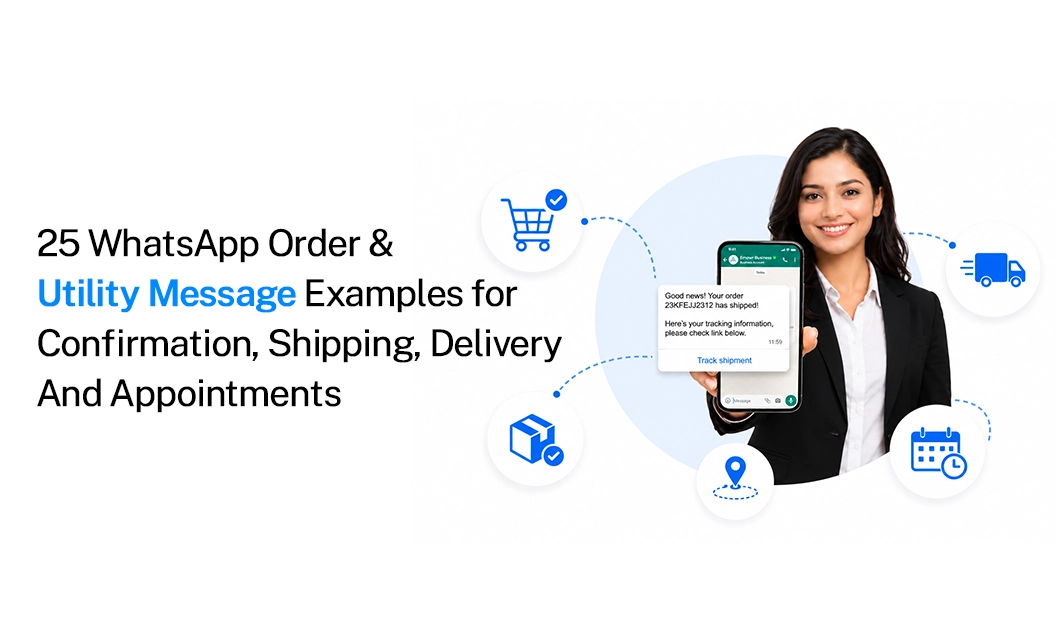
25 WhatsApp Order & Utility Message Examples for Confirmation, Shipping, Delivery & Appointments
Quick answer:
A WhatsApp order template helps businesses automatically send customers important updates about orders, payments, shipping, deliveries, appointments, and account activity.
These messages are usually categorized as utility messages because they provide information about an action the customer has already taken. A good WhatsApp utility message is short, clear, and directly connected to that action.
In this guide, you'll find 25 ready-to-use examples covering order confirmations, shipping updates, delivery notifications, appointments, payments, and account updates.
What Is a WhatsApp Utility Message?
Meta puts WhatsApp templates into three categories: marketing, utility, and authentication. Utility messages are sent when a customer has already taken an action, such as placing an order, booking an appointment, or making a payment.
In simple terms, a WhatsApp utility message gives customers useful updates rather than trying to sell something. Examples include order confirmations, shipping updates, delivery alerts, appointment reminders, payment receipts, and account notifications. Keep these messages purely informational.
If you add promotional content, such as “Check out our new collection,” the message may be treated as a marketing message instead.
What Makes a Good WhatsApp Order Template?
A good WhatsApp order template gives customers the information they need without making them read a long message. A simple structure includes the customer’s name, an update, the order or reference number, an important detail, and the next step.
For example: “Hi {{1}}, your order #{{2}} has been shipped. Expected delivery: {{3}}. Track your order: {{4}}.”
This works because customers immediately know what happened, which order the message is about, when to expect it, and where to find more information. Keep your utility templates simple by making them directly related to a customer action, providing clear and accurate information, using relevant variables, avoiding unnecessary promotional language, including a useful link when needed, mentioning an order, booking, payment, ticket, or other reference, and giving the customer a clear next step when required.
You can create and manage your templates through Emovur's WhatsApp message templates.
25 WhatsApp Order & Utility Message Examples
Here are 25 examples you can adapt for different customer communication workflows, including order updates, appointment reminders, payment confirmations, account notifications, delivery alerts, and other transactional messages.
A. Order Confirmation WhatsApp Templates
1. Basic Order Confirmation
Order Confirmed ✅
Hi {{1}}, your order #{{2}} has been confirmed.
We'll let you know when it is shipped.
Thank you for shopping with us!
Tip: This is a simple order confirmation WhatsApp template for e-commerce businesses that want to acknowledge a successful order.
2. Order Confirmation With Delivery Date
Your Order Is Confirmed
Hi {{1}}, we've received your order #{{2}}.
Expected delivery: {{3}}.
We'll send you an update when your order is shipped.
Tip: This works well when your system already has an estimated delivery date.
3. Order Being Prepared
Your Order Is Being Prepared 📦
Hi {{1}}, your order #{{2}} is now being prepared.
We'll notify you once it has been shipped.
TIP: This message keeps customers informed between confirmation and shipping.
4. Order Received by Restaurant
Order Received 🍽️
Hi {{1}}, we've received your order #{{2}}.
Estimated preparation time: {{3}} minutes.
We'll notify you when it's ready.
TIP: This can be used by restaurants, cafes, and food delivery businesses.
5. Order Confirmation With Multiple Items
Order Confirmed
Hi {{1}}, your order #{{2}} has been confirmed.
Items: {{3}}
Total: {{4}}
Expected delivery: {{5}}
TIP: This format is useful when customers need a quick summary of their purchase.
B. Shipping & Delivery Update WhatsApp Messages
6. Order Shipped
Your Order Has Shipped 🚚
Hi {{1}}, your order #{{2}} has been shipped.
Expected delivery: {{3}}.
Track your order: {{4}}
TIP: This is a standard delivery update WhatsApp message.
7. Order Out for Delivery
Out for Delivery 📦
Hi {{1}}, your order #{{2}} is out for delivery today.
Please keep your phone available for the delivery agent.
TIP: This message is useful on the day of delivery.
8. Delivery Scheduled
Delivery Scheduled
Your order #{{1}} is scheduled for delivery on {{2}} between {{3}} and {{4}}.
Please make sure someone is available to receive it.
TIP: This is particularly useful for scheduled or high-value deliveries.
9. Delivery Attempted
Delivery Attempted
Hi {{1}}, we couldn't deliver order #{{2}} today.
Reason: {{3}}.
Please use the link below to reschedule: {{4}}
TIP: This keeps the customer informed and provides a clear next step.
10. Delivery Delayed
Delivery Update
Hi {{1}}, there has been a delay with your order #{{2}}.
New expected delivery date: {{3}}.
We apologize for the delay.
TIP: Keep this message factual. Avoid adding promotional offers to a delay notification.
11. Order Delivered
Order Delivered ✅
Hi {{1}}, your order #{{2}} was delivered on {{3}}.
We hope everything arrived safely.
TIP: This can be sent automatically after the delivery status is confirmed.
12. Delivery Address Confirmation
Confirm Your Delivery Details
Hi {{1}}, your order #{{2}} is ready for delivery.
Delivery address: {{3}}.
If any details are incorrect, please contact us here: {{4}}
TIP: This can help reduce delivery problems caused by incorrect addresses.
C. Payment & Refund Utility Message Templates
13. Payment Received
Payment Received ✅
Hi {{1}}, we've received your payment of {{2}} for order #{{3}}.
Payment reference: {{4}}.
Thank you.
TIP: This is a straightforward payment confirmation.
14. Payment Failed
Payment Unsuccessful
Hi {{1}}, we couldn't process your payment of {{2}} for order #{{3}}.
Please try again using the link below: {{4}}
TIP: The message explains what happened without adding unnecessary promotional content.
15. Payment Pending
Payment Pending
Your payment for order #{{1}} is still pending.
Amount: {{2}}
Please complete the payment here: {{3}}
TIP: Use this when the customer has started a payment process but the transaction has not yet been completed.
16. Refund Initiated
Refund Initiated
Hi {{1}}, your refund of {{2}} for order #{{3}} has been initiated.
Expected processing time: {{4}}.
TIP: This gives the customer a clear status update.
17. Refund Completed
Refund Completed
Your refund of {{1}} for order #{{2}} has been processed successfully.
Refund reference: {{3}}.
TIP: This can be sent once the refund is confirmed by your payment or order system.
D. Appointment & Booking WhatsApp Utility Messages
18. Appointment Confirmation
Appointment Confirmed 📅
Hi {{1}}, your appointment with {{2}} is confirmed for {{3}} at {{4}}.
Location: {{5}}.
TIP: This works for clinics, salons, consultants, service providers, and other appointment-based businesses.
19. Appointment Reminder
Appointment Reminder
Hi {{1}}, this is a reminder that your appointment is scheduled for {{2}} at {{3}}.
Location: {{4}}.
TIP: Keep reminders short because customers usually need only the basic appointment details.
20. Appointment Rescheduled
Appointment Updated
Hi {{1}}, your appointment has been rescheduled.
New date: {{2}}
New time: {{3}}
Location: {{4}}
TIP: This is useful when the business or customer changes an existing booking.
21. Appointment Cancellation
Appointment Cancelled
Hi {{1}}, your appointment scheduled for {{2}} at {{3}} has been cancelled.
If you need to book another time, please contact us here: {{4}}.
TIP: The message informs the customer about the cancellation without turning the message into a promotion.
22. Booking Confirmation
Booking Confirmed 🎟️
Hi {{1}}, your booking for {{2}} is confirmed.
Date: {{3}}
Time: {{4}}
Booking ID: {{5}}
TIP: This can be used for hotels, travel businesses, events, restaurants, and other booking-based services.
E. Account & Service Update WhatsApp Messages
23. Account Update
Account Update
Hi {{1}}, your account details were updated successfully on {{2}}.
If you did not make this change, please contact us immediately: {{3}}.
TIP: This type of message helps customers stay informed about important account activity.
24. Service Request Update
Service Request Update
Hi {{1}}, your service request #{{2}} has been updated.
Current status: {{3}}.
View details: {{4}}
TIP: This works for businesses handling support tickets, repairs, installations, or service requests.
25. Support Ticket Resolved
Your Support Request Is Resolved
Hi {{1}}, your support ticket #{{2}} has been marked as resolved.
If you still need help, reply to this message or contact us here: {{3}}.
TIP: This closes the customer communication loop without adding unnecessary marketing content.
Utility Message Table: Category, Trigger & Example Use
Meta's API documentation includes utility examples for order delivery updates, showing that utility templates can contain order information and a relevant location or delivery detail.
How to Create a WhatsApp Order Template
Creating an effective WhatsApp order template does not need to be complicated. Keep the message clear, concise, and focused on essential order details, such as the order number, items, total amount, and delivery status.
Step 1: Identify the customer action
Start with the action that triggered the message. This helps you identify the purpose of the notification and ensures that the message is relevant to something the customer has already done.
For example:
When Customer placed an order
When Customer made a payment
The moment Customer booke an appointment
When Customer requested a service
And when they request for refund
Each message should include the relevant details, such as order information, payment status, appointment date and time, or refund status and processing time.
Step 2: Decide what information the customer needs
Once you know what triggered the message, decide which details are necessary for the customer to understand the update or take the next step. The goal is to provide useful information without making the message unnecessarily long or difficult to read.
For an order confirmation, you may only need:
Customer name
Order number
Order status
Expected delivery date
The information will vary depending on the message type. A payment confirmation may include the payment amount, transaction ID, payment method, and payment date. An appointment reminder may include the appointment time, location, service name, and cancellation instructions.
Step 3: Add dynamic variables
Use dynamic variables when the message contains information that changes from one customer or transaction to another. This allows you to create one reusable template instead of creating a separate template for every customer.
For example:
Dynamic variables make templates easier to manage and reduce the risk of manually entering incorrect information. However, each variable should have a clear purpose, and the values inserted into the message should be accurate and easy for the customer to understand.
Step 4: Add a useful action
If the customer needs to do something after receiving the message, include a clear and relevant action. This makes the notification more helpful and allows the customer to resolve their request without searching for the correct page or contacting support unnecessarily.
The action should be directly related to the purpose of the message. Avoid adding unrelated links or buttons because they can make the message confusing and may cause it to appear promotional rather than purely informational.
Step 5: Keep promotional content separate
Utility messages should focus on providing information about an existing order, payment, appointment, request, or service. Do not combine this information with advertising, product recommendations, discounts, or other promotional content.
Don't add:
Keep promotional content in a separate marketing template,so utility messages stay clear and focused on the customer’s action or transaction.
Step 6: Submit the template for approval
WhatsApp Business Platform templates are managed through your WhatsApp Business Account and must meet the applicable template requirements. Meta's API documentation shows templates being created with categories such as UTILITY and includes examples for order-related notifications.
WhatsApp Order Message Best Practices
A good utility message should be clear, concise, and informative rather than promotional.
1. Mention the relevant reference number
Use an order ID, booking ID, ticket number, or payment reference whenever it helps the customer identify the transaction.
2. Keep the message short
Customers typically open these messages to find specific information, so present it clearly and make the most important details easy to scan. Use clear, concise language and avoid unnecessary details or promotional content.
3. Use personalization carefully
Using the customer's name or order number can make the message easier to understand.
For example:
Hi {{1}}, your order #{{2}} has shipped.
is clearer than:
Your order has been shipped.
4. Give one clear next step
If tracking is available, include the tracking link. If an appointment requires confirmation, provide a confirmation option. Avoid adding multiple unrelated calls to action.
5. Send the message at the right time
Send order confirmations after purchase, delivery updates when the status changes, and appointment reminders with enough notice. Automation can trigger these messages based on customer actions.
Final Takeaway
A good WhatsApp order template should answer one simple question: what does the customer need to know right now? Keep order confirmations, payment updates, shipping notifications, delivery alerts, and appointment reminders short and useful. Most importantly, keep promotional content out of utility messages. When customers receive the right update at the right time, WhatsApp becomes more than a notification channel—it becomes part of the customer experience.
FAQs
What's the difference between a WhatsApp order template and a utility message?
They're the same thing in most conversations—"order template" usually refers to a utility-category template used for order-related updates (confirmation, shipping, and delivery). "Utility" is the official Meta category; "order template" is just the common name for how it's used in e-commerce.
Can I add a discount code to an order confirmation message?
No, not if you want it to stay a utility template. Any promotional content—discounts, upsells, "shop more" language—pushes Meta to reclassify the template as marketing, which costs more per message and needs marketing opt-in. Send the order confirmation clean, and send any offer separately.
How fast does Meta approve utility templates?
Utility templates are generally reviewed faster than marketing ones since the content is narrower and tied to a specific action, but approval timing still varies by account history and template quality. Submit early, before you need to send.
Do I need an opt-in for utility messages?
Utility messages are tied to a transaction the customer has already initiated, so consent is generally implied by that action (placing the order, booking the appointment). It's still good practice to keep a record of the phone number's source and the transaction it relates to in case there's a review.
What happens if my utility template gets reclassified as marketing?
Meta will notify you through WhatsApp Manager, email, or a webhook. The template usually stays usable, but Future sends bills at the marketing rate. You can appeal within a set window or rewrite the template to remove any promotional language and resubmit.
If you want to automate these updates, explore Emovur's WhatsApp business messaging and use ready-to-manage templates for your ecommerce and customer workflows. ..


