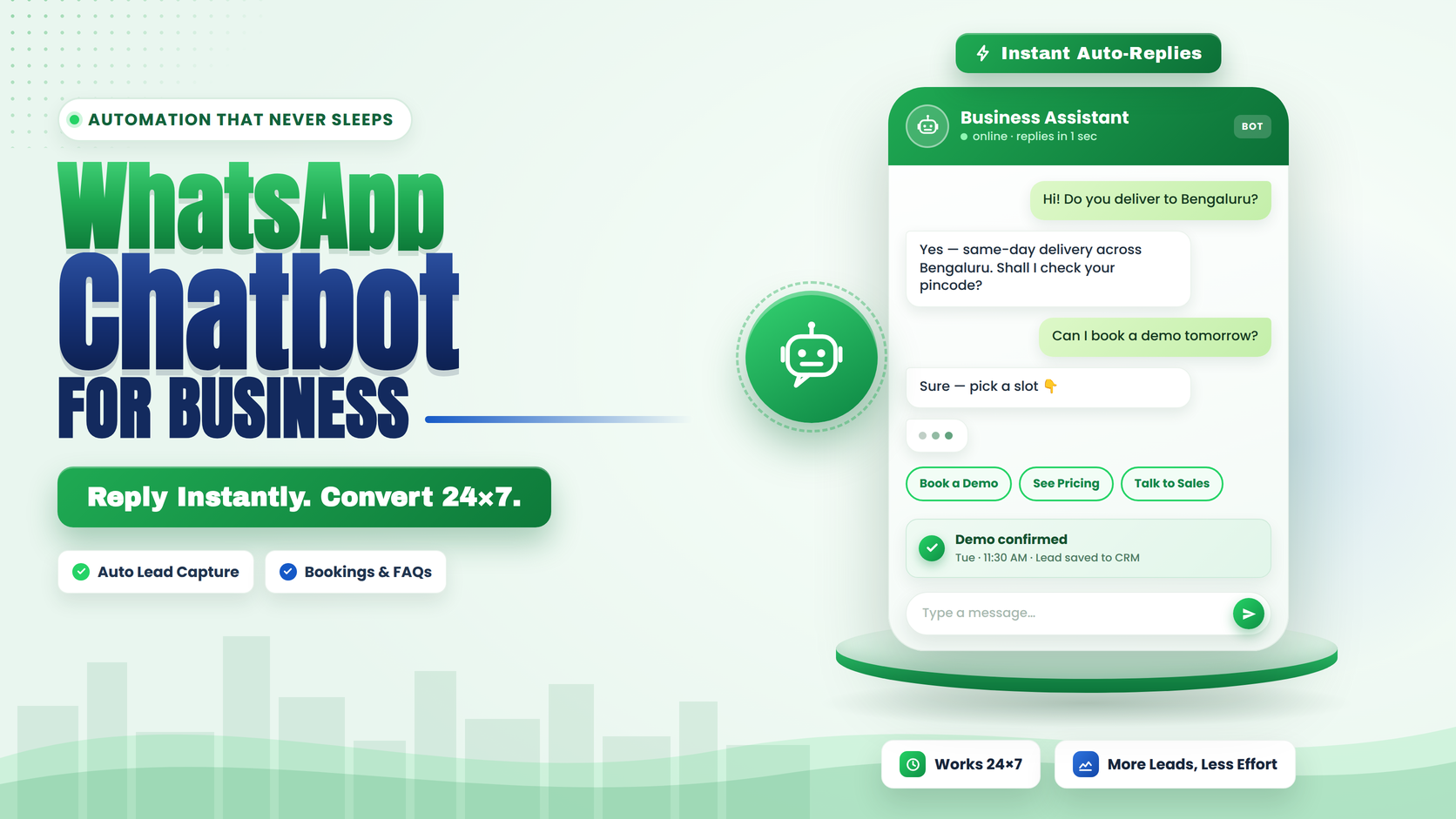
A WhatsApp chatbot is automated software that holds a structured conversation with your customers inside WhatsApp — answering questions, booking appointments, tracking orders, or qualifying leads without a person typing every reply. That part hasn't changed in years. What has changed, and what most build guides haven't caught up to yet, is that Meta now regulates what kind of chatbot you're allowed to run.
Key highlights before you build:
A WhatsApp chatbot only works through the official WhatsApp Business Platform — the free WhatsApp Business app doesn't support bot logic, webhooks, or CRM integration.
Since January 15, 2026, Meta prohibits general-purpose, open-ended AI chatbots on WhatsApp. Your bot has to perform a specific business task — support, booking, orders, leads — not act like a general AI assistant.
Most businesses get better results from a hybrid build: rule-based flows for structured tasks, AI only where it adds real value, and a clean handoff to a human when the bot hits its limit.
The build has three phases — Build, Deploy, Automate — and skipping the deployment/verification phase (Business verification, Blue Tick) is the most common reason bots go live late or get restricted.
Rule-Based, AI, or Hybrid: Decide This Before You Build Anything
Every WhatsApp chatbot build starts with this decision, and getting it wrong is the most expensive mistake to fix later.
- Rule-based bots work off a decision tree — a customer taps a button or types a keyword, and the bot replies with a matching pre-written answer. They're fast to build, cheap to run, and completely predictable. They're the right choice for FAQs, appointment booking, order status, and menu-style routing — anything where the possible customer inputs are limited and known in advance.
- AI-powered bots understand open-ended language and generate responses instead of matching a script. They're better for nuanced support questions or product recommendations, but they cost more to run, need more testing, and — as of 2026 — come with compliance obligations rule-based bots don't have.
- Hybrid bots, which is what most production WhatsApp deployments actually run in 2026, use rule-based flows for structured tasks (bookings, order tracking, lead capture via WhatsApp Flows) and bring in AI only for the parts that genuinely need it — like answering a support question that doesn't match a known intent — before handing off to a human when confidence is low.
Meta's 2026 AI Chatbot Policy: What You're Actually Allowed to Build
This is the part most "how to build a WhatsApp chatbot" guides either skip or bury. Since January 15, 2026, Meta's WhatsApp Business Messaging Policy restricts how AI can be used on the platform. The distinction that matters:
Allowed: Structured, task-specific AI that's clearly ancillary to a real business function — triaging support tickets, confirming bookings, answering product questions, generating a personalised order update. The AI is doing a job, not having an open-ended conversation.
Not allowed: General-purpose AI chatbots that let a user ask about anything — essentially a ChatGPT-style wrapper running on your WhatsApp number. Meta treats this as outside the intended use of the Business Platform, regardless of how it's framed.
Practical build requirements that follow from this:
If any part of your bot is AI-generated, disclose that the user is talking to an AI, ideally in the first message.
Build a human handoff path into every flow — the bot should never be the only option when it can't resolve something.
Don't let the bot impersonate a person (no fake human names without disclosure, no "I'm a real person" responses).
Keep AI use scoped to a defined business task. If you can't describe what your bot is for in one sentence, that's a sign it's drifting toward general-purpose territory.
None of this rules out AI — it rules out unscoped AI. A well-built hybrid bot with a clear task and a visible human escalation path is squarely inside what Meta allows and actively encourages.
Phase 1: Build
- Set up your oundation. You need a verified Meta Business Portfolio, a WhatsApp Business Account (WABA), and a dedicated business phone number connected through the WhatsApp Business Platform, either directly via Meta's Cloud API or through a Business Solution Provider. If you haven't done this part yet, Emovur's step-by-step guide to getting WhatsApp Business API in India covers the exact registration sequence.
- Map te conversation before you build it. Write out the actual paths a customer takes: what they ask, what the bot needs to know to answer, and where a human needs to step in. Skipping this step is why most rushed chatbot builds feel robotic — the flow was built screen by screen instead of designed end to end.
Choose your building blocks.
Use message templates for anything sent outside a customer-initiated conversation — reminders, confirmations, broadcasts.
Use WhatsApp Flows wherever you need structured input — a booking form, a lead capture form, a survey — instead of a long back-and-forth chat. Flows keep the customer inside WhatsApp instead of redirecting to a website form, and they're easier to measure than open text replies.
Use webhooks to connect incoming messages, button taps, and Flow submissions to your CRM or backend in real time.
Layer in AI only where the conversation genuinely can't be scripted — and make sure it's scoped to a specific task per the compliance section above. Emovur's WhatsApp AI feature and the broader landscape are covered in what Meta AI on WhatsApp means for Indian businesses.
Phase 2: Deploy
- Get Meta Business Verification done early. This is the step that most commonly delays a launch, since document review can take longer than the bot build itself. Start it in parallel with the build phase, not after.
- Apply for WhatsApp Blue Tick verification if it fits your business. The green checkmark badge signals to customers that they're messaging a verified, legitimate business — it matters more for trust-sensitive industries (finance, healthcare, real estate) than for early-stage D2C. Emovur's guide on WhatsApp Blue Tick verification in India covers eligibility and the application process.
- Test with real conversations, not just happy paths. Before going live, run the bot through messages that don't match any expected pattern, and confirm the human handoff actually fires. A bot that only works when customers say exactly what you expected them to say isn't ready.
- Submit and get templates approved. Any message you plan to send proactively — reminders, confirmations, broadcasts — needs a Meta-approved template in the correct category (marketing, utility, or authentication). Get this submitted before your planned launch date; approval isn't instant.
Phase 3: Automate
- Connect the bot to your actual business systems. A chatbot that can't check real order status or real appointment availability is just a static FAQ page with extra steps. Webhook the bot into your CRM, order management system, or booking calendar so it's working with live data.
- Set up the shared team inbox for handoffs. When the bot escalates a conversation, the human agent should see the full context — what the customer already asked, what the bot already tried — not start from zero.
- Layer in broadcasts and drip sequences carefully. Once the core support/booking/order flows are stable, extend into marketing use cases — re-engagement, renewal reminders, post-purchase follow-ups. Keep marketing and utility messaging clearly separated so your quality rating doesn't take the hit.
- Review conversation logs monthly. The fastest way to improve a bot is to read what customers actually asked that it couldn't answer, and add that path to the flow.
Industry-Specific Starting Points
The right first workflow depends on your business type:
Healthcare and clinics typically start with appointment booking and reminders — see Emovur's WhatsApp for healthcare use cases.
Education and edtech businesses lean on lead qualification and admissions FAQ deflection — covered under WhatsApp chatbot for edtech.
Real estate teams use chatbots mainly for property enquiry qualification and site-visit scheduling — see WhatsApp for real estate.
What This Actually Costs
Chatbot cost has two separate components: Meta's per-conversation messaging fee, and your platform/BSP fee (which may include markup on top of Meta's rate). Rates change through the year — Meta updated several market rates on July 1, 2026, and further pricing changes are scheduled through the rest of 2026 per the Business Platform changelog. Rather than quote a number here that will likely be outdated by the time you read this, see Emovur's live WhatsApp API pricing in India breakdown, which is the page to check for current rates.
Common Mistakes When Building a WhatsApp Chatbot
Building the AI layer first and the compliance boundary never. Retrofitting disclosure and handoff logic onto a bot that's already live is harder than designing it in from the start.
Treating every conversation as AI-worthy. Structured tasks (bookings, order status, FAQs) are cheaper, more reliable, and easier to measure as rule-based flows or Flows — save AI for where it earns its cost.
No human escalation path. A bot that can't say "let me connect you with someone" when it's stuck is the fastest way to lose a customer's patience.
Launching without Business Verification or template approval sorted. These take longer than the bot build itself — start them in parallel, not after.
Never reviewing conversation logs after launch. A chatbot that isn't improved after launch slowly becomes less useful as customer questions evolve.
FAQs
Is a WhatsApp chatbot the same as WhatsApp automation? A chatbot is one piece of WhatsApp automation — specifically the conversational, question-answering layer. Broader automation also includes non-conversational elements like order-status templates, WhatsApp Flows for structured data collection, and CRM-triggered reminders that don't need a bot to hold a conversation at all.
Can I still use AI in my WhatsApp chatbot in 2026? Yes. Meta's policy restricts general-purpose, open-ended AI, not task-specific AI. A bot that uses AI to handle a defined business function — support, order lookup, product recommendations — with disclosure and a human handoff path is compliant.
Do I need the WhatsApp Business API to build a chatbot, or does the free app work? You need the WhatsApp Business Platform (API). The free WhatsApp Business app only supports basic quick replies and away messages — it can't run bot logic, connect to a CRM, or use Flows.
How long does it take to build and launch a WhatsApp chatbot? The bot logic itself can be built in days with a no-code flow builder. The longer pole is usually Meta Business Verification and template approval, both of which are worth starting in parallel with the build rather than after it.
Start with one structured workflow — booking, order status, or FAQ deflection — get it live and stable, then expand into AI-assisted support and broadcast automation once the foundation is working. If you're setting up a WhatsApp chatbot for the first time, get your WhatsApp Business API access and verification sorted first; everything else builds on top of that foundation.
Author: Chethan Kumar, Founder & CEO, Emovur — chat automation and customer engagement content sits within his recommended usage per Emovur's author assignment rules.
Author LinkedIn: https://www.linkedin.com/in/bochetan
Reviewer: Recommend Vinutha K T (Business Development Manager, Emovur) for SME-adoption accuracy, or a technical/product reviewer for the compliance section specifically, per the rule that technical/compliance-heavy sections need a technical reviewer alongside the business author.