


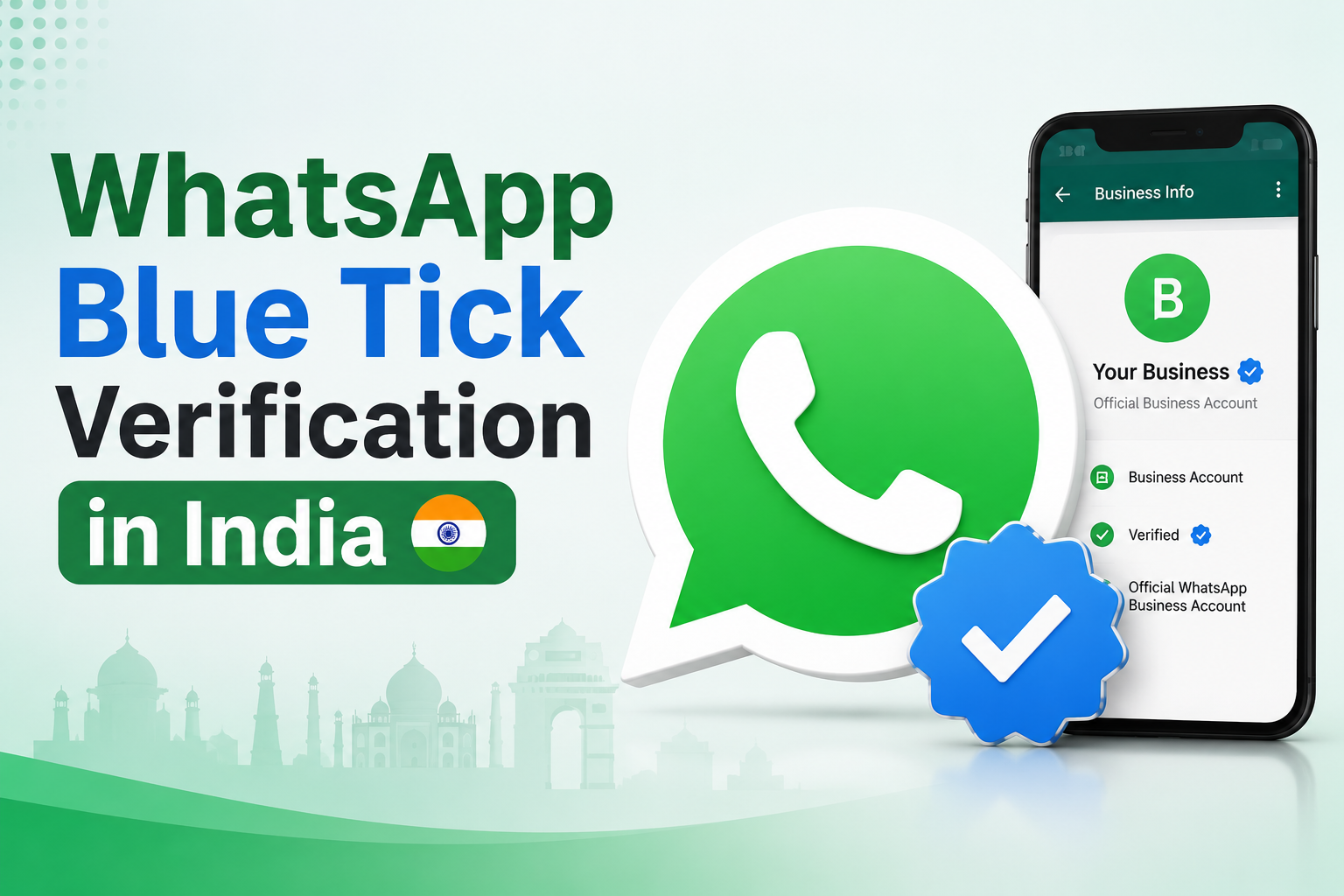
The WhatsApp verification badge has changed, and many businesses in India are still searching for the old phrase: WhatsApp green tick. But the current verification conversation is better understood through four terms: WhatsApp Blue Tick, verified badge, Official Business Account and Meta Verified.
Meta's Official Business Account documentation now explains that Official Business Account phone numbers have a blue checkmark beside their name in the contacts view. WhatsApp's Meta Verified for business resource also explains that Meta Verified gives businesses access to a verified badge and additional tools to help protect the brand and engage customers more efficiently.
So this guide does not simply the word blue. It explains the updated verification paths, who each route is for, what businesses should prepare before applying, why applications get rejected and where Emovur can support the process.
Quick Answer: What Is WhatsApp Blue Tick Verification?
WhatsApp Blue Tick verification means Meta has verified a business account and shows a verified badge or blue checkmark to help customers identify the official business presence. For businesses using the WhatsApp Business Platform, this is usually connected to Official Business Account status. For eligible WhatsApp Business app users, the Meta Verified route may also be available.
Meta controls verification approval. Emovur can help you prepare, review, set up and strengthen your WhatsApp business presence before applying, but no agency or WhatsApp API partner should guarantee badge approval.
Green Tick vs Blue Tick: What Actually Changed?
For years, Indian businesses used the phrase WhatsApp green tick because the verified business badge was commonly recognized that way. Today, Meta and WhatsApp resources use terms such as blue checkmark, verified badge, Official Business Account and Meta Verified. That is why a modern blog should not use only the old green tick wording.
A practical way to explain it to readers is this: the old search term is green tick, but the current trust signal is the verified badge or blue checkmark. This keeps the blog useful for people who still search the old term while keeping the content accurate with Meta's current language.
Why the Verified Badge Matters for Indian Businesses
A customer may ignore a WhatsApp message from an unknown number, even when the message is genuine. That is the trust gap the verified badge tries to reduce. When customers can identify the official business account, they are less likely to confuse it with a fake number, reseller, duplicate account or random promotional sender.
WhatsApp's Meta Verified resource says the verified badge can help people feel more confident engaging with a business. The same resource also notes that Meta Verified can provide tools such as impersonation protection, enhanced support, a custom web page, multi-agent account capabilities and verified channel benefits depending on subscription tier and availability.
It helps customers recognize the official business presence.
It supports trust when messages come from a number the customer has not saved.
It reduces confusion with fake, duplicate or misleading accounts.
It strengthens brand recall for businesses using WhatsApp for customer communication.
It does not guarantee sales, message delivery, lower conversation rates or automatic approval.
What the WhatsApp Blue Tick Can and Cannot Do
OBA vs Meta Verified: Which Route Should You Check First?
The biggest update in this topic is that WhatsApp verification is no longer one simple conversation. A business must understand whether it is trying to get Official Business Account status or Meta Verified.
Official Business Account
Official Business Account status is connected to WhatsApp Business Platform or API phone numbers. Meta's OBA documentation describes Official Business Account phone numbers as having a blue checkmark beside their name in the contacts view. This route is usually more relevant for businesses already using WhatsApp Business API for structured customer communication at scale.
Businesses using WhatsApp Business API for customer communication.
Brands sending approved templates, utility updates, service communication or marketing campaigns.
Businesses needing verified identity around high-volume WhatsApp communication.
Brands with stronger public presence and clean business documentation.
Meta Verified for WhatsApp
Meta Verified is a subscription-based verification route where available. In its June 2024 business messaging announcement, WhatsApp said it was beginning to roll out Meta Verified to small businesses using the WhatsApp Business app in India, Brazil, Indonesia and Colombia.
WhatsApp's Meta Verified for business page explains that eligible businesses can start from the WhatsApp Business app by opening Tools, selecting Meta Verified, choosing a subscription package, selecting the account and completing payment after the verification process. Availability can vary by account, region, eligibility and product rollout.
Who Is Eligible for WhatsApp Blue Tick Verification?
Eligibility depends on the route. For Official Business Account status, the business should usually have WhatsApp Business Platform/API readiness, business verification, policy compliance, approved or compliant display name, strong account quality and visible public business identity. For Meta Verified, eligibility depends on whether the option is available for the account and whether the business passes Meta's verification checks.
Before applying, businesses should also review the WhatsApp Business Terms, because WhatsApp requires business account information to be accurate, current and complete. The same terms make the business responsible for legal, privacy, security and consent obligations while using WhatsApp Business Services.
Step-by-Step: How to Apply for WhatsApp Blue Tick Verification in India
Step 1: Identify the verification route
Do not start with the application form. First check whether your business needs Official Business Account status, Meta Verified, Meta Business Verification or WhatsApp Business API setup. The wrong route leads to delays and confusion.
Step 2: Set up WhatsApp Business API if you need OBA
If your goal is Official Business Account status, your business should first be ready on WhatsApp Business Platform/API. This is where structured communication, approved templates, automation, broadcasts, team inboxes and integrations become important.
Step 3: Complete Meta Business Verification
Review legal business name, registered address, website domain, phone number, business email, documents, business portfolio access and admin ownership. Do not apply when Meta business details are incomplete.
Step 4: Review the display name
Your WhatsApp display name should clearly represent the business. Meta's display name guidance says display names should be related to the business and comply with WhatsApp Business Messaging Policy. Avoid keyword-stuffed, misleading or over-promotional names.
Step 5: Strengthen your online presence
Meta and customers should be able to understand your business from your website and public profiles. Clean up the website, About page, Contact page, Privacy Policy, social profiles, Google Business Profile and third-party mentions before applying.
Step 6: Check policy and message quality
WhatsApp's Business Messaging Policy requires opt-in, opt-out respect, approved templates outside the 24-hour customer service window and clear escalation paths when automation is used.
Step 7: Apply through the right workflow
For OBA, eligible businesses can request Official Business Account status through WhatsApp Manager or supported API/account routes. For Meta Verified, eligible WhatsApp Business app users can start from Tools > Meta Verified where available.
Step 8: Wait for review and fix issues properly
Meta controls review and approval. If the request is rejected or not available, fix business name consistency, documentation, display name, website trust, policy issues and account quality before trying again.
Important source note: WhatsApp's Business Messaging Policy says business-initiated conversations on the platform must use approved message templates outside the 24-hour customer service window, and automation should have clear escalation paths such as human transfer, phone, email, web support or support form.
Why WhatsApp Blue Tick Applications Get Rejected
Most verification problems are not caused by one missing button. They usually come from weak business identity, inconsistent details, poor online presence or unsafe messaging behavior.
WhatsApp Blue Tick Readiness Checklist
Before applying, use this practical checklist. If several items are missing, fix readiness first instead of submitting a weak application.
How Long Does WhatsApp Blue Tick Verification Take?
There is no single guaranteed timeline. Older green tick blogs often mentioned fixed review windows, but a safer and more accurate explanation is that timing depends on the verification route, business documentation, account readiness, Meta's review process, account quality and whether additional information is requested.
Where Emovur Fits in WhatsApp Blue Tick Verification
Emovur can help businesses prepare for WhatsApp Blue Tick readiness by reviewing the parts that usually create delays: WhatsApp API setup, Meta Business profile details, display name alignment, website trust signals, messaging compliance and post-verification WhatsApp communication workflows.
Emovur's WhatsApp Business API page positions the platform around WhatsApp Business API communication, broadcasts, team inbox, segmentation, customer conversation handling and campaign support. Its broadcast and bulk messaging page also highlights audience segmentation, automated flows, analytics, scheduling, retargeting and customer response workflows.
Claim safety: Emovur should be positioned as a setup, readiness and communication workflow partner. The article should not claim guaranteed badge approval, guaranteed faster review or guaranteed sales lift unless Emovur has official public proof for that claim.
What Businesses Should Fix Before Applying
1. Fix the Website First
Business name and logo are clearly visible.
About page explains who the business is and what it does.
Contact page includes phone, email, address or service area where relevant.
Privacy Policy is easy to access.
Service or product pages explain the business clearly.
No broken links, empty pages or conflicting brand names.
2. Fix Meta Business Details
Legal business name
Business address
Business phone number
Website domain
Business email
Business documents
Admin access and account ownership
3. Fix WhatsApp Messaging Quality
The badge does not protect a business that sends irrelevant messages. The WhatsApp Business Messaging Policy says businesses should not confuse, deceive, defraud, mislead, spam or surprise people with communications, and should respect opt-out requests.
Send messages only to people who expect them.
Use approved templates for business-initiated messages where required.
Segment audiences before sending broadcasts.
Avoid over-sending offers and promotions.
Provide a clear way for customers to stop receiving messages.
Give customers access to human support when automation cannot help.
Red Flags: Be Careful Before You Apply
Be careful if any vendor, consultant or internal team says:
We guarantee WhatsApp Blue Tick approval.
No documents are needed.
No website is needed.
We can get approval instantly.
Green tick and blue tick are exactly the same.
Meta Verified and Official Business Account are the same thing.
Blue Tick allows unlimited bulk messages.
Verification will reduce WhatsApp API pricing.
Consent and opt-out do not matter.
You can use any display name you want.
A responsible WhatsApp API or business messaging partner should explain what can be prepared, what Meta controls and what should not be promised.
Questions to Ask Before Starting WhatsApp Verification
Are we applying for Official Business Account status or Meta Verified?
Are we using WhatsApp Business API or the WhatsApp Business app?
Is Meta Business Verification complete?
Is our WhatsApp display name clean, compliant and consistent?
Does our website clearly prove who we are?
Do we have a Privacy Policy and Contact page?
Are our social profiles and public listings consistent?
Do customers properly opt in before receiving messages?
Do we have clear opt-out handling?
Are message templates approved and policy-safe?
Are we in a regulated industry that may require extra compliance review?
Who will manage customer replies after verification?
What WhatsApp journeys will we run after verification readiness is complete?
Common Misconceptions About WhatsApp Blue Tick
Blue Tick guarantees more sales
No. It improves identity trust and recognition, but sales depend on offer quality, message relevance, timing, audience, landing pages and follow-up.
Blue Tick reduces WhatsApp API pricing
No. Verification status does not automatically reduce Meta conversation charges or platform pricing.
Small businesses cannot get verified
Not always true. Meta Verified was rolled out for eligible small businesses in markets including India, but availability and eligibility can vary by account.
OBA and Meta Verified are the same
No. OBA is connected to Official Business Account status for WhatsApp Business Platform/API phone numbers. Meta Verified is a subscription-based verification product where available.
A provider can guarantee approval
No. Meta controls approval. A provider can support readiness and process, but should not guarantee the badge.
FAQS
Is WhatsApp green tick gone?
The term green tick is still widely searched, but Meta and WhatsApp now use language such as verified badge, blue checkmark, Official Business Account and Meta Verified. Updated content should educate readers about this shift instead of using only the old wording.
What is WhatsApp Blue Tick?
It is the verified badge or blue checkmark that helps customers identify a verified business account on WhatsApp.
Is WhatsApp Blue Tick available in India?
Yes. WhatsApp announced Meta Verified rollout for small businesses using the WhatsApp Business app in India in June 2024, and Official Business Account status remains relevant for WhatsApp Business Platform/API users.
Do I need WhatsApp Business API for Blue Tick?
For Official Business Account status, WhatsApp Business Platform/API is the relevant route. For Meta Verified, eligible WhatsApp Business app users may see the option inside WhatsApp Business tools.
Can Emovur get my Blue Tick approved?
Emovur can help you prepare, review, set up and improve verification readiness. Final approval is controlled by Meta.
Why was my application rejected?
Common reasons include name mismatch, weak website, incomplete Meta Business details, poor online presence, display name issues, policy concerns or regulated industry review requirements.
Does Blue Tick allow unlimited broadcasts?
No. Businesses still need proper opt-in, opt-out handling, approved templates where required and responsible messaging quality.
WhatsApp Blue Tick verification is not just a badge. It is a trust signal that helps customers identify the official business account. But the badge works only when the business identity, website, Meta details, display name, customer consent and WhatsApp communication quality are already strong.
The right approach is simple: prepare first, fix your business identity, strengthen your online presence, set up WhatsApp properly, use compliant messaging and then apply through the route that fits your account.
Ready to Check Your WhatsApp Blue Tick Readiness?
Emovur can help your business review WhatsApp Blue Tick readiness before you apply. We can check your WhatsApp API setup, Meta Business profile, display name, website trust signals, messaging compliance, automation requirements and customer communication workflow.
Whether you need WhatsApp API setup, broadcast journeys, chatbot automation, team inbox support or verification readiness review, Emovur can help you build a stronger WhatsApp business communication system. Start with Emovur's WhatsApp Business API solution and request a readiness review before applying.
Book a WhatsApp Blue Tick Readiness Review with EmovurTABLE OF CONTENTS
Grow every location with Emovur
Practical playbooks and product ideas for multi-location businesses — WhatsApp, CRM, reviews, and social, all in one platform.
Explore EmovurRelated reads


Get local marketing tips, straight to your inbox
One short email a fortnight. No product pitches.