


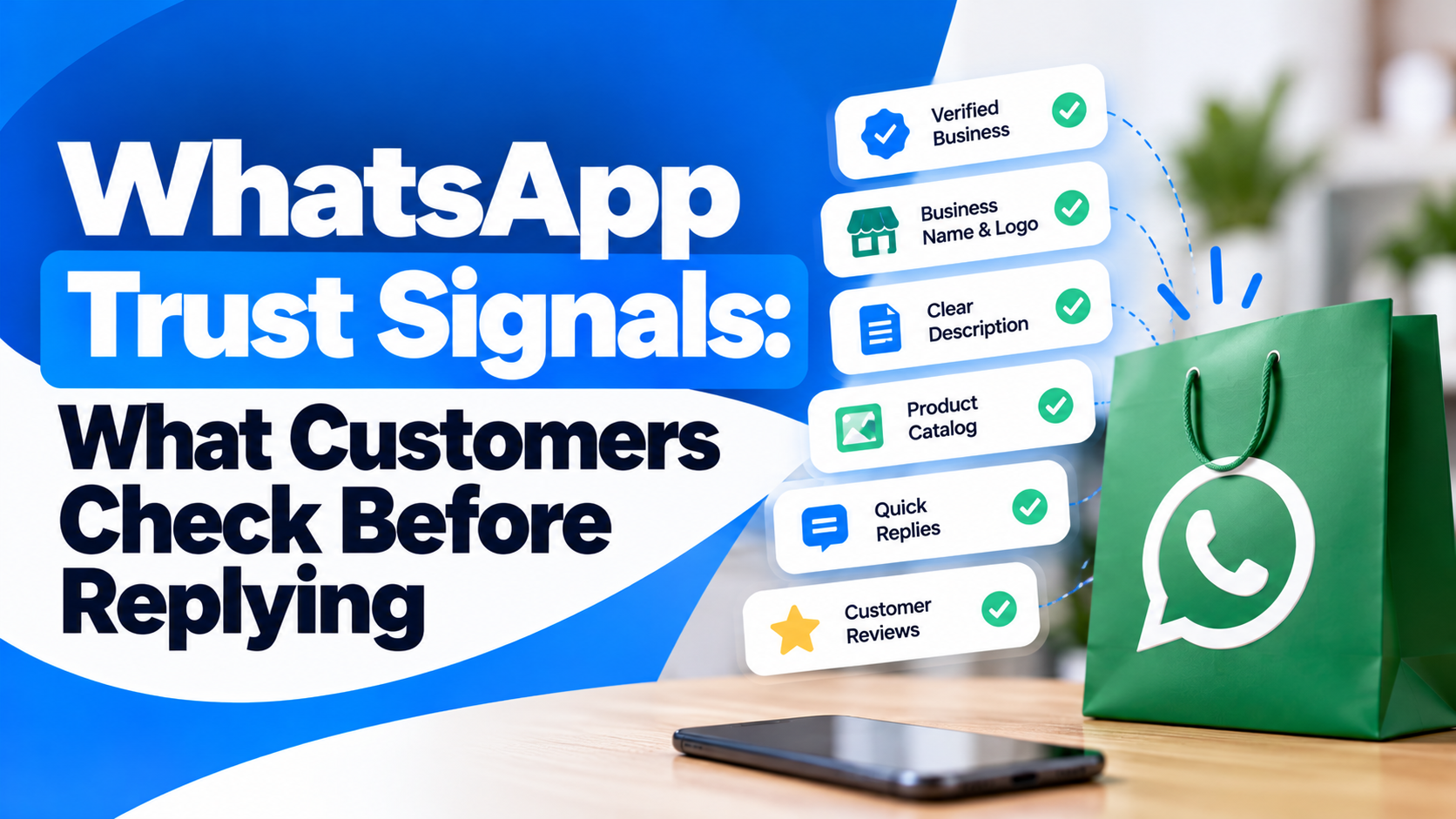
A customer can decide whether to trust a WhatsApp message in a few seconds.
Before replying, they may check the business name, profile image, message tone, website link, reason for contact and whether the message feels expected. If any of these signals look inconsistent, unfamiliar or overly promotional, the customer may ignore the message even when it comes from a legitimate business.
This is why WhatsApp trust signals matter.
For businesses using WhatsApp for sales, support, order updates or customer engagement, trust is built before the first response. The message itself, the profile behind it and the context around the conversation all influence whether the customer chooses to continue.
Quick Concept
Before replying to a business on WhatsApp, customers usually look for signals that answer three basic questions:
Is this really the business it claims to be?
Why is this business contacting me?
Is it safe and useful to respond?
Strong trust signals reduce uncertainty. Weak or inconsistent signals make customers pause, ignore the message or block the account.
Customers First Check Who Is Messaging Them
Identity is the first trust layer.
Customers are more likely to engage when the business looks familiar and consistent with what they have already seen elsewhere.
Important identity signals include:
Recognisable business name: The name should match the brand customers know from the website, store, ad or previous interaction.
Professional profile image: A clear logo or consistent brand image makes the account easier to recognise.
Complete business profile: Website, category, description and contact details make the account feel more established.
Consistent branding: The WhatsApp identity should match other customer touchpoints rather than looking like a separate or unrelated account.
If the name, logo or profile details do not match what the customer expects, trust can fall immediately.
Businesses that want to strengthen this layer should first optimise their WhatsApp Business profile for trust.
Customers Check Whether the Message Makes Sense
Even a legitimate-looking profile can create suspicion if the customer does not understand why the message was sent.
Context matters.
A customer is more likely to reply when the message clearly connects to an action they already took.
For example:
After an order: The message references the order or delivery.
After a form submission: The business explains that the customer recently enquired.
After booking an appointment: The message confirms or updates the booking.
After requesting information: The response continues the earlier interest.
After opting in: The message matches the type of communication the customer expected.
A message that arrives without context can feel intrusive, even if the business is genuine.
Customers Notice the Tone of the First Message
Trust can also be affected by how the first message is written.
Overly aggressive, vague or promotional opening messages often make customers hesitate.
A stronger first message should:
Introduce the business naturally: The customer should not have to guess who is messaging.
Explain the reason for contact: Give immediate context.
Keep the wording simple: Avoid long paragraphs or complicated marketing language.
Avoid pressure: Do not create unnecessary urgency unless it is genuinely relevant.
Give one clear next step: Make it easy for the customer to respond or act.
For example, a clear service message usually feels more trustworthy than a message filled with offers, capital letters and multiple links.
Customers Check the Link Before Clicking
Links are one of the biggest trust checkpoints in WhatsApp conversations.
Customers may hesitate when a link looks unfamiliar, shortened or unrelated to the business.
A trustworthy link experience should:
Use the official business domain where possible
Match the brand name customers recognise
Lead directly to the relevant page
Avoid unnecessary redirects
Use secure HTTPS pages
Clearly explain why the customer should open the link
For example, a customer is more likely to trust a payment or booking link when the message explains what the link is for and the destination looks connected to the business.
Do not rely on the link alone to explain the action.
Customers Look for Proof Outside WhatsApp
When the customer is unfamiliar with the business, they may verify it elsewhere before replying.
They may check:
Official website
Google Business Profile
Social media accounts
Reviews
Contact information
Brand search results
Previous emails or order confirmations
This means WhatsApp trust is not built inside WhatsApp alone.
The stronger and more consistent the wider online presence is, the easier it becomes for customers to verify the account.
Businesses using WhatsApp at scale can explore the WhatsApp Business API while keeping the same business identity across all customer-facing channels.
Customers Notice Whether the Message Feels Personal or Generic
Customers can quickly recognise mass promotional messaging.
That does not mean every message has to be manually written, but it should feel relevant to the recipient.
Useful signals of relevance include:
Correct customer name where appropriate
Product or service connected to previous interest
Correct order or appointment details
Relevant location
Appropriate language
Timing that matches the customer journey
A generic message sent to the wrong customer segment can damage trust even when the business itself is legitimate.
Relevance is one of the strongest trust signals because it shows the business understands why the customer is being contacted.
Customers Check Whether They Can Control the Conversation
Trust also increases when the customer feels they have control.
Businesses should make it easy for customers to:
Ask questions
Speak with a human when needed
Change communication preferences
Decline an offer
Opt out of promotional messages
End the conversation without pressure
A business that keeps sending messages after the customer shows no interest can quickly lose trust.
Consent and customer control should therefore be part of the communication design, not treated as an afterthought.
Verification Helps, but It Is Only One Signal
A verified badge can strengthen trust, especially when customers are unfamiliar with the business or worried about impersonation.
But verification should not be treated as the only trust signal.
Customers still look at:
Business identity
Message relevance
Website quality
Link safety
Communication tone
Previous experience
Customer support quality
Businesses evaluating verification can read Get WhatsApp Business Verified in India to understand how verification fits into the wider trust framework.
Build Trust Before Asking for Action
Before asking customers to reply, click, book, pay or share information, make sure the message gives them enough confidence to continue.
A strong WhatsApp trust setup should make the following clear:
Who is contacting them
Why they are being contacted
What the message relates to
Where the link leads
What happens after they respond
How they can verify the business
Customers do not need dozens of trust signals.
They need a few clear and consistent ones.
The strongest WhatsApp communication therefore does not begin with the CTA.
It begins by removing uncertainty.


