


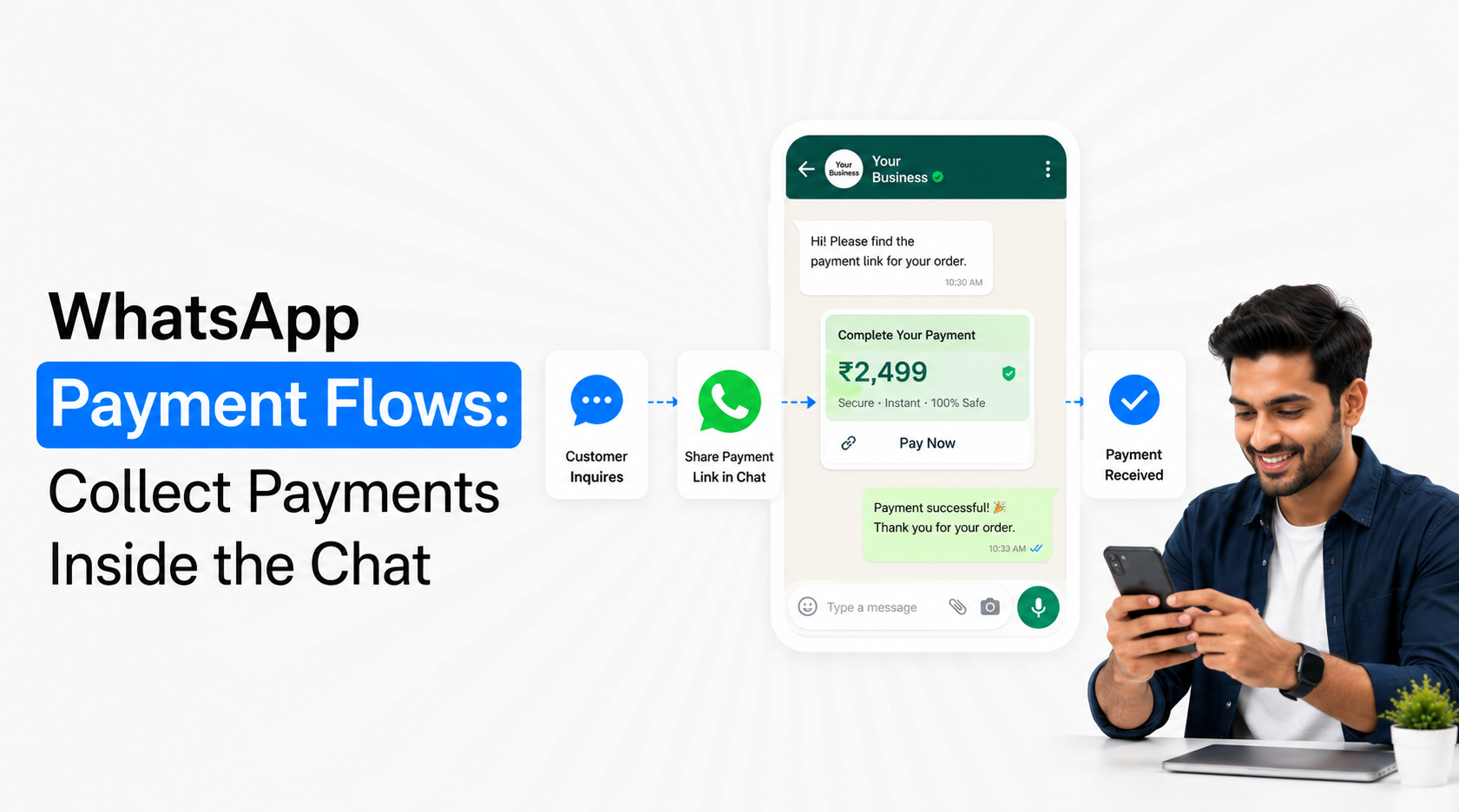
WhatsApp Payment Flows let Indian businesses move customers from selection or order confirmation to payment without unnecessarily breaking the conversation. A structured WhatsApp journey can collect the required order details, confirm what the customer is paying for, present an appropriate payment option and then update the order after successful payment. The important distinction is that WhatsApp Flows and WhatsApp Payments are separate capabilities that can work together. A Flow structures the customer task, while the supported payment layer handles the transaction.
How WhatsApp Payment Flows Work in India
Businesses often use the term WhatsApp Payment Flows to describe an end-to-end journey where a customer completes a purchase-related task and pays through WhatsApp. Technically, the structured Flow and the payment transaction should be treated as separate parts of the same commerce experience.
Meta introduced WhatsApp Flows for structured in-chat tasks such as choosing options, ordering and booking. In India, Meta also enabled businesses to let customers complete purchases in WhatsApp using supported UPI apps, debit cards, credit cards and other payment options through payment partners including Razorpay and PayU.
A typical WhatsApp Payment Flow can therefore look like:
Customer Intent → Product/Service Selection → Order Details → Amount Confirmation → Payment → Payment Status → Order Confirmation
Each step has a specific responsibility.
Flow or structured interaction: Collects choices such as product, service, quantity, location, appointment or other transaction details.
Order system: Calculates or confirms the amount the customer needs to pay.
Payment layer: Presents the supported payment experience or payment request.
Payment gateway: Processes the selected payment method according to the configured integration.
Webhook/backend: Confirms whether the transaction succeeded, failed or remains pending.
WhatsApp conversation: Communicates the resulting order or payment status to the customer.
This structure is more reliable than asking customers to manually send screenshots after making a bank transfer.
Where WhatsApp Payment Flows Make Sense
The strongest WhatsApp Payment Flows use cases are transactions where the customer has already reached enough purchase intent that moving them to another website or application would add unnecessary friction.
Ecommerce and D2C Orders
A customer may discover a product, ask questions, choose a variant and decide to buy entirely through WhatsApp. At that point, sending them through several additional pages can interrupt the purchase journey.
A payment-enabled commerce journey can help customers:
Choose the product: Use catalogue information or a structured selection process to identify the correct item and variant.
Confirm quantity and delivery information: Collect only the information required to create the order.
Review the payable amount: Make the price and order summary clear before requesting payment.
Complete payment: Present the supported payment option without forcing the customer to search for bank details.
Receive confirmation: Update the conversation when payment and order creation are confirmed.
Emovur's WhatsApp commerce environment connects catalogue, cart, payment and order communication as one conversational shopping journey. Emovur WhatsApp Ecommerce
Appointment and Consultation Deposits
Some appointment-led businesses require an advance payment or booking fee. The Flow can collect service and scheduling information first, after which the business creates the appropriate payment request.
For example, the journey may be:
Service Selection → Branch → Appointment Preference → Booking Summary → Advance Payment → Confirmation
The Flow should not request payment before the customer knows exactly what is being booked and how much is due.
Event or Programme Registration
Paid webinars, workshops, training sessions or other legitimate events can also combine structured registration with payment. The customer selects the programme, provides the required registration information and then completes the payment step.
The benefit is not merely convenience. The business can associate the transaction with the same registration record instead of reconciling a separate form, payment gateway and WhatsApp conversation manually.
Order Balances and Payment Requests
Not every WhatsApp Payment Flow needs to begin from product discovery. An existing customer may already have an order, quotation or invoice that needs payment.
The business can use WhatsApp to communicate:
Order or invoice reference
Amount due
Reason for payment
Appropriate payment action
Payment confirmation
Emovur's current WhatsApp Payments page supports payment requests, native payment experiences where supported, payment-status visibility and gateway integrations including Razorpay, PayU, BillDesk and ZaakPay. Emovur WhatsApp Payments
Use the Flow to Confirm the Purchase Before Asking for Money
A payment journey should never make the customer guess what they are paying for.
Before the payment action appears, provide enough context to validate the transaction.
A good pre-payment summary can include:
Product or service: Clear description of what is being purchased.
Variant or plan: Size, configuration, package or service option where relevant.
Quantity: Particularly important for ecommerce.
Price: Show the amount being charged.
Applicable additional charges: Delivery, taxes or other legitimate fees where relevant.
Order/customer reference: Useful for reconciliation and support.
Next step after payment: Explain whether the customer will receive an order confirmation, appointment confirmation or another action.
This is where WhatsApp Flows can add value. They can collect the structured information that determines the transaction before the payment layer is triggered. Emovur WhatsApp Flows
The Flow should therefore answer what is being purchased, while the payment system answers how it will be paid.
Do Not Treat “Payment Sent” as “Payment Successful”
One of the most important implementation rules for WhatsApp Payment Flows is to use the actual payment status from the gateway or connected payment system.
Do not confirm an order merely because a payment button was clicked.
A payment can be:
Initiated: Customer started the payment process.
Successful: The gateway confirms completion.
Failed: Transaction was not completed.
Pending: Final confirmation is not yet available.
Cancelled: Customer stopped the payment process.
Refunded: Funds were subsequently returned where applicable.
Your backend should decide what happens for each state.
For example:
Successful → Confirm Order
Failed → Allow Retry
Pending → Wait for Final Status
Refunded → Update Order/Finance Record
This prevents a customer from receiving a false order confirmation when payment did not actually settle.
Payment Confirmation Should Trigger the Next Business Workflow
The payment itself should not be the final event. Once payment succeeds, the customer and internal systems need to move to the next stage.
A well-designed WhatsApp Payment Flow can trigger:
Order creation
Booking confirmation
CRM stage update
Invoice or receipt process
Fulfilment request
Inventory update
Internal sales notification
Customer confirmation
Shipping or service workflow
This is why webhook and API integration become important. Payment status should move automatically into the systems that actually manage the transaction.
For businesses already using WhatsApp for larger customer journeys, the main WhatsApp Business Platform can act as the messaging layer while ecommerce, payment gateway, CRM and order-management systems handle their respective responsibilities. Emovur WhatsApp Business API
Keep Payment Information Out of Free-Text Chats
Customers should not be asked to type sensitive payment credentials into ordinary WhatsApp messages.
The payment experience should use supported payment infrastructure.
Avoid asking customers to send:
Complete card details
CVV
UPI PIN
Banking passwords
OTPs intended for payment authorisation
Sensitive authentication credentials
WhatsApp Payments in India is built around UPI and supported payment methods where authorisation happens through the relevant payment infrastructure. Meta's original India payments rollout specifically noted that customers enter their UPI PIN for each payment through the payment system rather than sharing it with the business.
A business chatbot should never ask a customer to disclose a UPI PIN.
UPI Is Important, but Do Not Design for Only One Payment Method
UPI is central to digital payments in India, but the customer experience should reflect the payment methods supported by the configured provider and current WhatsApp environment.
Meta announced in 2023 that Indian customers could complete purchases in WhatsApp using supported UPI apps along with debit and credit cards through payment partners. In 2026, Meta also expanded in-app commerce experiences in India, including prepaid recharges with UPI, debit-card and credit-card payment options, showing the continued expansion of payment functionality within WhatsApp.
Your implementation should therefore check:
Which payment gateway is connected?
Which payment methods does it support?
Which methods are available for your business use case?
Does the payment method work within the required customer journey?
How are transaction statuses returned?
How are refunds and failures managed?
Do not assume every WhatsApp account, gateway or commerce setup has exactly the same payment capabilities.
Keep Payment Journeys Short
A WhatsApp Payment Flow should reduce checkout friction, not recreate a long ecommerce website inside WhatsApp.
Ask only what is genuinely necessary to complete the purchase.
A simple Flow may need:
Product → Variant → Delivery/Booking Information → Confirmation → Pay
Avoid collecting unnecessary profile information before allowing the customer to complete the transaction.
Good design principles include:
Reuse known customer information: Do not ask for details already safely available in the customer record.
Use selections where possible: Product, quantity or service options are easier to process when structured.
Show the amount before payment: Customers should understand the transaction clearly.
Keep payment CTA obvious: Do not surround it with several competing actions.
Return confirmation quickly: Customers should not wonder whether payment was successful.
Provide human support: Complex payment or order issues should have a clear escalation route.
A shorter checkout is generally easier to understand and easier to troubleshoot.
Handle Failed and Abandoned Payments Carefully
Not every customer who reaches payment will complete it.
Instead of repeatedly sending “Complete your payment” messages, distinguish between failure and abandonment.
Payment failed: The customer attempted payment but the transaction failed. Provide a clear retry path and, where possible, explain whether they can choose another supported method.
Payment abandoned: The customer reached checkout but did not initiate or complete the transaction. A later reminder may be appropriate where messaging eligibility and customer expectations allow it.
Payment pending: Do not encourage a duplicate payment until the gateway confirms the original transaction status.
Payment successful: Remove the customer immediately from payment-reminder automation.
For ecommerce brands, this distinction can also connect with cart and order workflows rather than treating every incomplete payment as the same event. Emovur's ecommerce environment supports payment links, connected gateways, order confirmation and abandoned-cart journeys within the wider WhatsApp commerce experience.
Payment Analytics Should Go Beyond Transaction Count
The business should be able to identify where customers stop in the payment journey.
Useful WhatsApp payment analytics include:
Payment request rate: How many eligible transactions reached the payment stage?
Payment initiation rate: How many customers started payment?
Payment success rate: Percentage of initiated transactions successfully completed.
Failure rate: How often gateway or payment attempts fail.
Abandonment rate: Customers reaching payment but not completing it.
Retry success rate: Whether failed transactions subsequently convert.
Average payment value: Useful for understanding transaction mix.
Time to payment: How long customers take after receiving the request.
Payment-to-order reconciliation: Whether successful payments are correctly connected with orders or bookings.
Emovur's current WhatsApp Payments environment includes a unified dashboard for payment requests and statuses.
The most useful metric is not simply payments requested. It is successful payments correctly connected to the intended business transaction.
Where WhatsApp Payment Flows Should Not Be Used
Keeping payment inside WhatsApp does not automatically make it the best checkout route for every transaction.
Use another checkout experience when:
The purchase requires a large multi-page configuration.
Extensive terms or documentation need review.
The transaction requires capabilities unavailable in your WhatsApp/payment setup.
Customers need a complex account dashboard before paying.
The connected gateway cannot support the required payment method.
The business cannot reliably reconcile payment status with the order.
In these cases, WhatsApp can still guide the customer to an appropriate secure checkout while maintaining communication around the transaction.
The objective is not “never leave WhatsApp.” The objective is “remove unnecessary friction without weakening transaction reliability.”
Build Payment as the Final Step of a Useful Conversation
The strongest WhatsApp Payment Flows begin before the payment request. The business first understands what the customer wants, structures the order or booking, confirms the amount and only then asks for payment.
A practical architecture is:
Customer Intent → Structured Selection → Order/Booking Created → Amount Confirmed → Supported Payment Method → Gateway Confirmation → Order Updated → Customer Confirmation
India is particularly well positioned for these conversational commerce journeys because Meta has progressively expanded WhatsApp payments, UPI-based transactions and business commerce capabilities. Meta introduced direct business checkout with UPI and cards in 2023, added one-tap payment QR functionality for small businesses in 2025 and continued expanding in-chat payment use cases in 2026.
For implementation, keep WhatsApp Flows responsible for structured customer input and use the payment gateway/payment capability for actual transaction processing. Then connect successful payment back to the business system responsible for orders, bookings or fulfilment.
That is what makes WhatsApp Payment Flows useful: not simply collecting money inside a chat, but connecting the customer's decision, transaction and next business action without unnecessary breaks.


