


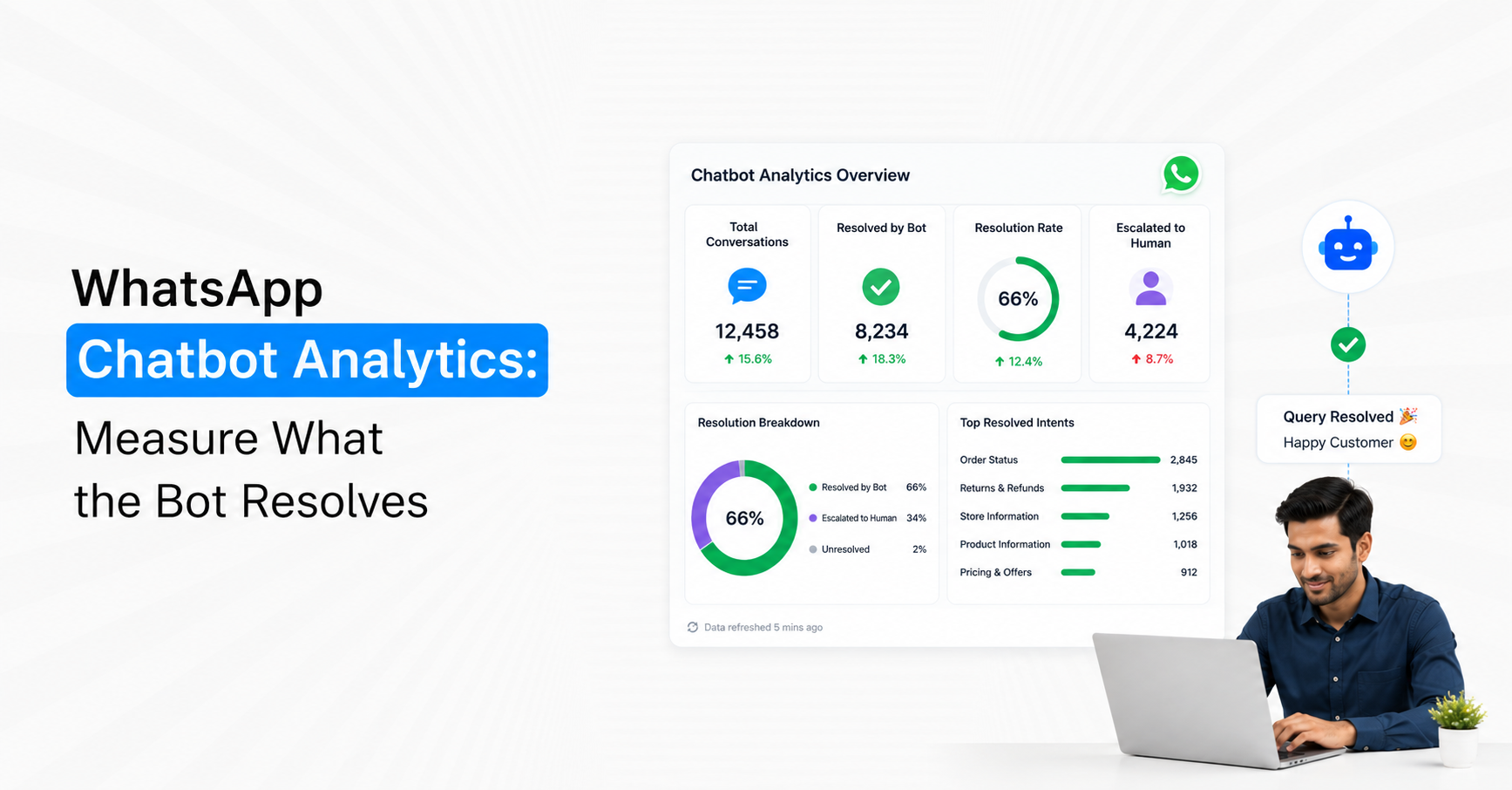
WhatsApp chatbot analytics should tell you whether the bot actually resolved customer needs, not simply how many conversations it handled. A useful measurement model tracks resolution rate, containment rate, fallback rate, escalation rate, repeat contact, task completion and the reason conversations fail. For Indian businesses using WhatsApp AI chatbots in 2026, the key distinction is simple: a conversation that never reached a human is not automatically resolved. Resolution should mean the customer's intended problem or task was successfully completed.
1. Start by Defining What “Resolved” Means
Before building a WhatsApp chatbot analytics dashboard, define resolution for each chatbot use case. Otherwise, the team may report a high automation rate even when customers leave without getting what they need.
Resolution should be connected to the customer's original intent.
Examples of chatbot resolution include:
FAQ: Customer receives the correct answer without needing further assistance.
Order tracking: Bot successfully returns the relevant order status.
Lead qualification: Required qualification information is captured and the correct next step begins.
Appointment: Customer completes the booking or requested scheduling action.
Product discovery: Bot provides a relevant answer or recommendation and completes the intended interaction.
Support request: Known troubleshooting solves the reported problem.
Account enquiry: Required information is retrieved successfully from the connected system.
A conversation ending is not the same as a conversation being resolved. The bot needs a measurable completion condition.
2. Measure Resolution Rate First
Chatbot resolution rate should be one of the primary metrics for any AI customer-service deployment.
A practical formula is:
Resolution Rate = Conversations Successfully Resolved by Bot ÷ Eligible Bot Conversations × 100
The important word is eligible. Do not include conversations that were always supposed to go directly to sales or human support.
For example, if 10,000 support conversations enter automation, 7,000 are suitable for chatbot handling and 4,900 are successfully completed without unresolved customer need, the resolution rate for eligible conversations is 70%, not 49%.
Break resolution down by intent:
Product information
Pricing questions
Order tracking
Appointment booking
Returns policy
Lead qualification
Technical FAQs
Service availability
This reveals which use cases the bot handles reliably and which should be improved or transferred earlier.
Emovur's WhatsApp AI Chatbot can use approved business information such as websites, documents, FAQs, products, services and policies to handle contextual customer conversations. The analytics should therefore measure resolution separately for each knowledge or workflow category rather than reporting one account-wide automation percentage.
3. Do Not Confuse Containment With Resolution
Containment rate measures how many conversations stayed within automation without reaching a human. It is useful, but it can become misleading when treated as the same thing as successful resolution.
Use:
Containment Rate = Bot Conversations Without Human Transfer ÷ Total Bot Conversations × 100
Imagine 1,000 customers enter the bot and 800 never reach an agent. Containment is 80%. But if only 550 actually complete their intended task, the true resolution rate is 55%.
The remaining conversations may have:
Abandoned the chatbot.
Received an irrelevant answer.
Repeated the same question.
Stopped after a fallback.
Left before completing the required workflow.
This is why the dashboard should show Resolution Rate + Containment Rate, not only automation rate.
When unresolved conversations move to people, use a Shared Team Inbox to track assignment, human response and final chat resolution. Emovur's current inbox includes conversation analytics for response time, chat resolution and agent or team performance.
4. Track Fallback Rate to Find Knowledge Gaps
A chatbot fallback occurs when the bot cannot confidently understand or answer the customer's request.
Fallbacks are useful diagnostic signals because they reveal where the automation needs improvement.
Fallback Rate = Conversations Reaching Fallback ÷ Bot Conversations × 100
Do not track only the overall percentage. Group fallback conversations by reason.
Useful fallback categories include:
Intent not recognised: Bot could not determine what the customer wanted.
Knowledge unavailable: Required information did not exist in the approved knowledge source.
Low confidence: The system could not produce a reliable answer.
Unsupported request: Customer requested something outside the bot's permitted scope.
Integration failure: Required CRM, ecommerce or backend information was unavailable.
Unexpected customer input: The conversation moved outside the supported journey.
Reviewing the top fallback intents every week can be more valuable than adding new features to the chatbot.
If 35% of fallbacks relate to one product-policy question, fix the knowledge source before redesigning the entire chatbot.
5. Measure Escalation Quality, Not Just Escalation Volume
A chatbot transferring a conversation to a human is not automatically a failure. Some conversations should escalate.
The important questions are why it escalated and what happened afterwards.
Track:
Escalation Rate = Conversations Transferred to Humans ÷ Bot Conversations × 100
Then break escalation into categories.
Expected escalation: Sales negotiation, complex support or customer-requested human assistance.
Knowledge escalation: Bot lacked an answer.
Confidence escalation: AI detected uncertainty.
Workflow escalation: Required action was outside automation.
Failure escalation: Bot attempted resolution but could not complete it.
A healthy chatbot may have a significant escalation rate if it is correctly filtering complex conversations.
The more important secondary metric is Post-Escalation Resolution Rate:
Human-Resolved Escalations ÷ Total Escalated Conversations × 100
Emovur's WhatsApp AI Copilot can assist agents after takeover with conversation summaries, customer context, approved information and reply suggestions. That makes it useful to measure whether AI-generated context actually reduces handling time after escalation.
6. Measure Repeat Contact After “Resolution”
One of the best ways to detect false resolution is to check whether the customer returns with the same problem.
A chatbot may mark an interaction resolved simply because the conversation ended. If the person returns two hours later asking the same question, the first interaction was probably not resolved.
Use:
Repeat Contact Rate = Customers Recontacting About Same Intent ÷ Conversations Marked Resolved × 100
Choose an appropriate observation window depending on the use case, such as 24 hours, 3 days or 7 days.
High repeat contact can indicate:
Incomplete answers
Incorrect responses
Confusing instructions
Failed integrations
Customer misunderstanding
Premature resolution status
Weak escalation rules
This metric is especially useful for customer support because it measures whether automation solved the underlying issue rather than simply ending the chat.
7. Measure Task Completion for Action-Based Bots
For transactional chatbot journeys, task completion rate can be more meaningful than generic resolution.
If the chatbot exists to book appointments, collect qualification details or complete a Flow, track completion of that specific action.
Task Completion Rate = Successfully Completed Tasks ÷ Tasks Started × 100
Examples include:
Appointment booked
Lead qualification completed
Order status retrieved
Service request created
Demo request captured
Registration completed
Product-selection journey completed
Then inspect where incomplete journeys stop.
If 1,000 customers start an appointment flow but only 420 finish, the question is not whether the bot answered correctly. The analytics should identify the stage responsible for the 58% drop-off.
8. Track Drop-Off by Conversation Step
Overall completion rates hide the exact point where customers struggle.
Measure step-level drop-off for structured chatbot journeys.
For example:
The date-selection stage is the obvious optimisation priority.
Drop-off may be caused by:
Too many questions
Confusing options
Missing customer choices
Poor system response time
Unnecessary data collection
Technical failures
Lack of a suitable next option
Fix the highest-friction stage before adding more automation.
9. Separate Bot Errors From Business-System Errors
Not every failed chatbot journey is caused by AI.
Suppose the customer asks for an order status. The bot correctly understands the request, but the ecommerce system fails to return the order information.
That is an integration failure, not an intent-recognition failure.
Create distinct failure categories.
Conversation failures can come from:
Understanding: Bot misread customer intent.
Knowledge: Correct information was unavailable.
Reasoning: Bot selected an inappropriate answer or next action.
Workflow: Business logic produced an incorrect path.
Integration: CRM, ecommerce or API request failed.
Human handoff: No agent became available.
Customer abandonment: Customer stopped before completion.
Without this separation, teams may spend time changing AI prompts when the actual problem is a broken backend connection.
10. Track First-Contact Resolution
For customer-service automation, First-Contact Resolution (FCR) shows how often a customer issue is completed within the first interaction without requiring another support contact.
A practical chatbot version is:
Bot FCR = Issues Resolved in Initial Bot Interaction Without Same-Issue Recontact ÷ Eligible Initial Conversations × 100
High FCR can indicate that customers are receiving complete answers and effective workflows.
However, combine it with:
Repeat contact
Escalation
Customer feedback
Incorrect-response audits
Otherwise, a conversation that ends early may incorrectly improve FCR.
11. Measure Time to Resolution
Automation is supposed to reduce unnecessary waiting, so measure the complete time from the customer's first message to successful resolution.
Time to Resolution = Resolution Timestamp - Conversation Start Timestamp
Break it down by:
Bot-only resolution
AI-to-human resolution
Intent category
Customer type
Time of day
Product or service
Meta's Business AI rollout in India specifically positions AI as a way for eligible businesses to respond to customer queries continuously and allow owners to take over more complex conversations.
If bot-only resolution takes two minutes but escalated conversations take six hours, the biggest improvement opportunity may be queue management rather than AI response speed.
12. Track Understanding Quality
For LLM-powered bots, measure how accurately the system identifies customer intent.
Create a reviewed sample of conversations and compare the AI's interpretation with a human assessment.
Useful measures include:
Correct intent rate: Bot identified the actual customer need.
Clarification rate: Bot required an extra question before understanding.
Misrouting rate: Conversation entered the wrong workflow or department.
Multi-intent handling rate: Several customer questions were recognised correctly.
Unsupported-intent rate: Customer need falls outside current chatbot coverage.
A chatbot cannot resolve a problem reliably if it consistently misunderstands what the customer wants.
13. Measure Answer Quality Separately From Resolution
A response can appear complete while containing wrong information.
Run periodic quality reviews of real chatbot conversations.
Score responses for:
Accuracy: Was the information correct?
Relevance: Did it answer the actual question?
Completeness: Was important information missing?
Grounding: Did it rely on approved business knowledge?
Clarity: Could the customer understand the answer easily?
Next action: Was the customer told what to do when necessary?
Do not try to review every conversation manually. Use regular samples across high-volume and high-risk intents.
A rising resolution rate combined with declining answer accuracy is not an improvement.
14. Build an Intent-Level Chatbot Scorecard
Account-wide averages can hide important performance differences.
Create a separate scorecard for major chatbot intents.
This makes optimisation much easier.
A chatbot could achieve 90% resolution for FAQs but only 35% for lead qualification. The correct decision may be to keep FAQ automation unchanged and redesign qualification.
15. Use Resolution Reasons, Not Just Closed/Open Status
Every closed chatbot conversation should ideally have a resolution reason.
Useful statuses include:
Resolved by AI
Resolved by workflow
Resolved after human escalation
Customer abandoned
Unsupported request
Knowledge gap
Integration failure
Human escalation required
Customer opted for agent
Duplicate conversation
These categories turn raw conversation data into operational insight.
Without resolution reasons, the business knows how many chats ended but not what actually happened.
16. Build a Weekly Chatbot Analytics Review
A useful chatbot review does not need dozens of dashboards.
Review a small set of metrics consistently.
Every week, check:
Resolution rate by intent
Containment vs true resolution
Top fallback reasons
Escalation reasons
Repeat-contact rate
Task completion
Highest drop-off stage
Slowest resolution categories
Incorrect-answer samples
Integration failures
Then select the top one or two problems to fix.
For example, if the largest issue is a 30% fallback rate for refund questions, update the relevant knowledge and escalation logic. If customers complete qualification but fail to reach sales, investigate routing rather than changing the chatbot.
Measure Resolution, Not Automation for Automation's Sake
The strongest WhatsApp chatbot analytics model does not ask only, “How many chats did AI handle?” It asks, “How many customer needs did the chatbot successfully resolve, where did it fail and what happened when a human became necessary?”
The core measurement stack should be:
Resolution → Containment → Fallback → Escalation → Task Completion → Repeat Contact → Time to Resolution → Quality
Use automation rate as an operational metric, not the ultimate success metric. A chatbot that handles fewer conversations but resolves the right ones accurately may create more value than one that keeps every customer inside automation.
For 2026 WhatsApp AI deployments, the analytics objective should remain simple: measure whether the customer reached the intended outcome, identify where that journey breaks, and improve the weakest resolution point first.
Book an Automation Demo when you are ready to define measurable resolution events for the chatbot rather than evaluating AI only by conversation volume.
TABLE OF CONTENTS


