What are the pre-requisites to onboard on whatsapp business api
8 Sept 2026 • Approx 2 min read
Chethan Kumar
Founder & CEO, Emovur
SHARE
Summarise this post with:
Introduction:
Considering the WhatsApp Business API to automate customer conversations, generate leads, or manage business messaging at scale? Before starting the onboarding process, you need to meet a few essential business and account requirements.
From preparing a dedicated business phone number and Meta Business Account to completing business verification and submitting the required information, the WhatsApp Business API onboarding process involves several steps. Having these prerequisites ready beforehand can help you avoid unnecessary delays during setup.
In this guide, we'll cover the WhatsApp Business API prerequisites, required documents, and the key steps involved in getting your business ready for onboarding.
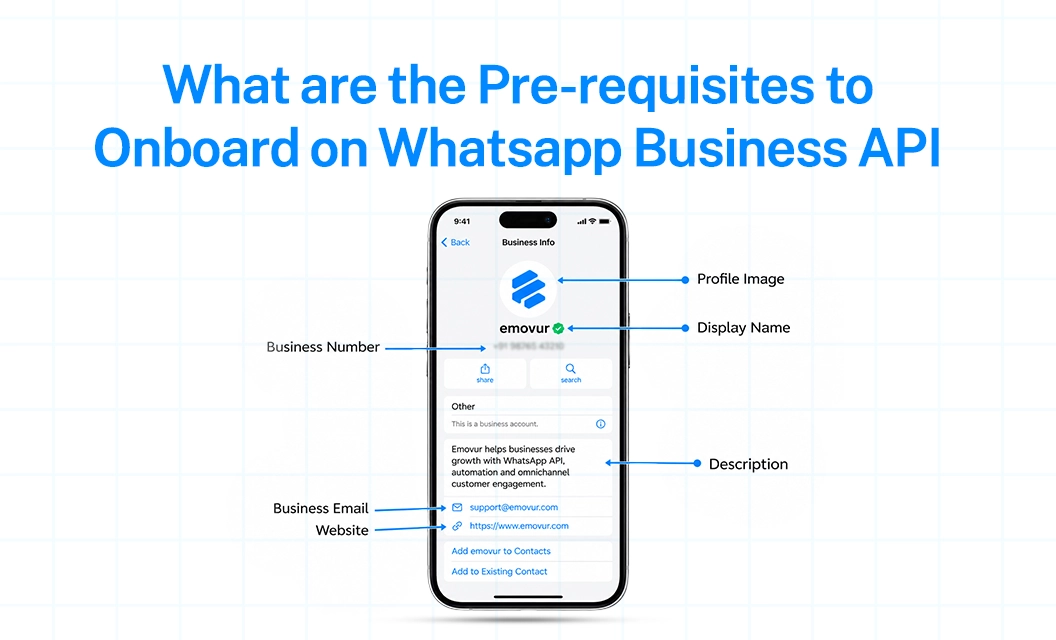
WhatsApp Business API Prerequisites
Facebook Account You need an active Facebook account to access Meta Business tools and create or manage your Meta Business Portfolio.
Meta Business Account A Meta Business Portfolio is required to manage your business assets, including your WhatsApp Business Account (WABA).
Dedicated Business Phone Number Keep a phone number ready for WhatsApp API registration. You must be able to verify the number through SMS or voice call.
Business Verification Documents Keep valid business documents such as a GST certificate, MSME certificate, or Certificate of Incorporation ready for verification, where required.
Business Website Have an active website that clearly represents your business. Your business name and other details should be consistent across your website and Meta account.
Important: Having these WhatsApp Business API prerequisites ready before you begin can make the onboarding process smoother and reduce verification-related delays.
What the Onboarding Process Actually Looks Like
Once these pre-requisites are in place, the onboarding process itself is short: connect your Facebook account, share consent, enter your number, verify the OTP, and sync. Emovur walks through each of these onboarding steps in detail, including what to do if a number is already registered elsewhere — see the full WhatsApp API step-by- step setup guide.
Having the right WhatsApp Business API prerequisites ready can make the onboarding process faster and smoother.If you're ready to start your WhatsApp Business API onboarding process, explore Emovur's onboarding documentation orbook a 1:1 demo to understand the setup and integration process for your business.
TABLE OF CONTENTS
Grow every location with Emovur
Practical playbooks and product ideas for multi-location businesses — WhatsApp, CRM, reviews, and social, all in one platform.