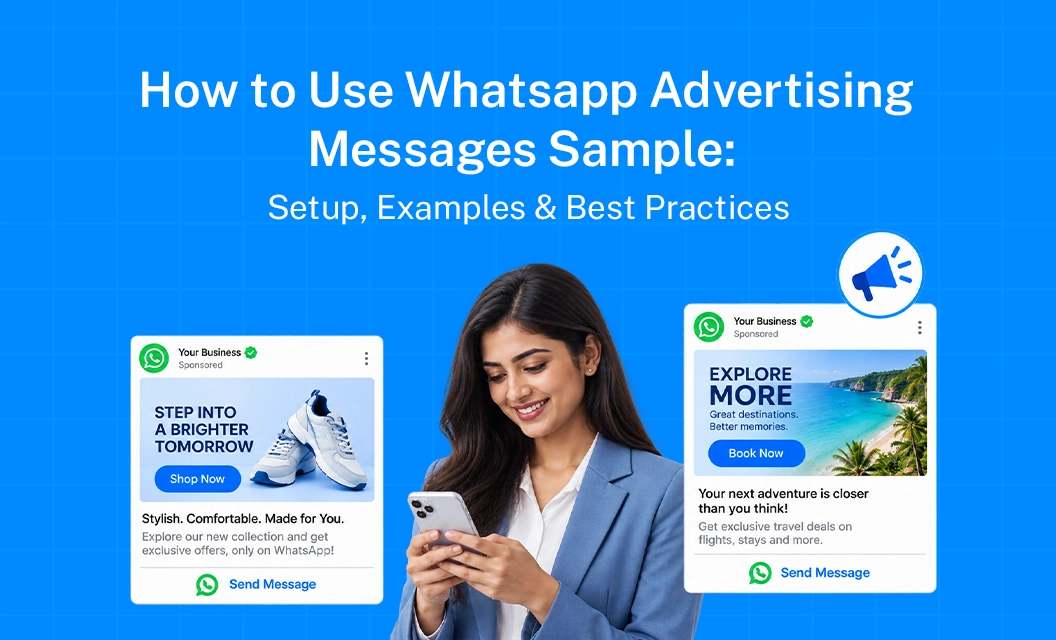
How to Use WhatsApp Advertising Messages Sample: Setup, Examples & Best Practices
Running ads that click straight into a WhatsApp chat sounds simple until you realize the message someone lands on matters just as much as the ad itself. A great Facebook or Instagram ad can pull in clicks, but if the WhatsApp conversation that follows feels generic or clunky, most of that interest just evaporates.
That is where having a solid whatsapp advertising messages sample on hand actually pays off.
This piece walks through what these messages look like in practice, how to set one up, and a few habits that separate ads that convert from ads that just get opened once and ignored.
What Counts as a WhatsApp Advertising Message
These are the messages people receive the moment they tap a Click to WhatsApp ad. Unlike a regular broadcast, this is the very first thing a potential customer sees from your business, so it is doing double duty: confirming they landed in the right place and giving them a reason to keep talking.
Because these messages often kick off a brand new conversation, businesses typically lean on approved whatsapp advertising templates rather than freeform text, especially when the goal is consistency across a large ad campaign.
Setting Up Your First Advertising Message
A basic setup usually looks like this:
Decide what the ad click should trigger: Is it a welcome message, a product catalog, or a quick FAQ menu.
Draft the opening line to match ad intent: Someone clicking a shoe ad should not land on a generic greeting with no mention of shoes.
Build in quick reply buttons where possible: Buttons like Browse Products or Talk to Sales reduce friction compared to asking someone to type a response.
Get the template approved if it is being used at scale: Ad-triggered messages tied to broadcast campaigns typically go through the same approval flow as other marketing templates.
Test the full journey yourself: Click your own ad and see what the experience actually feels like on a phone.
WhatsApp Ads Examples Worth Studying
A few formats that consistently perform well as a starting point:
Direct product match: "Hi! Thanks for checking out our summer sale. Want to see what is included, or have a specific item in mind?"
Lead capture opener: "Hey there, thanks for your interest. Can I grab your name and what you are looking for so I can point you in the right direction?"
Catalog nudge: "Welcome! Here is our full catalog. Tap below to browse, or just tell me what you need."
The common thread across good whatsapp ads examples is speed. The message should acknowledge the ad someone clicked within the first sentence, not bury it three lines down.
Best Practices for Higher Reply Rates
Keep the first message short. People who just clicked an ad are not ready for a paragraph, they want a quick, relevant response.
Match tone to the ad creative. If the ad was playful, the WhatsApp opener should not suddenly sound corporate.
Use buttons over open text when you can. It lowers the effort needed to respond and keeps the conversation moving.
Route by intent when volume is high. Not every click needs a human reply right away, but every click should get something relevant within seconds.
Review performance regularly. A message that worked well for one campaign might fall flat for a different audience or product line, so treat these as living templates, not one time setups
Turning Ad Clicks Into Real Conversations
Getting clicks is not the main niche, but converting those clicks into conversion. If you want to see how this works end to end, explore Emovur's WhatsApp Business API to understand how ad triggered messaging and template management come together,
Book a free demo to walk through it for your specific use case.
Similar finds:
Ctwa Ad to sale- build the full lead journey
Meta targeting+ Ctwa- improve qualification before chat
WhatsApp lead generation throught CTWA