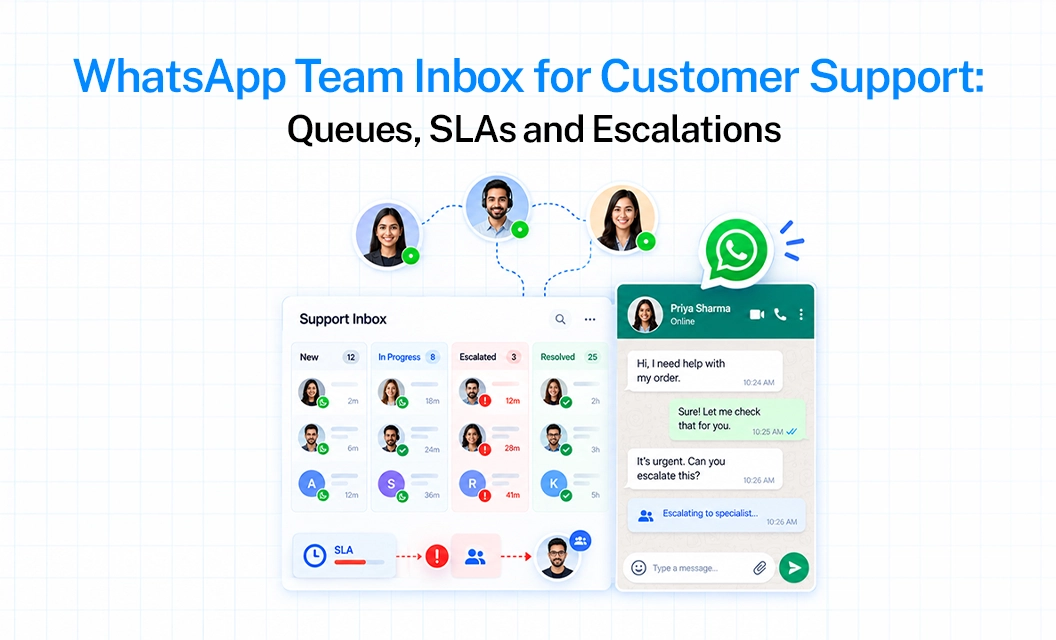
Manage Multiple WhatsApp Agents Without Duplicate Replies
Your sales team is handling WhatsApp chats from their own phones. A lead message on Monday morning. Two people see it. One replies with a quote, the other replies ten minutes later with a different one.
You find out only when the customer says, “Your colleague told me something else.”
If you manage the team, you have no way to check who replied, what they said or how long the lead waited. You are trusting everyone’s memory and their screenshots.
The fix is not asking agents to be more careful. It is moving all those chats into one shared WhatsApp inbox, where every chat has an owner and you can see every reply.
Emovur’s inbox on the WhatsApp Business API does this. Here is how to set it up.
Common Causes of Duplicate Replies in WhatsApp Team Chats
Duplicates are rarely one big mistake. They come from small gaps that repeat every day.
The pattern is the same each time. Nobody knows who owns the chat, and nobody can see what has already been said.
Which tool puts all WhatsApp chats in one inbox?
A shared team inbox on the WhatsApp Business API. Emovur’s Inbox brings every conversation from your business number into one screen, so your team replies from the same place. Managers get visibility without checking anyone’s phone.
For how a team inbox helps sales work in general, read how a team inbox helps your sales team. This post covers something narrower: how several agents share one number without stepping on each other.
How Emovur stops two agents replying to one customer
Assign every chat to one agent: Each conversation has an Assigned to field. Once a chat has an owner, the rest of the team knows to leave it alone. Agents can also filter the list by Assignee to see only their own chats.
Group agents into teams: Create teams such as Sales, Support or Billing under Inbox settings. One agent can belong to more than one team. A Workflow can route new messages to the right team on its own, for example based on message content or labels.
Label and prioritise chats: Add labels like “new lead”, “pricing query” or “follow-up”. Set status and priority. Filters let anyone find chats by label, team or status in seconds.
Keep a clear queue: Filter for unassigned conversations and your pending queue is right there. Insights also shows Unassigned and Unattended counts, so nothing sits ignored.
Auto-assign to agents who are online: Chats go to agents who are online. If an agent goes offline, new leads go to active teammates.
Leave internal notes: Agents can add private notes on a chat, so the next person knows the context without asking the customer again.
Use canned responses: Type / and a shortcut to insert a saved reply. Agents can edit it before sending. Answers stay consistent across the team.
How different your workflow looks with the Personal phone v/s Emovur shared Inbox
Move Your Team’s WhatsApp Chats Into One Inbox
If your team still replies from personal phones, the next step is a WhatsApp Business API number with a shared inbox on top. Emovur provides both.
Explore the WhatsApp Business API with Emovur to see how chat assignment, labels and reply tracking work for your team.
Frequently Asked Questions?
1. Can multiple agents use one WhatsApp number?
Yes. Connect the number to the WhatsApp Business API and a shared inbox like Emovur’s. All agents then reply from the same number through the platform.
2. How do I stop two agents replying to the same customer?
Assign each chat to one agent. Others can see the owner and leave it alone. Workflows can route new chats to a team automatically.
3. How many agents and teams can work on one inbox?
You can create teams and add agents to them, and one agent can belong to several teams.
4. Can I see what my team is telling customers?
Yes. Every conversation sits in the inbox, so managers can open any chat. Insights then shows response times by agent and team.
5. What happens when the 24-hour window closes?
The inbox shows a “Session expired” banner and free text is disabled. Send an approved template, and free text returns after the customer replies.
TABLE OF CONTENTS