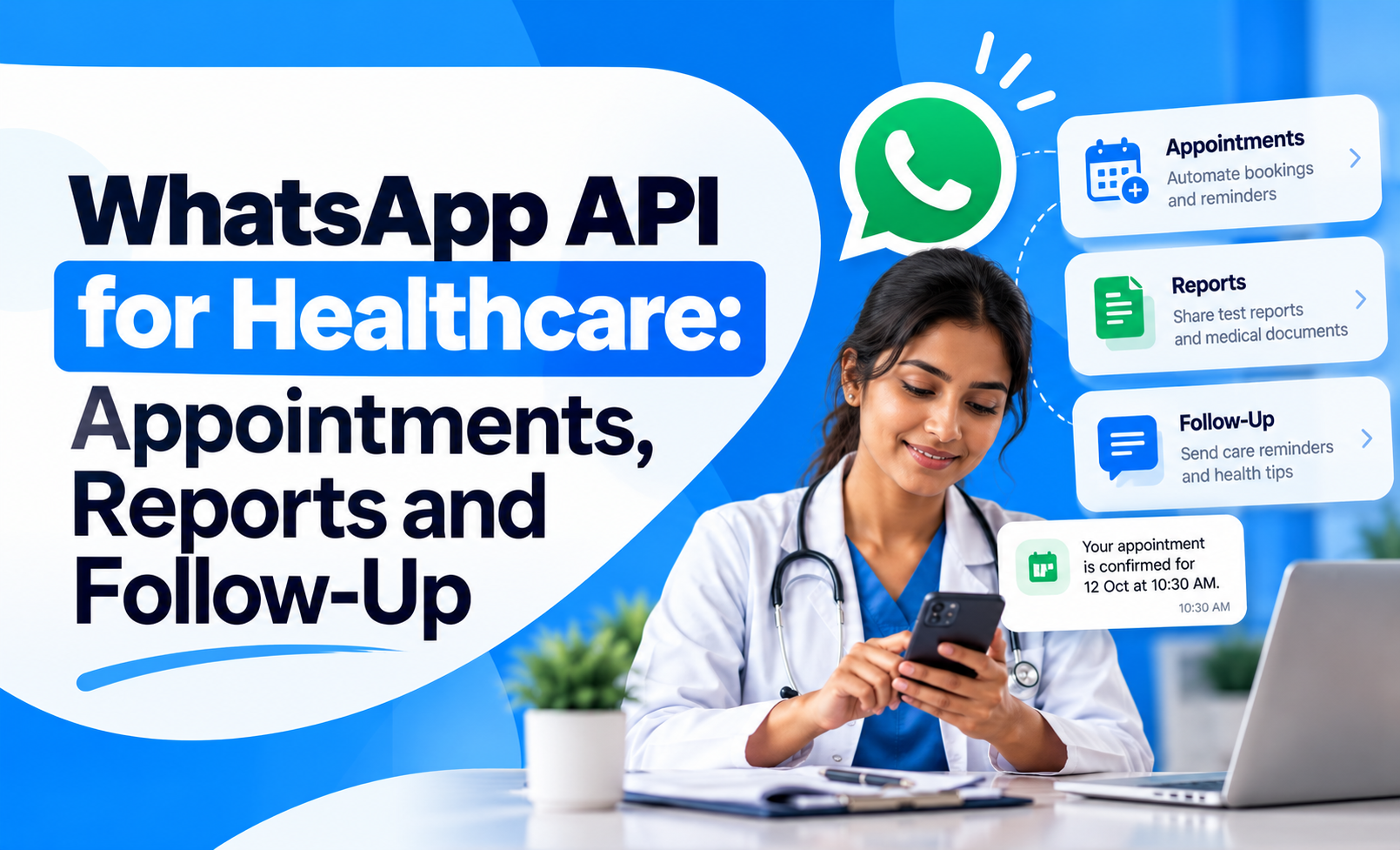
Healthcare communication often breaks down between appointments, reports, reminders and follow-up care.
Patients may forget appointment timings, miss report updates, call repeatedly for status checks or fail to return for follow-up consultations. For clinics, diagnostic centres and hospitals, this creates more manual work for front-desk and support teams.
The WhatsApp API for healthcare can help organise these communication touchpoints by automating routine updates while keeping human support available when needed.
The objective is not to replace clinical communication. It is to make non-clinical patient communication faster, clearer and easier to manage.
Quick Concept
WhatsApp API can support healthcare communication across the patient journey.
A practical setup can help with:
Appointment booking and confirmation: Reduce back-and-forth calls.
Appointment reminders: Lower missed appointments.
Report-ready notifications: Inform patients when results are available.
Follow-up reminders: Encourage patients to return when clinically required.
Service updates: Share operational information such as timings or location details.
Human support handoff: Move complex patient queries to staff when automation is not appropriate.
The strongest use case is structured communication around care operations, not medical diagnosis through automation.
Use WhatsApp for Appointment Booking and Confirmation
Appointment coordination is one of the clearest healthcare use cases.
Instead of requiring patients to call repeatedly, WhatsApp can simplify the booking process.
A structured appointment flow can include:
Collect basic details: Ask for patient name, department, preferred date and location where needed.
Show available slots: Present relevant appointment options instead of asking open-ended questions.
Confirm the booking: Send the doctor, date, time and location in one clear message.
Update changes: Inform patients if the appointment is rescheduled or cancelled.
Allow easy response: Give patients a simple way to confirm or request another slot.
Businesses can use WhatsApp Flows for appointment booking to collect structured information without creating a long chat exchange.
Reduce Missed Appointments With Timely Reminders
Missed appointments create wasted slots and additional administrative work.
A reminder system should be simple and relevant.
Useful reminder stages can include:
Booking confirmation: Sent immediately after the appointment is created.
Pre-appointment reminder: Sent before the scheduled visit.
Same-day reminder: Useful where patients need an additional prompt.
Reschedule option: Allow patients to indicate when they cannot attend.
The reminder should include only the information the patient needs:
Doctor or department
Date
Time
Clinic or hospital location
Any basic arrival instructions
Avoid adding unrelated promotional content to appointment messages.
Send Report-Ready Notifications Clearly
Patients frequently call diagnostic centres or hospitals simply to ask whether reports are ready.
WhatsApp can reduce these repetitive enquiries.
A report communication flow can include:
Test completed: Confirm that the sample or scan process is complete.
Report processing: Share an estimated timeline where appropriate.
Report ready: Notify the patient once the report is available.
Access instruction: Explain where or how the patient can securely access the report.
Support option: Provide a contact route if the patient cannot access it.
The message should avoid interpreting the medical result.
Its role is operational:
“Your report is ready.”
not:
“Your result indicates…”
Clinical interpretation should remain with an authorised healthcare professional.
Use Follow-Up Reminders Without Giving Medical Advice
Follow-up care is another area where patients can easily drop out.
A patient may be advised to return after a consultation, test or procedure but forget the date or delay the visit.
WhatsApp can help by supporting the administrative side of follow-up.
Useful messages can include:
Follow-up due reminder: Notify the patient that the recommended review period has arrived.
Appointment rebooking: Make it easy to choose another slot.
Post-visit check-in: Ask whether the patient needs help with scheduling or service-related questions.
Repeat-test reminder: Where appropriate, remind patients that a scheduled diagnostic follow-up is due.
The automation should not make medical decisions or provide treatment recommendations.
It should support the next operational step.
Keep Patient Communication Relevant and Minimal
Healthcare messages should be easy to understand and limited to what the patient needs.
A good WhatsApp healthcare message should be:
Clear: Avoid unnecessary terminology.
Specific: State the appointment, report or follow-up action directly.
Relevant: Do not combine operational messages with unrelated promotions.
Timely: Send information when it helps the patient act.
Easy to respond to: Give the patient a simple next step.
For structured operational communication, WhatsApp service messages can help businesses understand how service-related messaging should differ from promotional communication.
Use Automation for Repetitive Tasks, Not Every Patient Query
Healthcare teams receive many routine questions that do not require manual handling every time.
Automation can help with:
Appointment confirmations
Reminder messages
Location information
Department details
Report-status notifications
Basic pre-visit instructions
Follow-up scheduling prompts
Human staff should take over when:
The patient asks a clinical question
The situation involves an urgent health concern
The patient disputes or does not understand a report
The issue requires judgement or escalation
Personal or sensitive information needs careful handling
A good system should recognise the boundary between operational automation and clinical communication.
Protect Privacy and Patient Data
Healthcare communication involves sensitive information, so privacy should be part of the workflow design.
Businesses should avoid sending more patient information than necessary.
Good practices include:
Confirm the correct recipient: Avoid sharing sensitive updates with the wrong number.
Limit message detail: Use operational notifications rather than detailed clinical information where possible.
Use secure access: Reports or documents should be shared through appropriate protected systems.
Control staff access: Only authorised team members should have access to patient conversations.
Maintain consent: Patients should understand how WhatsApp will be used for communication.
Businesses using WhatsApp at scale should design the workflow around privacy, security and applicable healthcare requirements from the beginning.
Track Operational Outcomes
The success of a healthcare WhatsApp workflow should be measured by operational improvement, not simply message delivery.
Useful metrics include:
Appointment confirmation rate
No-show reduction
Reschedule rate
Report-status enquiry reduction
Average response time
Follow-up booking rate
Support escalation rate
Patient satisfaction
For example, if report-ready messages significantly reduce inbound status calls, the workflow is delivering a measurable operational benefit.
Use WhatsApp as a Healthcare Communication Layer
The strongest healthcare use of WhatsApp is not replacing doctors, nurses or clinical systems.
It is connecting routine patient communication more effectively.
A practical setup can support:
Appointment booking
Appointment reminders
Report-ready notifications
Follow-up scheduling
Service updates
Human support handoff
When these workflows are connected properly, WhatsApp can reduce administrative load while making communication easier for patients.
Healthcare organisations that want to build structured messaging, automation and team-based workflows can explore the WhatsApp Business API as the underlying communication layer.