


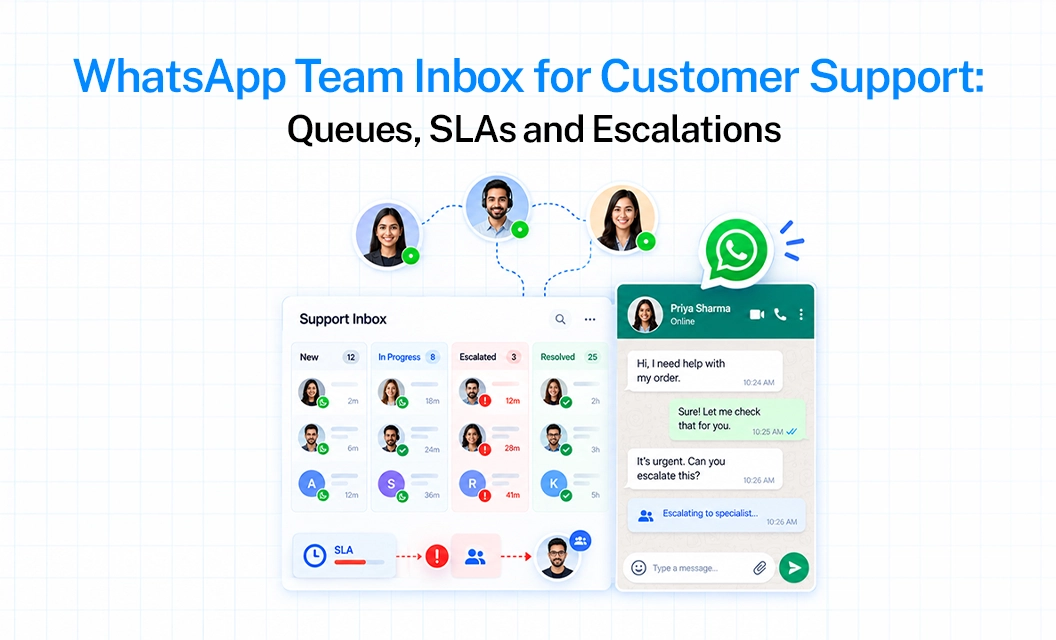
When your team shares one WhatsApp number, replies can slip. A chat goes unread, two agents answer the same customer, or nobody knows who owns what.
A response time SLA(service level agreement) fixes this. It is a simple promise to your customers and a clear target for your team; reply within a stipulated time, by this person, and step in if it gets late.
Here is how to set one up, using Emovur’s shared inbox as the example.
What Is a WhatsApp Response Time SLA?
The SLA refers to service level agreement. On WhatsApp it just means a reply-time target, like “answer every new chat within 30 minutes. A useful SLA will always look for:
A target time for the first reply.
Assigned owner for every chat .
And a backup if the target is missed.
How Fast Should You Reply on WhatsApp?
There isn’t a particular standard time, it depends on what the customer is asking, for instance someone with a failed payment needs a faster reply than someone asking for your store timings.
The best way to pick a number is to check your current reply time first. Look at the last two weeks of chats and find your typical (median) first reply time. Set your target a little better than that, then improve it each month. A target your team can never meet just makes them ignore it.
How to Set Up Queues in Your WhatsApp Team Inbox
Targets only work if every chat has an owner. A WhatsApp team inbox lets your whole team work from one business number, but you still need simple rules:
Make separate queues for support, sales and billing
Give each queue one main person and one backup
Mark the chat as urgent, normal or low priority when it first comes in
Never leave a chat unassigned, because that is where most delays start
If you are still deciding how to give your team access, read our guide on using multiple agents on the WhatsApp Business API.
What to Do When a Chat Comes In After Business Hours
Most teams pause the SLA timer at night and send an automatic message instead. Something like:
“Thanks for messaging us. Our team will reply by 10 AM tomorrow.”
Keep WhatsApp’s 24-hour window in mind too. After 24 hours from the customer’s last message, you can only start a conversation with an approved template message. So in the morning, reply to the oldest chats first.
How Emovur Helps Your Team Reply on Time
With Emovur’s WhatsApp Business API, your whole team uses one shared inbox on a single business number. Chats can be assigned to different agents, so every customer has someone looking after them and nobody depends on one person’s phone. You decide the queues and targets, and Emovur gives your team one place to work from.
Start Small and Build From There
You don’t need a full system on day one. Pick your busiest queue, check how long replies take today, set one target and one escalation step. Once that works, add the rest.
Want to see how this works for your team? Book a demo now
FAQs
What is a good response time for WhatsApp customer support?
Many teams aim for around 15 minutes for urgent chats and within an hour for normal ones. Check your own reply times first, then set a target you can meet every day.
Does the SLA timer run at night?
Usually no. Most teams pause it outside working hours and send an automatic message telling the customer when to expect a reply.
Does a chatbot reply count as the first response?
That is up to you. Most teams count only a human reply and treat the bot message as a quick acknowledgement. Write your choice into your SLA so everyone follows the same rule.
How do I track WhatsApp response time?
Use a shared team inbox that records when each customer message arrives and when an agent replies. Then review the numbers by agent and by queue.
What should happen when a chat misses its SLA?
A team lead should take it over right away. Then review the missed chats once a week to find the reason, such as too few agents, wrong routing or missing training.


