If you're sending business messages on WhatsApp, every template you submit gets sorted into one of three categories: Marketing, Utility, or Authentication. Picking the wrong one is one of the most common reasons templates get rejected or, worse, get flagged after approval.
This guide breaks down what each category actually means, when to use it, and the mistakes that trip up most businesses.
The Three WhatsApp Template Categories
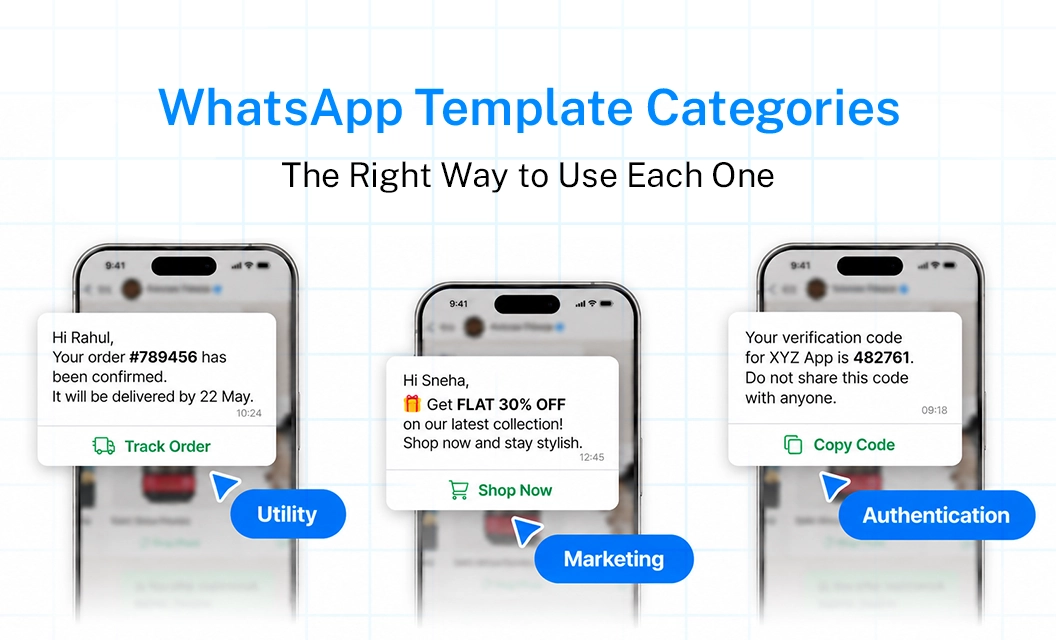
Marketing Templates
Marketing templates are used for anything promotional, including sales, new product launches, and win back campaigns. These are the most heavily scrutinized by Meta because they're the most likely to be seen as spam if overused. They also tend to cost more per conversation compared to Utility templates.
Use Marketing templates when:
You're announcing a sale, discount, or new product
You're re engaging users who haven't interacted in a while
You're sending newsletters or general updates not tied to a specific transaction
Utility Templates
Utility templates cover messages that relate to an existing transaction or action the customer already initiated. Think of these as functional, not promotional. Because they're tied to something the user is expecting, they're approved faster and priced lower.
Use Utility templates when:
Confirming an order or booking
Sending shipping and delivery updates
Sending appointment or subscription reminders
Sharing account or billing updates the user needs to know
Authentication Templates
Authentication templates exist for one purpose: verifying identity, usually through one time passcodes. These have the strictest formatting rules since Meta doesn't allow any promotional content mixed in.
Use Authentication templates when:
Sending OTPs for login
Verifying account changes
Confirming two factor authentication steps
Best Practices for Choosing the Right Category
Ask whether the message is tied to something the user already did. If yes, it's Utility, not Marketing
Keep Authentication templates strictly limited to the code and verification language
Avoid discount language, emojis, or calls to action in Utility templates
Submit templates in the category you intend to use them for, since Meta's automated review can reclassify or reject mismatched submissions
Review your message performance regularly, since categories affect your messaging costs over time
Conclusion
Getting your WhatsApp template category right isn't just a compliance checkbox, it directly affects your approval speed, your messaging costs, and whether your messages actually reach customers without getting flagged. Once you understand the intent behind each category, choosing the right one becomes second nature.
FAQs
Can I change a template's category after it's approved?
No. If you need a different category, you'll need to submit a new template rather than edit the existing one.
Why was my Utility template rejected?
This usually happens when promotional language, discounts, or calls to action are included. Utility templates need to stay strictly transactional.
Do Authentication templates cost differently than other categories?
Yes, pricing varies by category and region. Authentication and Utility templates are generally priced lower than Marketing templates.
How long does template approval usually take?
Most templates are reviewed within minutes to a few hours, though this can vary depending on content and current review volume.
Explore Emovur's WhatsApp Business API to manage and submit templates with built in guidance to see how template management works in practice.