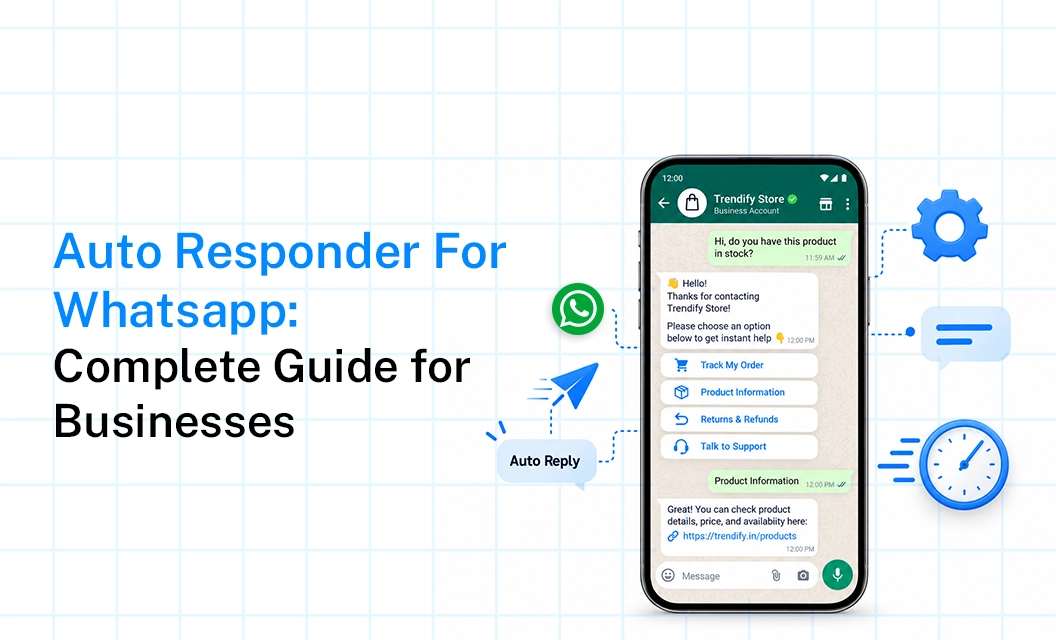
Customers do not check the clock before messaging a business on WhatsApp. Someone might message at 11pm asking about delivery times, or ping you during a meeting wanting a quick price check. If nothing replies for hours, a good chunk of that interest just moves on to whichever competitor answers first. That gap is exactly what an auto responder for whatsapp is built to close.
This guide covers what these tools actually do, how to set one up, and where a simple auto reply ends and something like a full whatsapp auto reply begins.
What does a WhatsApp auto responder actually do?
Strip away the marketing language and a whatsapp auto responder is just a pre-set message that fires automatically when something specific happens, a first-time contact, a message that lands after hours, or a customer typing in a keyword like "hours" or "price." It's not holding a conversation. Think of it more as a placeholder that buys time until a human, or a smarter bot, picks things up.
Some businesses running an auto responder on whatsapp just want something polite that says "we got your message." Others build it out more, so the reply itself routes the customer toward the right team or the right answer, depending on what they typed.
How to set up the whatsApp auto responder?
There's no single right way to do this, but most setups follow a similar path:
Pick your triggers: First contact and after-hours messages cover most cases, and keyword triggers like "price" or "hours" catch the rest.
Write the reply itself: Skip the vague stuff, "thanks for reaching out" says nothing useful, while "we'll get back to you within 2 hours" gives the customer something to work with.
Set a stop condition: An after-hours message that keeps firing once your team is back online, mid-conversation, just looks broken.
Add routing if volume is high: A whatsapp business auto responder that can route by keyword or hand off to a live agent saves a lot of manual sorting once a static reply stops cutting it.
Test it from an actual phone: Messages that read fine on a dashboard sometimes land differently once they show up as a real notification.
Where a basic auto reply stops being enough
A handful of things worth getting right
Don't fake being a person typing in real time: Customers usually see through it, and a short honest note that a real reply is coming builds more trust than an attempt to sound human.
Attach a timeframe:"We'll respond within a few hours" does more work than a generic thank-you.
Update seasonal messages: A leftover December sale notice sitting there in March reads as careless, not charming.
Keep keyword triggers simple: The more specific the trigger word, the more common phrasing slips through untouched.
Read what customers actually ask before a human steps in: If the same question keeps surfacing, that's usually the clearest sign the auto reply should address it directly instead of making people wait for an answer it could've given immediately.
Which setup actually fits your business
If your message volume is low and the questions people ask are fairly predictable, a basic auto responder for whatsapp business probably covers what you need without any extra complexity. Once volume grows, or replies need to pull in real data instead of static text, that's usually the point where a proper whatsapp auto reply api starts paying for itself.
FAQs
What's the difference between an auto responder and a chatbot on WhatsApp?
An auto responder usually sends one fixed message tied to a trigger. A chatbot goes further, holding an actual back-and-forth and adjusting its replies based on what the customer says.
Can I set different auto replies for different times of day?
Yes, most whatsapp business auto responder tools let you configure separate messages for business hours, after-hours, and holidays.
Do I need a WhatsApp auto reply API for a small business?
Not necessarily. A basic auto responder for whatsapp often covers lower message volumes just fine, and an API-based setup tends to make more sense once volume or complexity grows past that point.
Will customers know they're talking to an auto reply?
Usually, yes, if the message is written clearly. That's not a bad thing either, being upfront that a real reply is on its way tends to build more trust than a message trying to sound human when it isn't.
Curious how this looks in practice? Explore Emovur's WhatsApp Business API to see how auto reply and routing capabilities work together,
Book a free demo to walk through a setup built around your actual message volume.