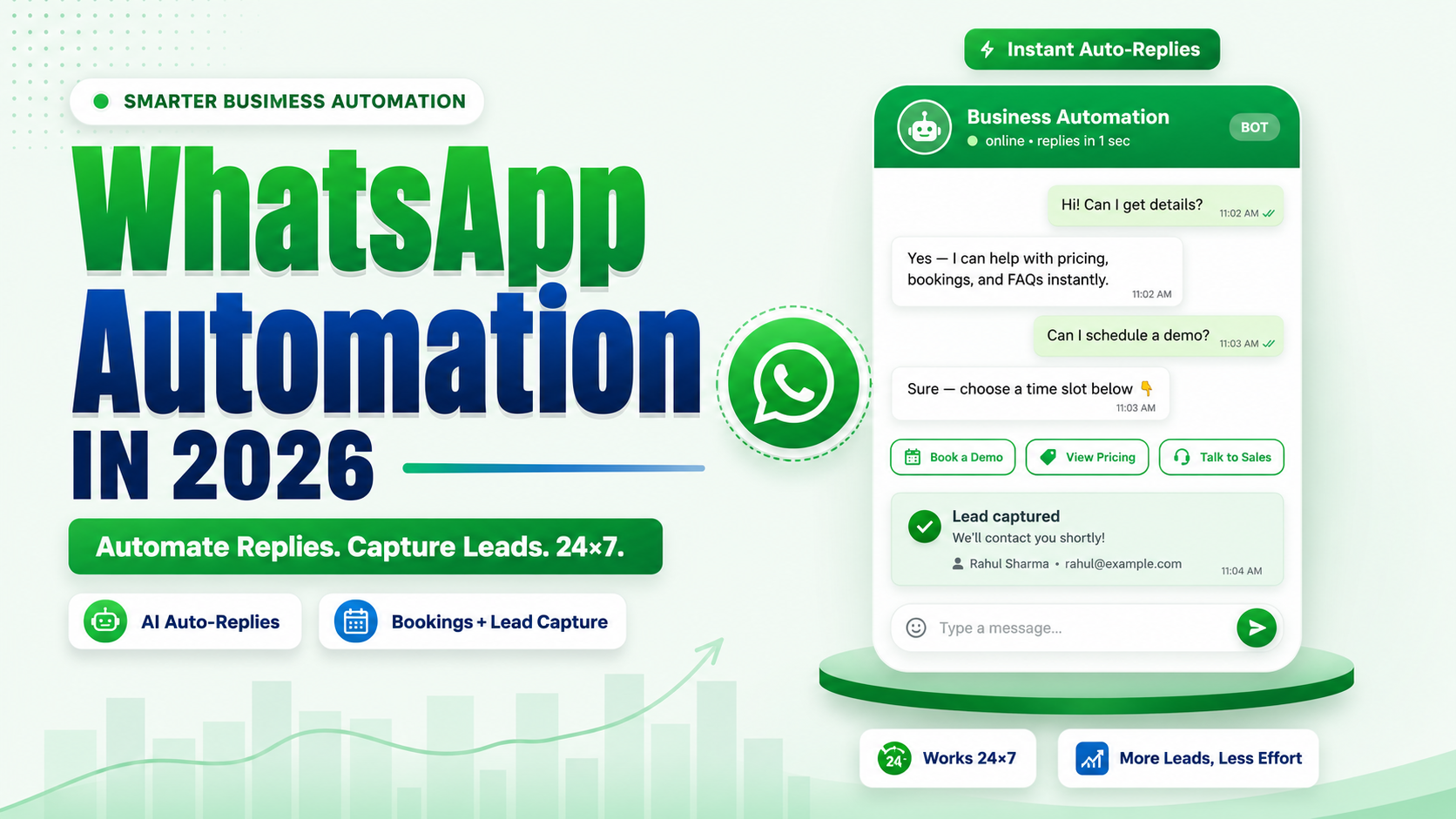
WhatsApp Automation in 2026: 12 Workflows Indian Businesses Are Running Right Now
If you're reading this, you've probably already accepted that replying to every WhatsApp enquiry by hand doesn't scale. The real question isn't whether to automate WhatsApp — it's which conversations to automate first, and what the logic behind each one should look like.
Key highlights before we get into it:
WhatsApp automation runs on the official WhatsApp Business Platform, not the free WhatsApp Business app — that's what makes CRM integration, chatbot logic, and bulk workflows possible.
The 12 workflows below cover lead response, sales, support, payments, and retention — the areas Indian SMEs automate first.
Meta changed WhatsApp's cost structure through 2026: service messages and utility templates inside the 24-hour window start getting billed from October 1, 2026, and Meta's own AI agent runs on separate per-token pricing. Both affect how you should design automation, not just which tool you buy.
Most "WhatsApp automation" content online lists tools to buy. This one shows the actual workflow logic — what triggers it, what happens next, and what it replaces.
What Counts as WhatsApp Automation in 2026
WhatsApp automation means using the WhatsApp Business API — accessed directly or through a Business Solution Provider — to send, receive, and route messages without a human typing each reply. It's built on three components: templates (pre-approved messages that start a conversation), webhooks (which notify your system the moment a customer messages, clicks a button, or completes a step), and increasingly, WhatsApp Flows — Meta's structured, multi-screen in-chat forms that replace a lot of what used to require a website redirect.
The free WhatsApp Business app doesn't support any of this beyond basic quick replies and away messages. If your business is sending more than a few hundred messages a month, or needs to connect WhatsApp to a CRM, this workflow layer is what you're actually automating.
What Changed Going Into 2026 (and Why It Matters for Workflow Design)
Two shifts are worth designing around, not just knowing about:
Service messages stop being free from October 1, 2026. Since November 2024, replying to a customer inside their 24-hour window cost nothing. That changes this year, per Meta's Business Platform changelog. Workflows that generate a lot of back-and-forth chit-chat (not structured data collection) get more expensive to run.
Meta Business Agent — Meta's own AI responder — is now live and priced per token, separate from your BSP's chatbot. If you're using Meta's native AI agent alongside a third-party automation platform, understand which layer is answering which message before you scale broadcast volume.
Neither of these is a reason to slow down automation. They're a reason to prefer structured flows (Flows, buttons, templates) over open-ended chat loops wherever the workflow allows it — structured interactions are cheaper to run and easier to measure.
The 12 Workflows Indian Businesses Are Running Right Now
1. Instant Lead Response from Click-to-WhatsApp Ads
Trigger: Customer clicks a Facebook/Instagram ad or scans a QR code and lands in your WhatsApp chat. Logic: An automated welcome message fires within seconds, followed by a short WhatsApp Flow or button menu that captures budget, product interest, or location before a human ever joins the chat. Why it matters: Ad leads go cold fast. A same-second reply, even outside business hours, keeps the enquiry warm until your sales team picks it up.
2. Abandoned Cart Recovery
Trigger: A customer adds items to cart on your website or Shopify/WooCommerce store and doesn't check out.
Logic: A utility template sends a reminder with the exact items, followed by a Flow that lets them complete checkout inside the chat where WhatsApp Pay is available, or routes to a checkout link.
Why it matters: Recovery flows inside WhatsApp convert noticeably better than an equivalent recovery email, mainly because the message actually gets opened.
3. Appointment Booking and Reminders
Trigger: Customer wants to book a slot with a clinic, salon, consultant, or service provider.
Logic: A Flow with a date picker and time picker shows real availability and confirms the slot in one screen, followed by automated reminder messages 24 hours and 1 hour before the appointment.
Why it matters: This is one of the highest-ROI workflows for local services — it directly cuts no-shows without anyone making a reminder call.
4. Order Confirmation and Shipping Updates
Trigger: An order is placed or its status changes (packed, shipped, out for delivery, delivered).
Logic: Utility templates fire automatically from your order management system at each status change, no manual updates needed.
Why it matters: This is the single most common "first" automation Indian e-commerce and D2C businesses set up, because it removes the largest source of "where is my order" support tickets.
5. COD and Payment Confirmation
Trigger: A cash-on-delivery order is placed, or a payment link is generated.
Logic: The system sends a confirmation request before dispatch (to cut COD refusals) and an automated payment reminder if a link goes unpaid after a set number of hours.
Why it matters: COD refusal rates drop meaningfully when the customer actively confirms the order on WhatsApp before it ships.
6. Lead Qualification and Routing
Trigger: An inbound enquiry comes in from any source — website, ad, referral, or walk-in QR code.
Logic: A short qualifying flow (budget, timeline, product fit) scores the lead, then routes hot leads to a human agent's inbox instantly while cold leads enter a nurture sequence.
Why it matters: Sales teams stop wasting first-response time on leads that were never going to convert.
7. FAQ Deflection and Support Ticket Triage
Trigger: A customer messages with a common question — order status, return policy, pricing, working hours.
Logic: A chatbot layer matches the intent and answers directly for the top 10–15 recurring questions, and only escalates to a human agent for anything it can't confidently answer.
Why it matters: This is usually the workflow that frees up the most agent time, since a small number of question types make up most support volume.
8. Post-Purchase Feedback and Review Collection
Trigger: A set number of days after delivery or service completion.
Logic: A short Flow with a rating scale and an optional text field goes out automatically; positive ratings get routed to a review-request follow-up, low ratings alert a support agent immediately.
Why it matters: In-chat feedback flows get a noticeably higher completion rate than an emailed survey link, and negative feedback gets caught before it becomes a public review.
9. Renewal and Subscription Reminders
Trigger: A policy, subscription, membership, or AMC is approaching its renewal date.
Logic: Automated reminders go out at fixed intervals (30/15/3 days before expiry) with a direct link or Flow to renew, reducing the manual tracking a team would otherwise do in a spreadsheet.
Why it matters: Insurance, gyms, SaaS, and AMC-based service businesses in India lean on this workflow heavily because renewal tracking is otherwise a manual, easy-to-miss task.
10. Win-Back for Inactive Customers
Trigger: A customer hasn't purchased, booked, or engaged in a defined period (e.g., 60–90 days).
Logic: A re-engagement broadcast goes out with a relevant offer or update, segmented by past purchase or interest category rather than sent as one generic blast.
Why it matters: This is a marketing message category, so it's billed differently — segmentation matters more here than in service workflows, both for relevance and for cost control.
11. Event and Webinar Registration
Trigger: A prospect clicks a "register" link or scans a QR code at an event or on marketing material.
Logic: A registration Flow captures name and contact detail in one screen, followed by automated reminders before the event and a follow-up message after it.
Why it matters: It replaces a Google Form and a separate email reminder sequence with one channel the attendee is far more likely to actually see.
12. Multi-Agent Support Handoff
Trigger: A conversation reaches a point the chatbot can't resolve, or a customer explicitly asks for a human.
Logic: The bot hands the conversation to a shared team inbox, tagged with context (what was already discussed) so the human agent doesn't ask the customer to repeat themselves.
Why it matters: This is the workflow that determines whether automation feels helpful or frustrating to the customer — a clean handoff is what separates a good automation setup from a bad one.
Common Mistakes When Building These Workflows
Automating open-ended chat instead of structured steps. With service messages no longer free from October 2026, freeform chatbot loops cost more to run than a Flow that collects the same information in one or two taps.
Skipping the human handoff design. A bot that traps a frustrated customer in a menu loop does more damage than no automation at all.
Sending marketing broadcasts to the full contact list without segmentation. This increases cost and quality-rating risk without improving conversion.
Treating WhatsApp Flows and chatbot automation as the same thing. Flows are best for structured data collection (bookings, forms, surveys); chatbot logic is best for open questions and support.
FAQs
Is WhatsApp automation different from a WhatsApp chatbot?
A chatbot is one piece of WhatsApp automation, usually handling open-ended questions. Automation also includes structured elements like WhatsApp Flows, template-based reminders, and webhook-triggered messages that don't need conversational logic at all.
Do I need the WhatsApp Business API to run these workflows?
Yes. The free WhatsApp Business app supports basic quick replies and away messages, but not webhook-based automation, CRM integration, or Flows. All 12 workflows above require the WhatsApp Business Platform, accessed directly or through a Business Solution Provider.
Will the 2026 pricing changes make WhatsApp automation more expensive?
Some workflows get costlier — mainly ones built on long, open-ended chat replies inside the service window. Structured workflows (Flows, templates, order updates) are less affected, which is part of why moving toward structured automation is worth doing now rather than after the October 2026 billing change takes effect.
Which workflow should a small business start with?
Order/appointment confirmations and FAQ deflection are usually the fastest to set up and the easiest to measure, since they replace a clearly repetitive manual task rather than requiring new sales or marketing logic.
Automating one or two of these workflows is usually enough to feel the difference — most Indian businesses start with instant lead response or order updates and expand from there once the logic is proven. If you're setting up WhatsApp Business API automation for the first time, get the lead-response and support-handoff workflows right before layering in marketing broadcasts; that order protects your quality rating and gives you a working system faster.
Author: Chethan Kumar, Founder & CEO, Emovur (business technology and customer communication expert, 8+ years with startups and SMEs) — fits per Emovur's author assignment rules for chat automation/customer engagement content.
Author LinkedIn: https://www.linkedin.com/in/bochetan
Reviewer: Vinutha K T (Business Development Manager, Emovur) as reviewer for real-world SME adoption accuracy, since she works directly with SaaS/API adoption use cases.